
GymMaster Gym Software Manual
Doors and Readers
GymMaster software combined with door access hardware form an access control system which allows automated individualized entry
- Hardware
- Gatekeepers: Gatekeeper H6 · Gatekeeper H5 · Gatekeeper H4 · Gatekeeper Mini 4 · Gatekeeper Mini 3
- Door readers: Sentinel Wall Reader · Sentinel Keypad · Cidron · CN485 · CV485
- Desktop readers: Desktop Reader · Sentinel Desktop
- Other: Tailgating cameras · Key Fobs
- Installation and Documents
- Integrate Hardware with GymMaster
- Manage Doors
- Door Access
- Troubleshooting
- Frequently Asked Questions
Sentinel Wall Reader
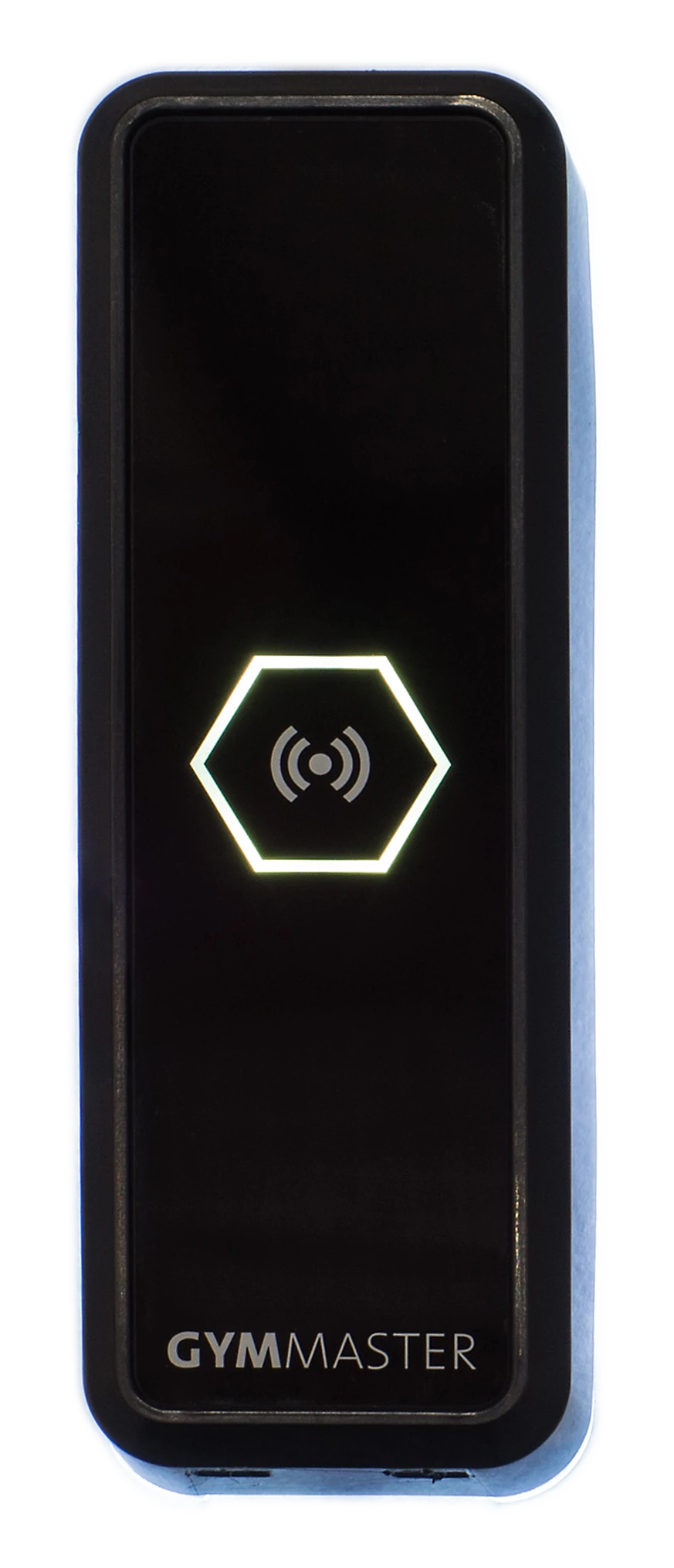
The Sentinel Wall Reader is a GymMaster door reader. It is installed on the wall at the side of an access-controlled door, and it connects to a Gatekeeper.
How it works
What it does
The reader reads RFID fobs and cards. It uses the Mifare ISO14443A standard (MIFARE Classic and MIFARE Ultralight) at 13.56 MHz. It also supports Bluetooth Low Energy (LE BLE) check ins.
A member holds an RFID fob near the reader. The reader sends the fob data to the Gatekeeper.
Parts and connections
| Item | Details |
|---|---|
| Communication | RS485. The reader connects to the Reader 1 or Reader 2 socket on the Gatekeeper. |
| Power | The reader gets 12V from the same Gatekeeper socket. |
| Cable | 4-core cable, 18-20 AWG (for longer runs), or a Cat5/6 cable, between the reader and the Gatekeeper. 100 m (110 yds) maximum. The reader comes with short wires for tests. |
| Wires | Four wires. See the wire table below. |
Do not connect other devices to the reader power wires.
Wires:
| Wire colour | Connection |
|---|---|
| Black | Ground (Gnd) |
| Red | 12V (Pwr) |
| White | A |
| Green | B |
Note: Gatekeeper H4 may have inverted A and B wires. If you’re finding that the reader isn’t detected on a Gatekeeper H4, try swapping the A and B connections.
Caution: Do not install the reader on metal that conducts electricity and has no earth. If there are two door readers, keep a minimum of 5 cm (2 in) between them.
Lights and sounds
| Indicator | Meaning |
|---|---|
| LED is yellow | The reader is idle and ready. |
| LED flashes green, one beep | Access is given. |
| LED flashes red, two beeps | Access is not given. |
| LED flashes blue, three beeps | New tag. Access is not given. |
| LED is off | The reader possibly has no power. Examine the wires and the Gatekeeper power. |
| LED is always red | The reader has encountered an internal error it can’t fix. |
| White Backlight | The reader is communicating with the gatekeeper. |
Specifications
| Item | Value |
|---|---|
| Power consumption | 8-12W |
| Communication interface | RS485 |
| Frequency | 13.56MHz (at 1-3cm) |
| Standard | 13.56MHz: ISO14443A, LE BLE |
| Indicators | RGB LED, white backlight, sound |
| Operating temperature | -15 °C - 65 °C |
| IP rating | IP65 |
| Configuration methods | Factory configured |
| Housing dimensions | L=45mm (1.77 in), H=132mm (5.2 in), W=17mm (0.67 in) |
Related Documents
- Sentinel Wall Reader data sheet (PDF)
- Gatekeeper H5 v3 installation guide (PDF)
- Gatekeeper H technical instructions (PDF)
- Gatekeeper h5 instructions (PDF)
- Gatekeeper h4.1 instructions (PDF)
- Troubleshooting guidelines (PDF)
Next - Sentinel Keypad

 2026 © Treshna Enterprises Ltd.