
GymMaster Gym Software Manual
Member Portal
Allow members online access to their account and membership details, bookings, communication history and workout plans
- Allow Member Access
- Setup Portal Billing
- Allow Sign Up Online
- Allow Bookings via Portal
- Allow Cancellations via Portal
- Post Club Notices in Portal
- Portal Communication
- Allow Member Holds via Portal
- Customize How Portal Looks Online
- Configuration Summary
- Frequently Asked Questions
- Setup Member App
Memberships by Multi Step List
In addition to grouping your Memberships by Category, you can select for your memberships within each group to be displayed by Payment Frequency.
Once Multi-Step Membership List is enabled, memberships will be displayed by Category first, then Payment Frequency, alphabetically.
- To enable this option go to Settings > Advanced Configuration > Member Portal Configuration > Membership > Multi-Step Membership List
- Note, wording used online for payment frequency (weekly, fortnightly, monthly) can be customized under Member Portal Configuration > Memberships*
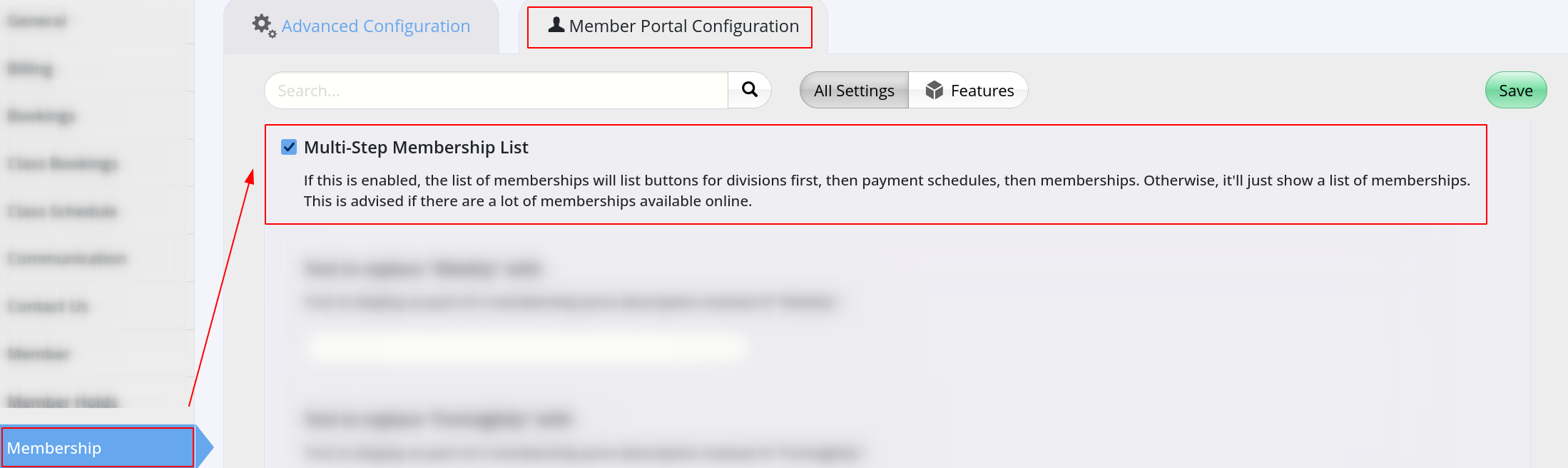
Multi Step Example
Step One
At beginning of the sign up process, your categories will be presented like this;
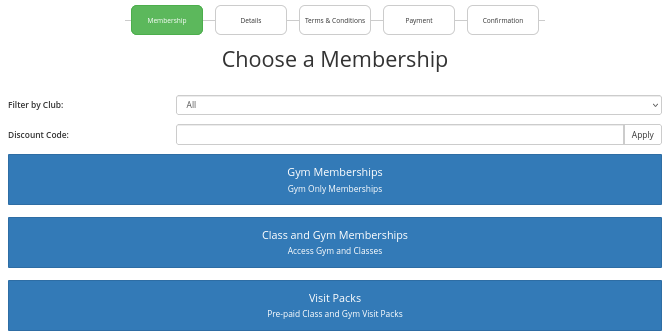
Step Two
Memberships within the selected category will be displayed.
When there are multiple memberships with a category they will be ordered by payment frequency; Weekly, Fortnightly, Monthly, etc
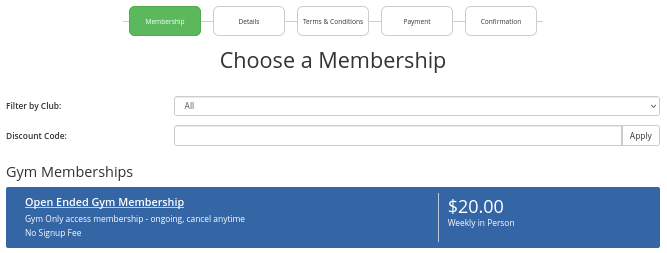
View Membership by Category Option
Membership Next Step - Membership Color

 2026 © Treshna Enterprises Ltd.
