
GymMaster Gym Software Manual
Member Portal
Allow members online access to their account and membership details, bookings, communication history and workout plans
- Allow Member Access
- Setup Portal Billing
- Allow Sign Up Online
- Allow Bookings via Portal
- Allow Cancellations via Portal
- Post Club Notices in Portal
- Portal Communication
- Allow Member Holds via Portal
- Customize How Portal Looks Online
- Configuration Summary
- Frequently Asked Questions
- Setup Member App
Details for Sign-Up Form
Allow Members to provide relevant personal details using the sign up form via the Member Portal login page.
-
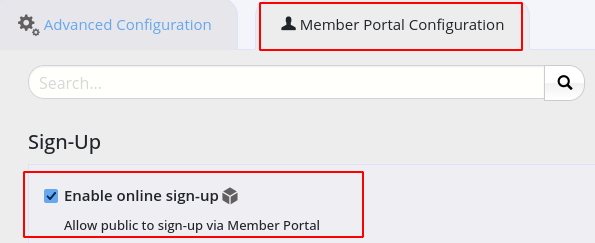
Go to Settings > Advanced Configuration > Member Portal Configuration
- Navigate to Sign-Up
- Enable Online Sign-Up
-
Carefully work through all options; these are the fields / questions that will appear on your online Sign-Up form
-
If you require additional fields, use create Custom Member Fields
-
Your new member can purchase membership during sign-up process, when enabled
- To enable this see Member Portal Memberships
Example
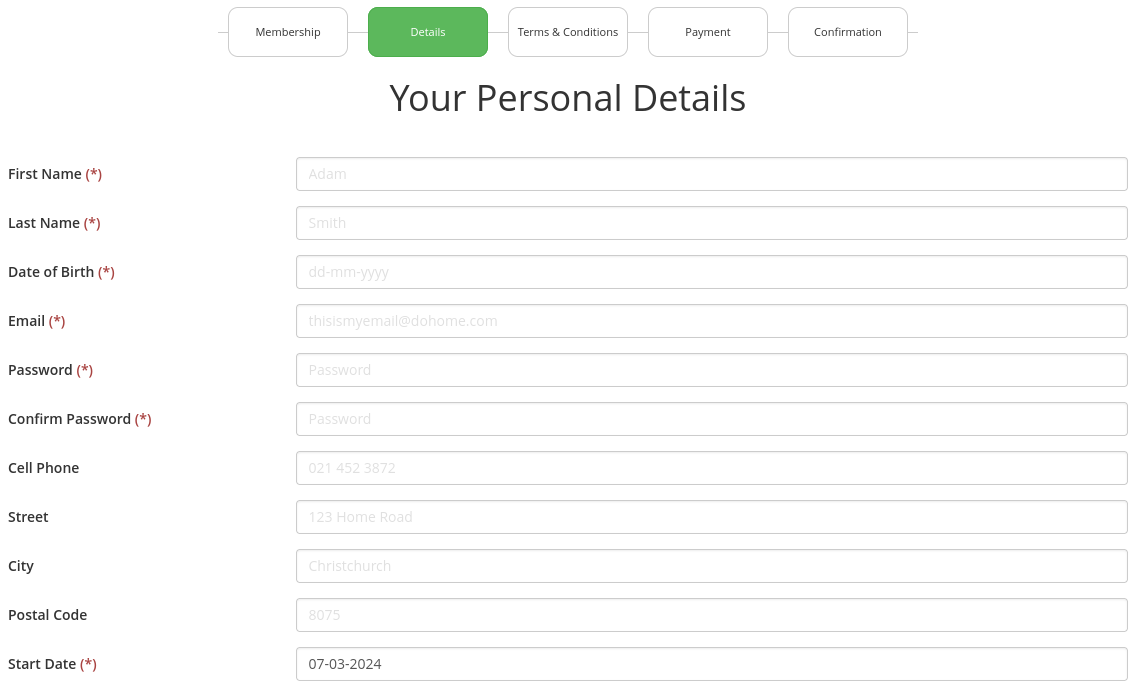
Example of online sign up form.
Note this step comes after new member has selected their preferred membership.
Next Stage - Terms and Conditions

 2026 © Treshna Enterprises Ltd.
