
GymMaster Gym Software Manual
Member Portal
Allow members online access to their account and membership details, bookings, communication history and workout plans
- Allow Member Access
- Setup Portal Billing
- Allow Sign Up Online
- Allow Bookings via Portal
- Allow Cancellations via Portal
- Post Club Notices in Portal
- Portal Communication
- Allow Member Holds via Portal
- Customize How Portal Looks Online
- Configuration Summary
- Frequently Asked Questions
- Setup Member App
Membership Color
Select membership background color.
This will be seen by members at membership selection during sign-up and when purchasing additional memberships via the Portal.
- Go to Membership Types > Add / Edit Membership Type
- Click on the default color bar to select a new color.
- If desired color isn’t displayed, select Custom + to select from a broader range.
Repeat process for all memberships to be sold online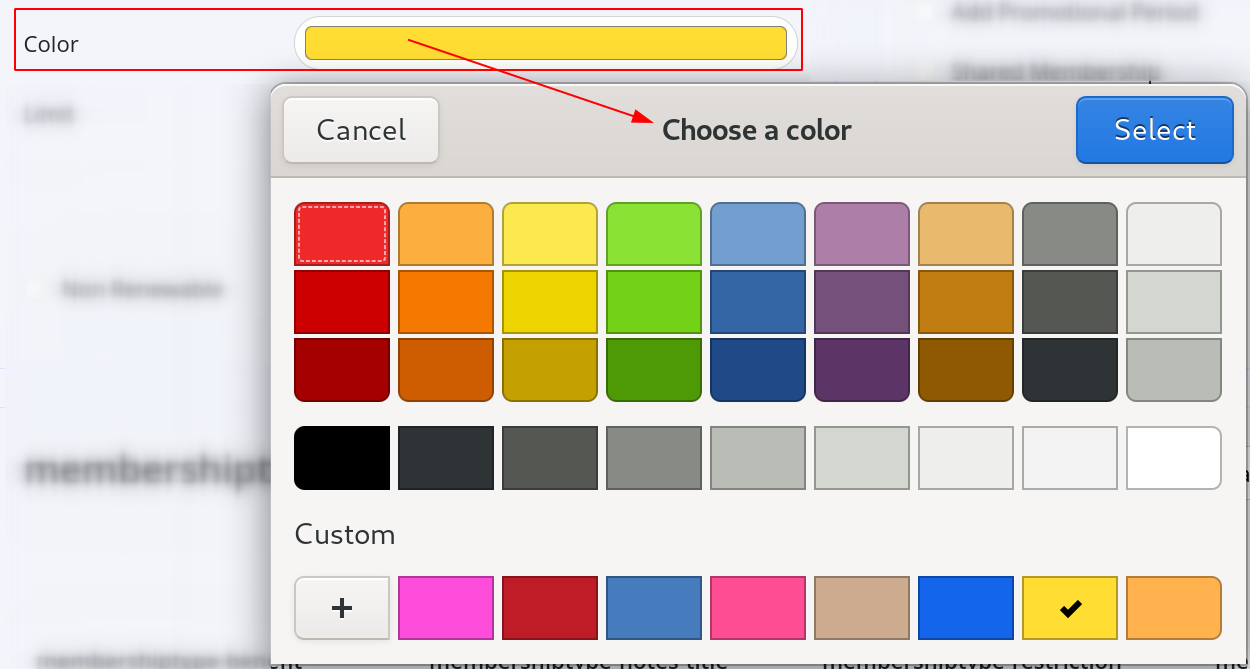
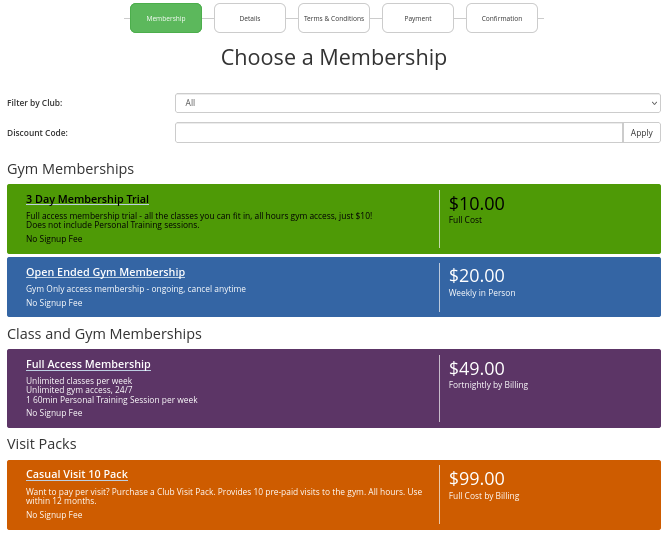
Membership Color Example
In the example below, memberships are Displayed by Category
Note that text will automatically shift between black / white to be readable against color background
Membership Final Step - Membership Renewal

 2026 © Treshna Enterprises Ltd.
