
GymMaster Gym Software Manual
Member Portal
Allow members online access to their account and membership details, bookings, communication history and workout plans
- Allow Member Access
- Setup Portal Billing
- Allow Sign Up Online
- Allow Bookings via Portal
- Allow Cancellations via Portal
- Post Club Notices in Portal
- Portal Communication
- Allow Member Holds via Portal
- Customize How Portal Looks Online
- Configuration Summary
- Frequently Asked Questions
- Setup Member App
Create Club Notice
Club notices are set per club, allowing you to keep your notices club specific.
To create club notice;
- Go to Club Details > Member Portal > Club Notices
- Select Edit
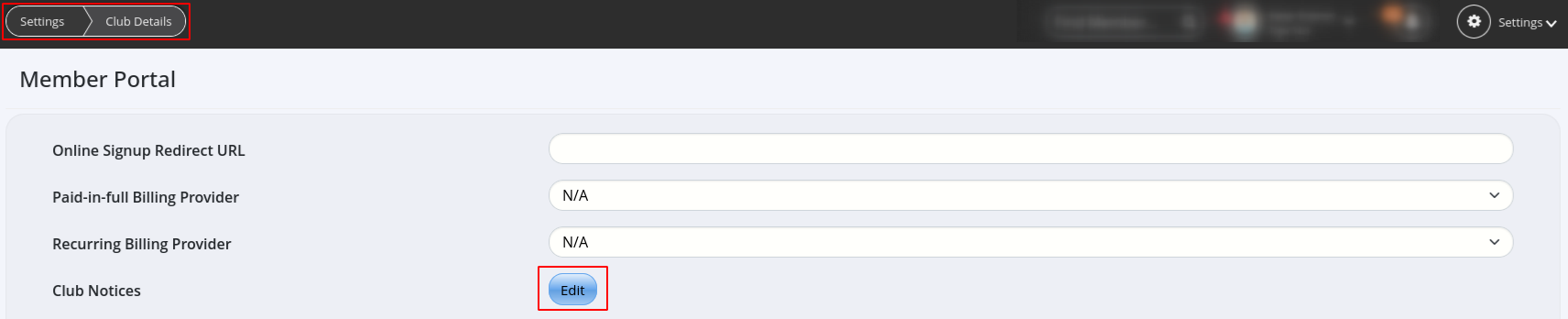
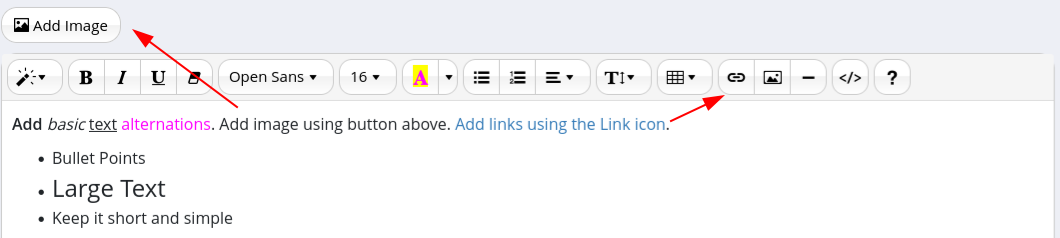
- You can set text, URLs and images in the Club Notice
- Remember to keep it short and test it out visually on the Member App
Next - Preview Club Notice

 2026 © Treshna Enterprises Ltd.
