
GymMaster Gym Software Manual
Member Portal
- Member Access
- Sign Up Online
- Bookings and Classes
- Portal Communication
- Customize Portal
- Frequently Asked Questions
- Setup Member App
Change Menu Order
Changes made here will also apply to the Member App
Change the order of your menu list.
This can be applied to any of the existing menu options within Account, Booking, Training or Purchase.
- Drag and Drop entire row to change order it will be shown, using blue Action icon

See below for example of how this will look within your menu;
-
- Default position of ‘Edit Your Pofile’
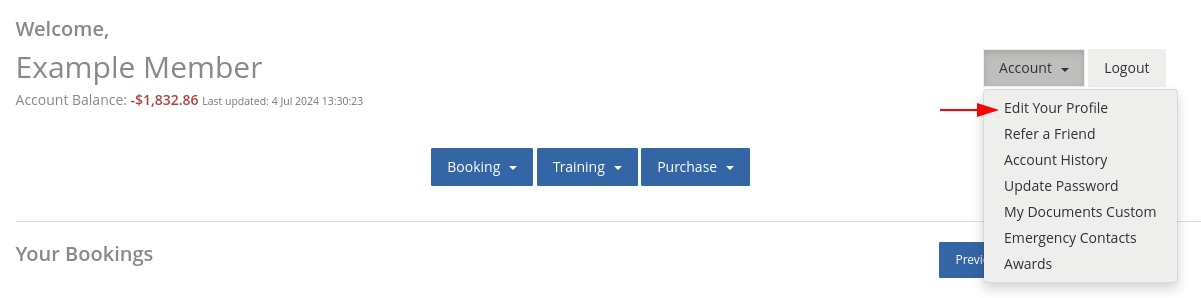
- Default position of ‘Edit Your Pofile’
-
- New position of ‘Edit Your Pofile’
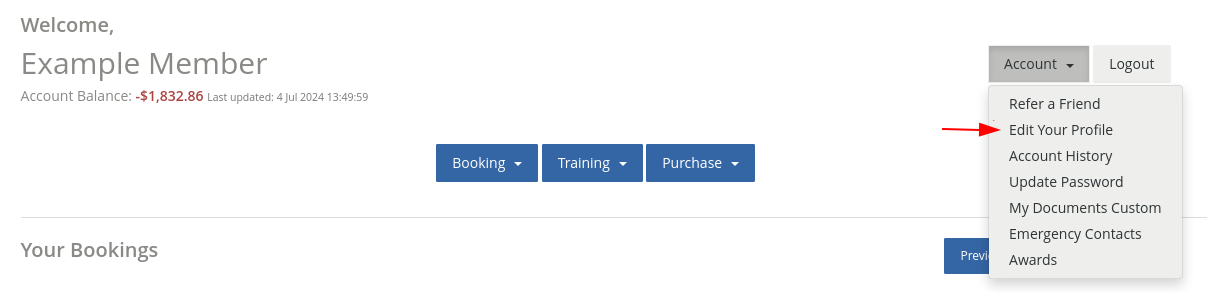
- New position of ‘Edit Your Pofile’
Next - Enable / Disable

 2026 © Treshna Enterprises Ltd.
