
GymMaster Gym Software Manual
Member Portal
- Member Portal
- Member Access
- Sign Up Online
- Bookings and Classes
- Portal Communication
- Customize Portal
- Frequently Asked Questions
- Setup Member App
Portal Buttons
Changes made here will also apply to the Member App
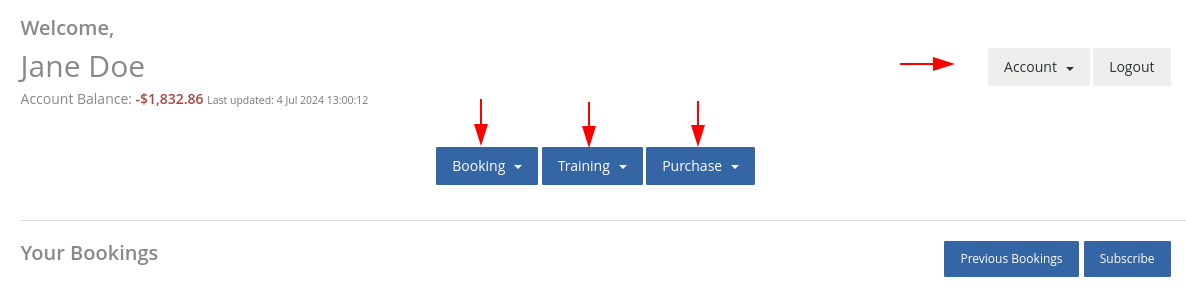
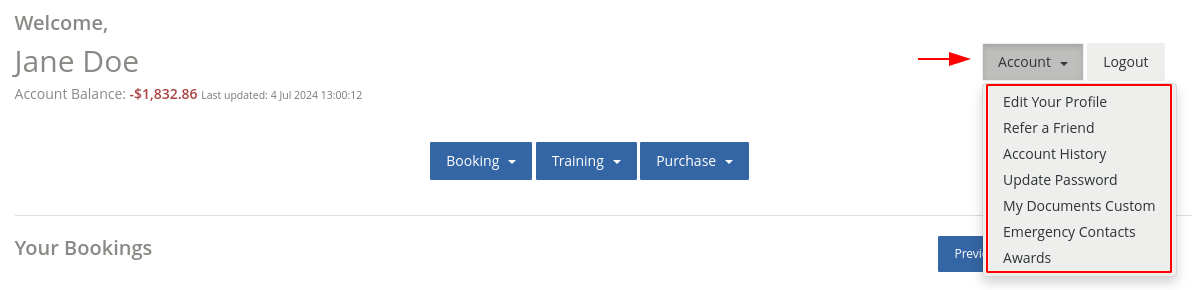
When arriving within your Member Portal, you will see 4 portal buttons which offer a drop down menu when selected;
-
Account
-
Booking
-
Training
-
Purchase
-
You can rename, reorder, enable / disable each of the drop-down menu options offered when selecting these buttons
-
Note - functionality of your menu options will not change
To Reconfigure Menu
- Go to Settings > Member Portal Configuration
- Locate the Edit Portal Buttons option on the top right on your configuration page.
Begin - Change Name

 2026 © Treshna Enterprises Ltd.
