
GymMaster Gym Software Manual
Member Portal
Allow members online access to their account and membership details, bookings, communication history and workout plans
- Allow Member Access
- Setup Portal Billing
- Allow Sign Up Online
- Allow Bookings via Portal
- Allow Cancellations via Portal
- Post Club Notices in Portal
- Portal Communication
- Allow Member Holds via Portal
- Customize How Portal Looks Online
- Configuration Summary
- Frequently Asked Questions
- Setup Member App
Enable Member Portal Access
To enable Member Portal access to members;
- Go to Settings > Member Portal Configuration > Member
- Enable Online Login
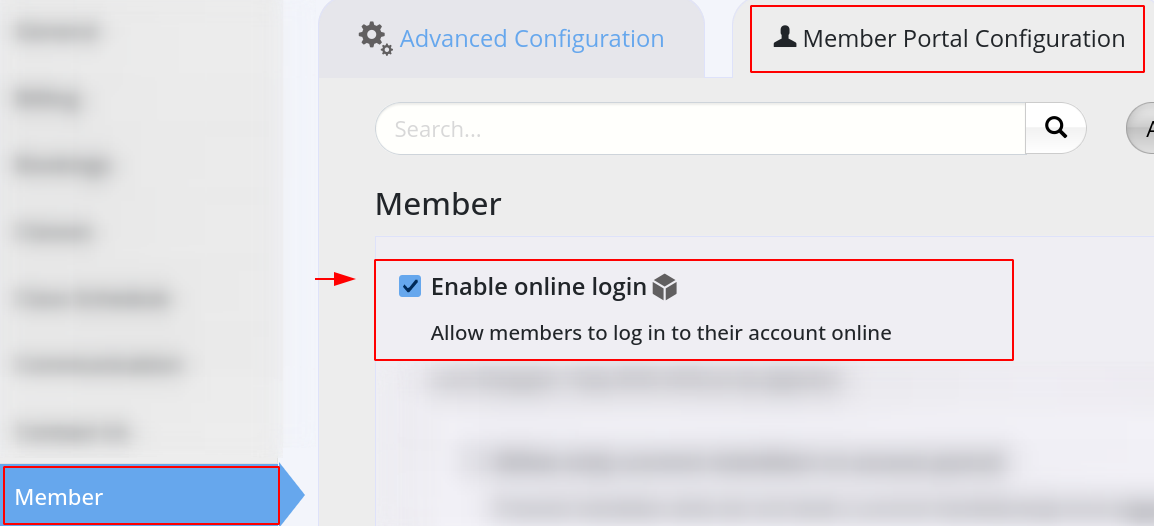
- Enable Online Login
Once enabled, you can select to;
- Allow only current members access to Portal
- Allow initial password = phone number
When not enabled, members use Forgot Password to gain access

- Define member access limits with portal throughout Member Portal Configuration

 2026 © Treshna Enterprises Ltd.