All hardware required to setup your door access control system is available through GymMaster.
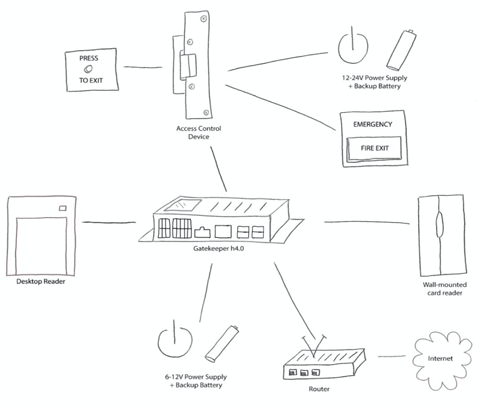
Determine which hardware is required for your club, make your order through the GymMaster team, and have your hardware setup on your end using an experienced technician.
Any minor tweaks requiring assistance either during or after installation you can seek Support through our team.
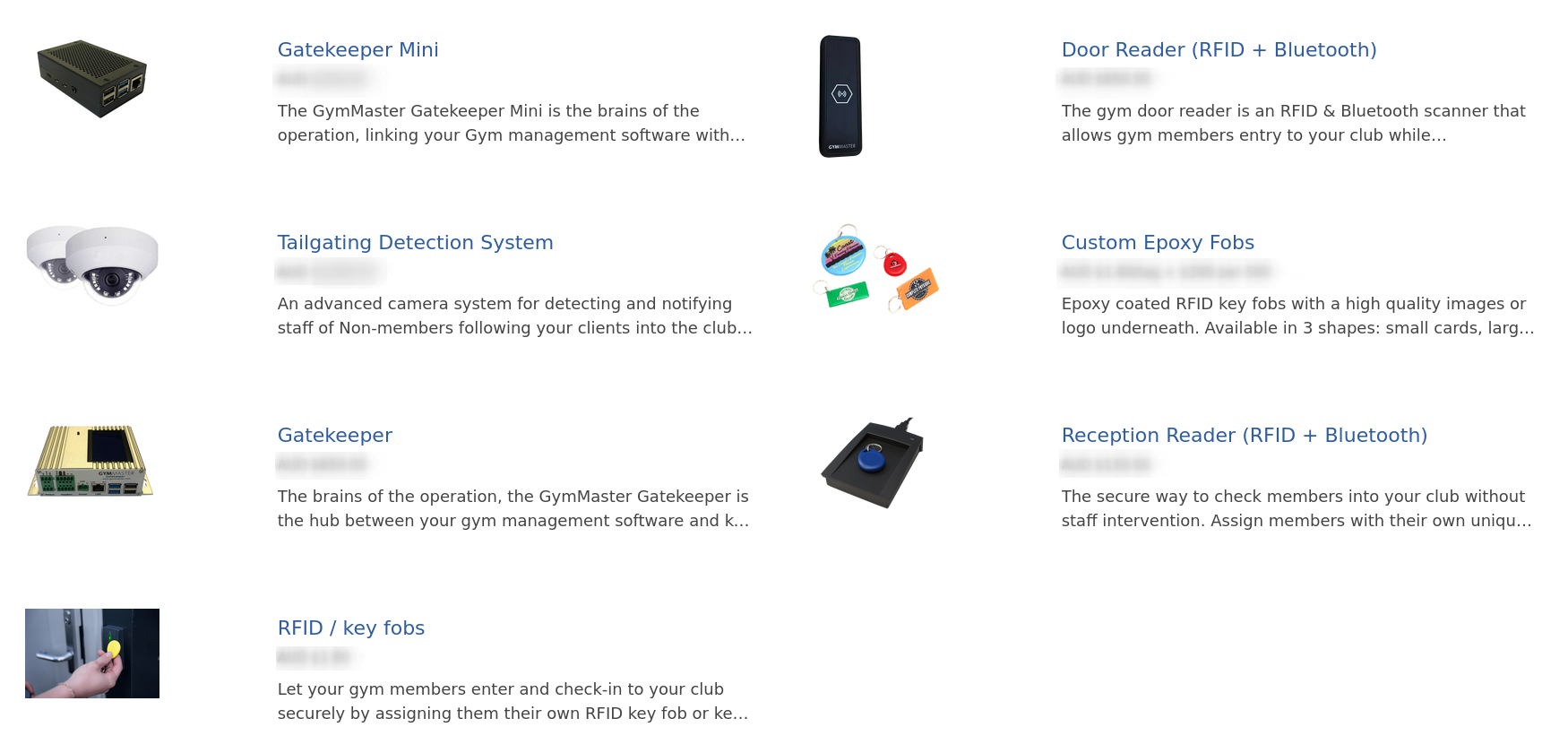
The GymMaster GateKeeper is the hub between your gym management software and key equipment used to run your gym.
GateKeeper links your club software with other hardware such as access control readers, door locking mechanisms, tills, receipt printers and barcode scanners.
One GateKeeper unit will connect GymMaster with up to 2 access doors and 4 door readers / reception readers
Gatekeeper links your Gym management software with hardware used to run your club to help automate and streamline running your business.
The Gatekeeper Mini is a lite option for fitness clubs who have a lesser requirement for hardware.
It works with desktop and barcode readers, Tills and receipt printers.
If you need to control access to your doors, the full GymMaster Gatekeeper is required.
When properly installed, Door and Reception readers enable your staff and members to use their key fob or Bluetooth access to automatically open doors and log their entry in GymMaster.
Access permissions can be customized based on staff roles and membership benefits, providing automated, individualized entry and security.
RFID and Bluetooth
The door reader is an RFID & Bluetooth scanner that allows gym members entry to your club while automatically checking them in and logging their visit in GymMaster.
This offers club members and staff the option to access the facility via their phone (bluetooth) or an assigned RFID key fob.
RFID only
A simple secure way to check members into your club at reception without staff intervention.
Assign members with their own unique RFID key tag or key card to swipe upon entry for easy check-ins for workouts, bookings, or classes.
Reception readers cannot be used to control your club doors, for this you will need a Door Reader.
Let your club members enter and check-in to your club securely by assigning them their own RFID key fob or key cards.
Each key fob is unique, allowing GymMaster to identify who checked-in and when.
If a club member ends their membership, you can reuse the tag by assigning them to another member.
Custom branded epoxy key fobs are a cost effective and super easy way to encourage word of mouth advertising.
To request custom branded tags for your business, open GymMaster and perform the following steps:
When your key fob stock is starting to get low you can order more online, directly from GymMaster.
In the footer of almost every page in GymMaster you’ll find a small link, Order key fobs;
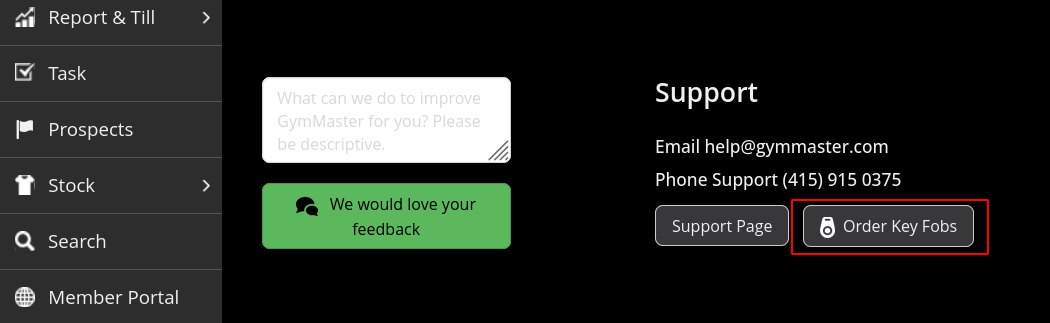
Once you click on the link you’ll be redirected to the GymMaster Client Portal.
From here, verify your shipping information, select the key fob color and respective quantity.
Your order’s shipping will automatically update as you add more fobs.
Select your payment method, and finally review your order before confirming it.
This is an advanced camera system for detecting and notifying staff of non-members following your clients into the club after swiping their key fobs.
The tailgating system works in conjunction with GymMaster access control to help keep your club secure and deter unwanted visitors from accessing your club outside of staffed hours.
One GateKeeper unit will connect GymMaster with up to 2 access doors and 4 door readers / reception readers
Gatekeeper and Readers h5 Wiring Instructions v3
Gatekeeper and Readers h4.2 Wiring Instructions v4
Gatekeeper Sentinel (Wifi) Setup Guide
GateKeeper Mini Setup Instructions
Technical Tailgating Installation Guide
GateKeeper H5 Setup - Register Your GateKeeper
Flashing SD card
Replacing SD card for Gatekeeper H5
GateKeeper H Bench Testing
GateKeeper Bench Testing in Test Mode
Tailgating Setup Support Guide
Return shipping document for USA
Return shipping document for NZ/AUS
Our staff will integrate your hardware within GymMaster for you, so all you need to do is determine which hardware is required for your club, make your order through the GymMaster team, and have your hardware setup on your end using an experienced technician.
Any minor tweaks requiring assistance either during or after installation you can seek Support through our team.



 2026 © Treshna Enterprises Ltd.