
GymMaster Gym Software Manual
Tasks and Task Automation
Tasks are predefined actions or reminders that automate processes within GymMaster or prompt staff to perform specific actions.
General Settings
Note: Tasks are generated every half an hour; when selecting Immediately there may still be a small delay before a task is created.
- Name Task - this will serve as your identifier for using and locating the task in the future
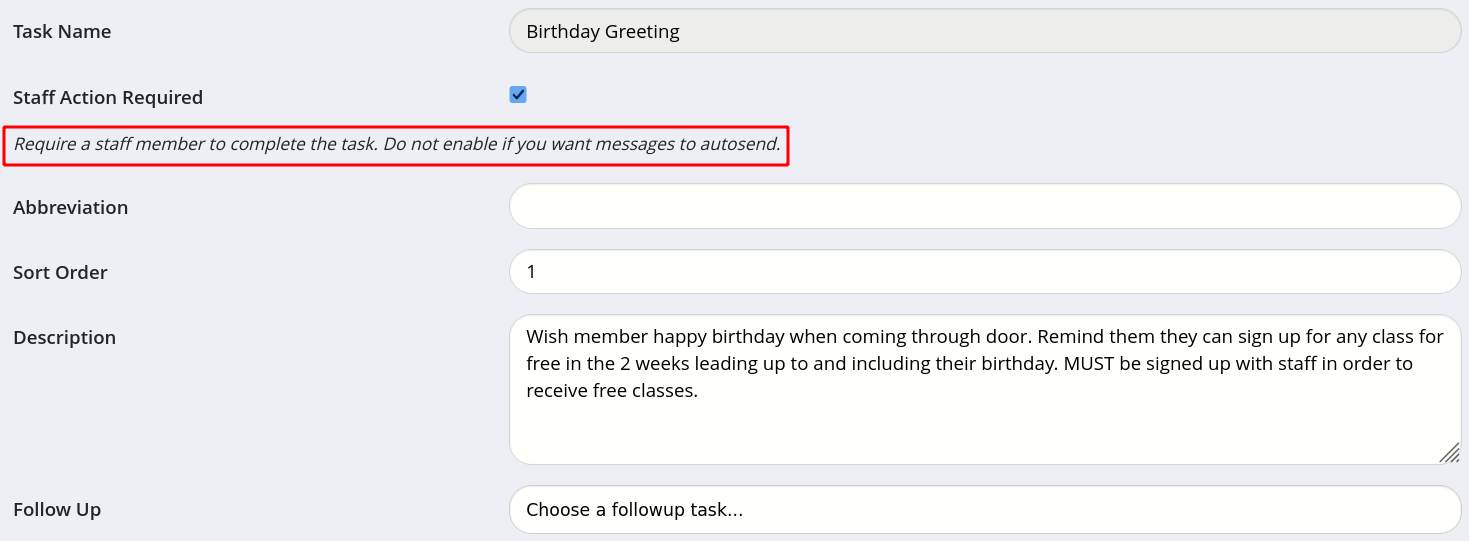
- Staff Action Required - will Task will be fully automated or is it a Staff Task?
- Description – reminds performer of the task of what they need to do to complete the task, or, if automated, explains what the task is intended to achieve
- Follow Up – is there a subsequent task required upon the completion of this task?
In example below; Staff Action is Required to greet member within 2 weeks of birthday, to let them know they can book classes for free within this time period.
As Staff Action cannot be combined with automated communication, we will create a second task to automatically send Email and SMS to notify members of this birthday promotion.
Next - Trigger

 2026 © Treshna Enterprises Ltd.
