
GymMaster Gym Software Manual
Add Member
Member Photo
If enabled, members can also upload or update their own photo through the Member Portal.
How to Add a Photo
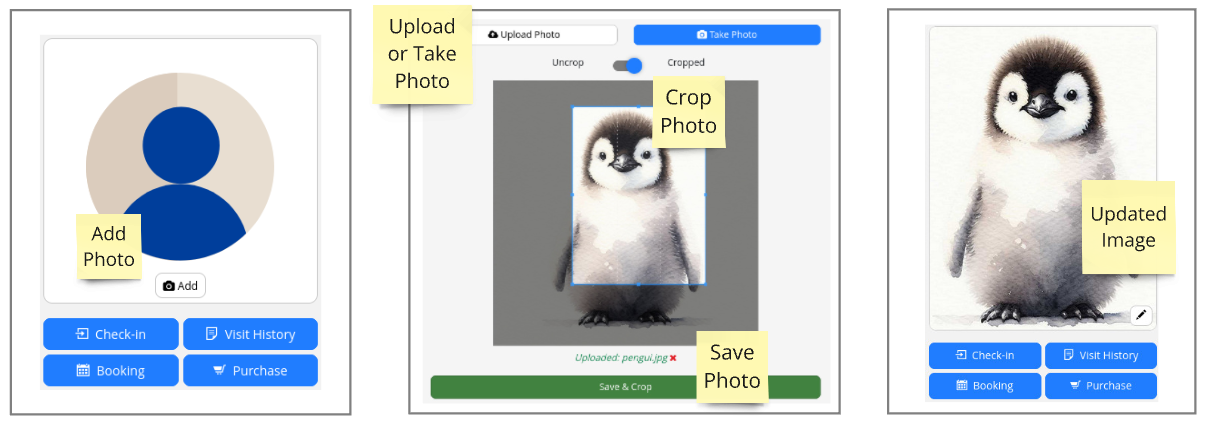
- Click Add in the photo box on the side menu
- Choose one of the following:
- Take a photo — Ideal for on-the-spot captures (requires a webcam or integrated camera setup)
- Upload a photo — You can upload directly or take a photo on your phone, email it to the club, and then upload from there
- Use the Crop Tool to adjust and center the image
- Click Save to complete
Manage Member Photo
To update or manage an existing photo:
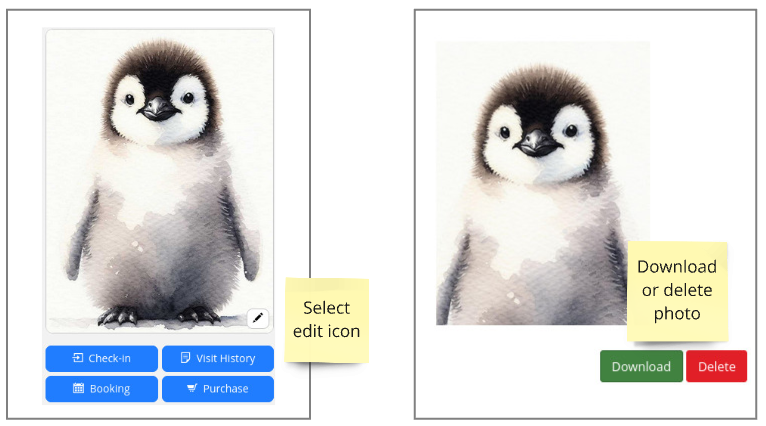
- Click the edit icon on the member photo
- Choose to either:
- Download Photo — Save a local copy of the current image
- Delete Photo — Remove the image from the member’s profile
Ready to go back to adding your new member? Return to Add Member

 2026 © Treshna Enterprises Ltd.