
GymMaster Gym Software Manual
Member Page
Manual tasks related to members can be managed through the different tabs within each member’s page
- Accounts and Billing
- Bookings
- Communication
- Details
- Memberships
- Side Menu
- Training
- Frequently Asked Questions
Apply Task Award
Individual Task Award Templates must be linked to a Task, in order to activate automatically.
Go to Settings > Task Configuration
See full Task instructions as described under Add Task Type
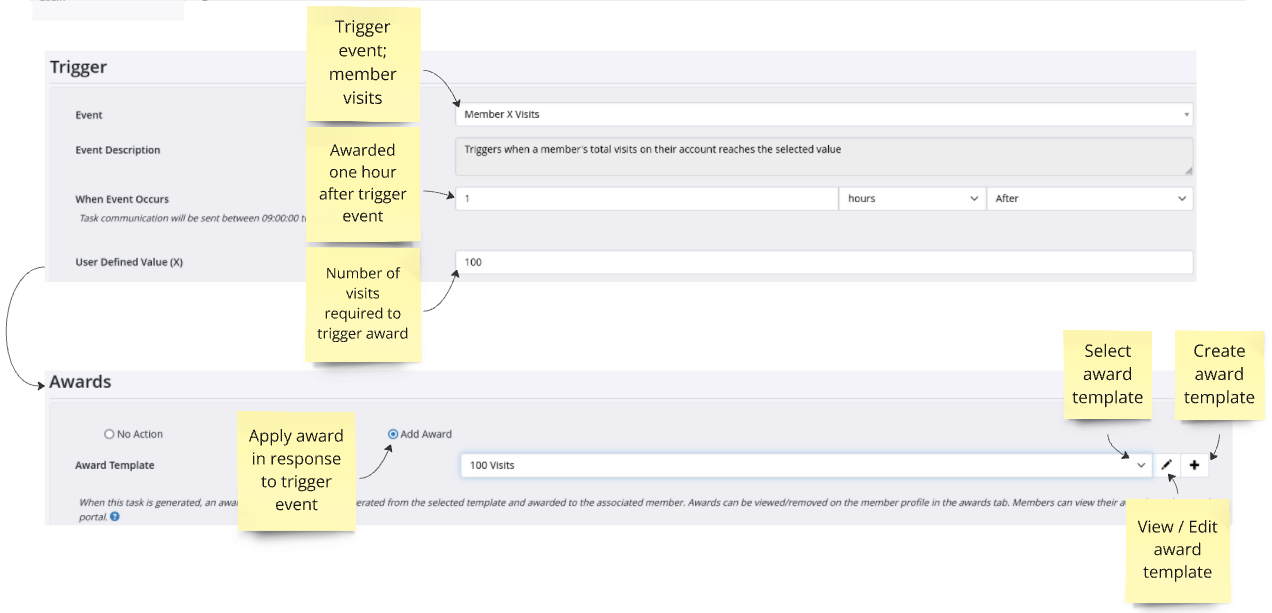
Example: ‘100 Visits’ Award will be automatically awarded to member, 1 hour after their 100th visit to the club
Trigger
- Define Trigger Event that needs to occur in order to automatically Apply Award
- For example, to grant an award to members on their 100th visit, use;
- Member X Visit + User Defined Value (X) = 100
Awards
- Select Add Award
- Select Award Template to be applied
- If required template does not yet exist, select + to create
- Save
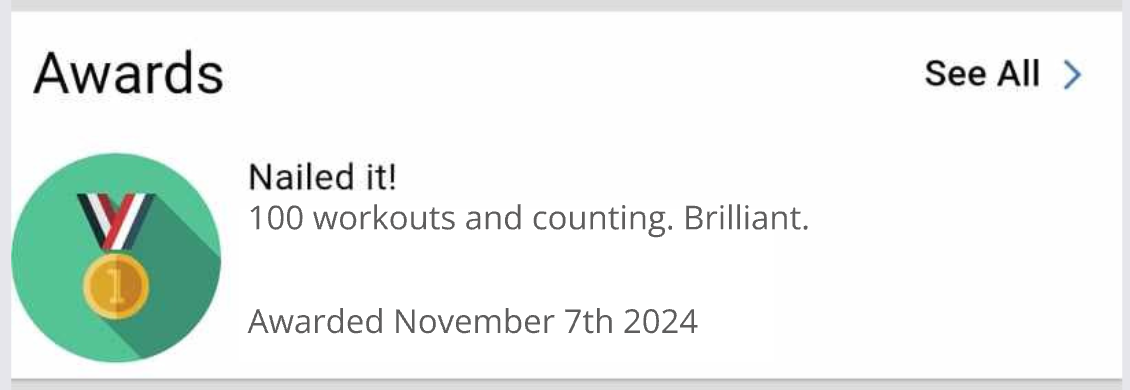
Award as seen on Member Portal
Next - Apply Manual Award

 2026 © Treshna Enterprises Ltd.