
GymMaster Gym Software Manual
Member Page
Manual tasks related to members can be managed through the different tabs within each member’s page
- Accounts and Billing
- Bookings
- Communication
- Details
- Memberships
- Side Menu
- Training
- Frequently Asked Questions
Custom Award Templates
The Custom Award Template defines the visual and written elements of the award that members can view on the Member Portal.
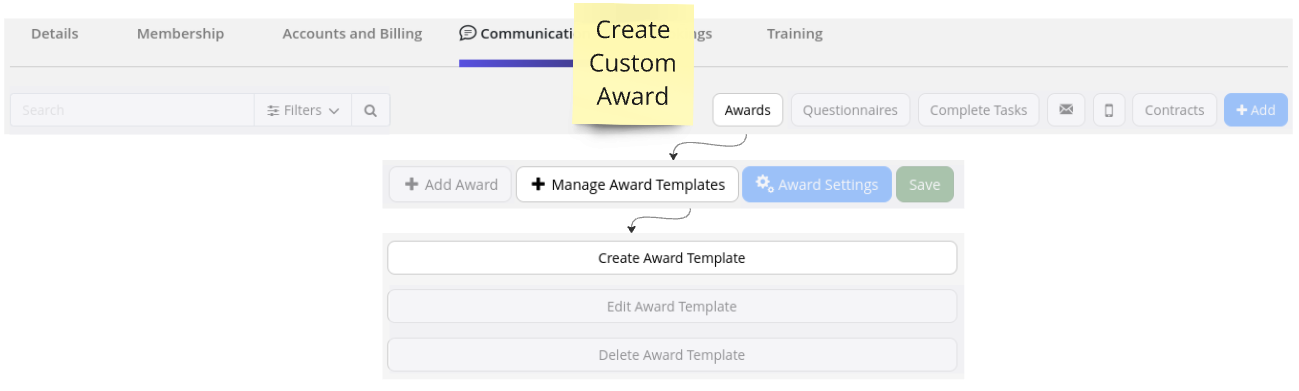
To create a new template, go to Member Page > Communication Tab
- Select Awards
- Select Manage Award Templates
- Select Create Award Template
Create Award
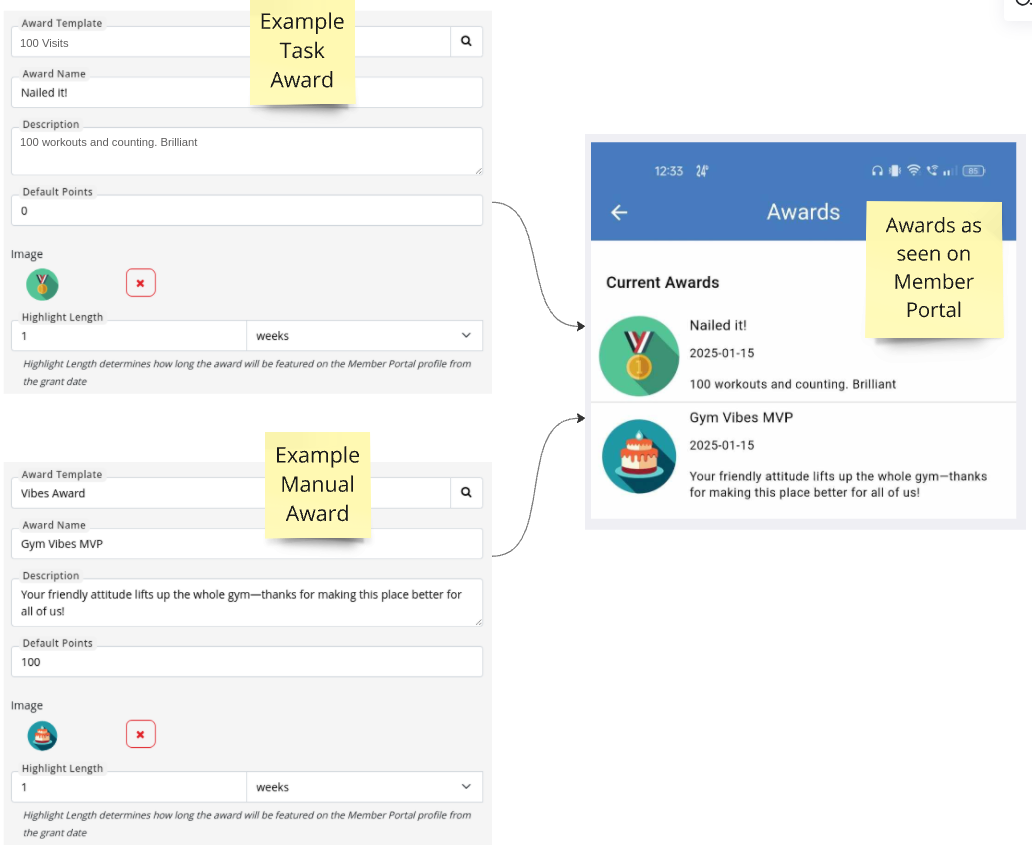
Fill in details for your Award, remembering that;
Task Awards must match Trigger options within Tasks to activate automatically as required.
Manual Awards must be awarded to members manually.
- Award Template: Template title is for staff description only; not seen by Members
- Award Name: Title of award as seen by members
- Default Points: Optional; add award points based on the ‘value’ of each award
Next - Apply Task Award

 2026 © Treshna Enterprises Ltd.
