
GymMaster Gym Software Manual
Tasks and Task Automation
Tasks are predefined actions or reminders that automate processes within GymMaster or prompt staff to perform specific actions.
Member Communication Task
When a member requires personal communication, a task can be generated to ensure the correct staff member is aware and follows through.
Completing this process through the Communication Tab within the member’s profile ensures a communcation log is maintained alongside existing communication history.
To add a Personal Member Communication task;
Go to Member Profile > Communication Tab
-
Select +Add
- *A task created here will add personal communication task to member’s Communication Log
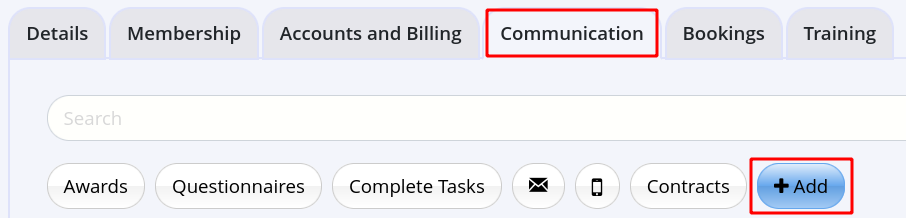
- *A task created here will add personal communication task to member’s Communication Log
-
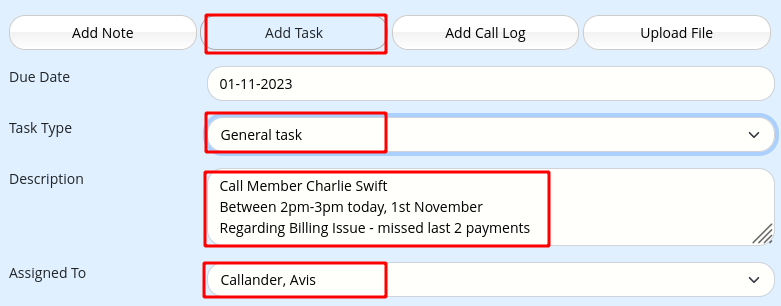
Select Add Task. Complete details;
- Due Date
- Task Type
- Note, when automated task types are not required, use General Task
- Description of task required
- Assign Staff Member to complete Task
- Save
Staff will be prompted to action via the Tasks page

 2026 © Treshna Enterprises Ltd.
