
GymMaster Gym Software Manual
Member Page
Manual tasks related to members can be managed through the different tabs within each member’s page
- Accounts and Billing
- Bookings
- Communication
- Details
- Grading
- Memberships
- Side Menu
- Training
- Frequently Asked Questions
Upcoming Bookings
View member’s approaching class and service bookings
Navigate to Member Page > Side Menu > Upcoming Bookings
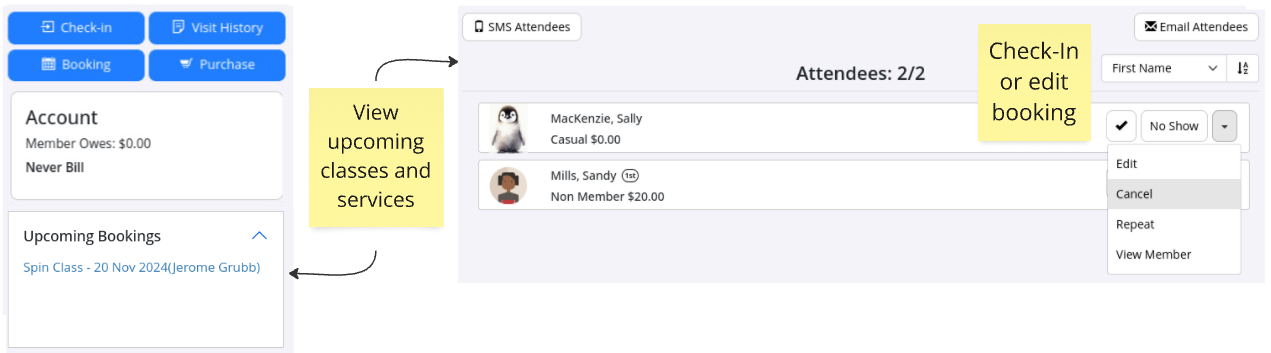
Three most imminent upcoming bookings will be displayed.
Click on link of any of these bookings to take you into booking. From here you can;
- Check member into booking manually
- Pay for booking
- Define member as a no show manually
- Edit booking
- Cancel booking
See Bookings tab for full list of both past and future bookings
Next - Member Actions

 2026 © Treshna Enterprises Ltd.