
GymMaster Gym Software Manual
Member Page
Manual tasks related to members can be managed through the different tabs within each member’s page
- Accounts and Billing
- Bookings
- Communication
- Details
- Memberships
- Side Menu
- Training
- Frequently Asked Questions
Purchase
Intiate POS sale from Member Page
Navigate to Member Page > Side Menu > Purchase
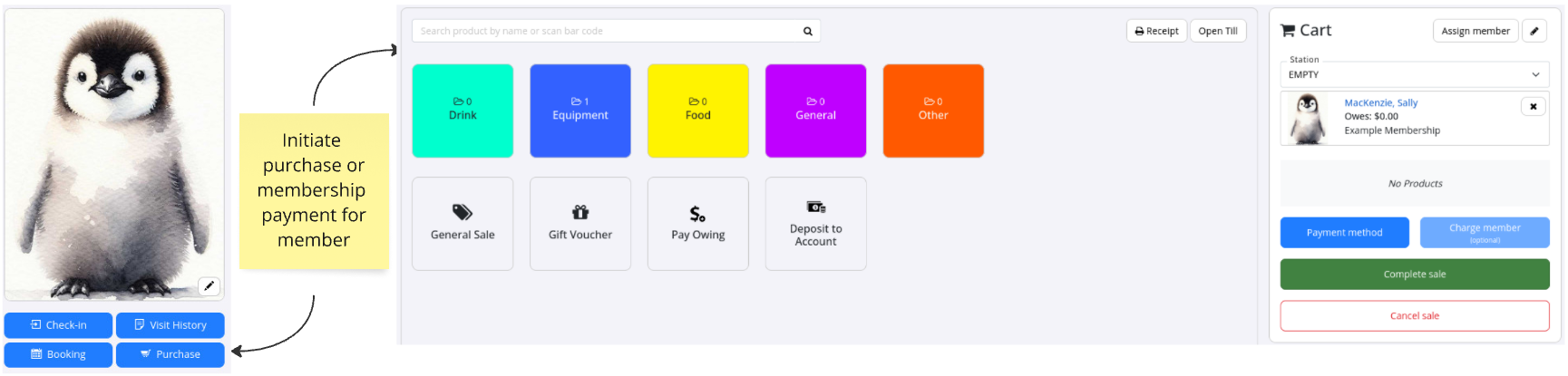
You will be taken to Point of Sale. From here members can pay for;
- Products
- Memberships
- Bookings
- Gift Vouchers
- Deposit funds into their Account
For full sales process see Make Sale using POS
Next - Account

 2026 © Treshna Enterprises Ltd.
