
GymMaster Gym Software Manual
Member Page
Manual tasks related to members can be managed through the different tabs within each member’s page
- Accounts and Billing
- Bookings
- Communication
- Details
- Memberships
- Side Menu
- Training
- Frequently Asked Questions
Add Signature
Add a member signature to your records as a way to verify against a signature at a future date, if required.
Members will still need to sign individual forms and waivers.
Add Signature To Record
Go to Member Actions menu, below the side menu on the left hand side of Member Page, select Add Signature
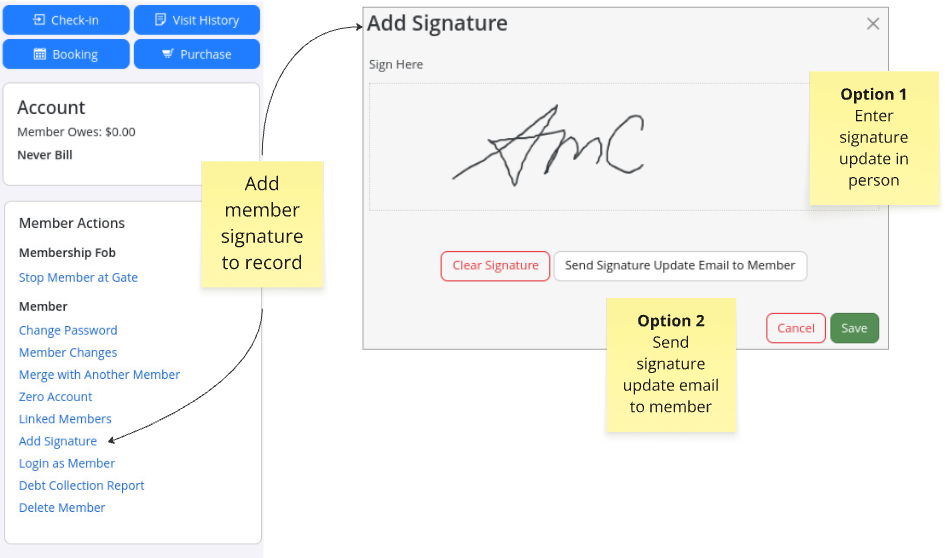
Option 1 - Member can add signature via reception device, if practical
Option 2 - Member can be emailed link to add signature via their own device
View Signature
Signature can be viewed via Member Page > Communication Tab
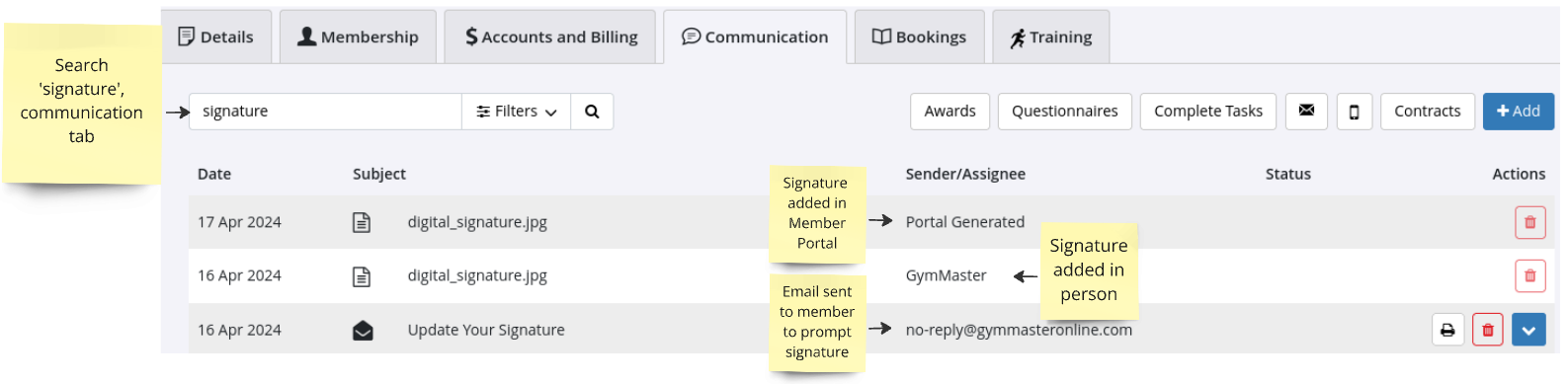
- Use the filter to search for signature
- Click on file to view
Next - Login as Member

 2026 © Treshna Enterprises Ltd.
