
GymMaster Gym Software Manual
Bookings and Classes
This is the back-end of your Schedule. Set up your facilities, staff / trainers, classes and services to allow them to be scheduled and booked
Setup Staff as Trainers
To setup your trainers before adding them to Schedule;
- Complete Club Details
- Add Trainers to GymMaster via Add Staff Members
- Select Staff Resource under the Trainer tab.
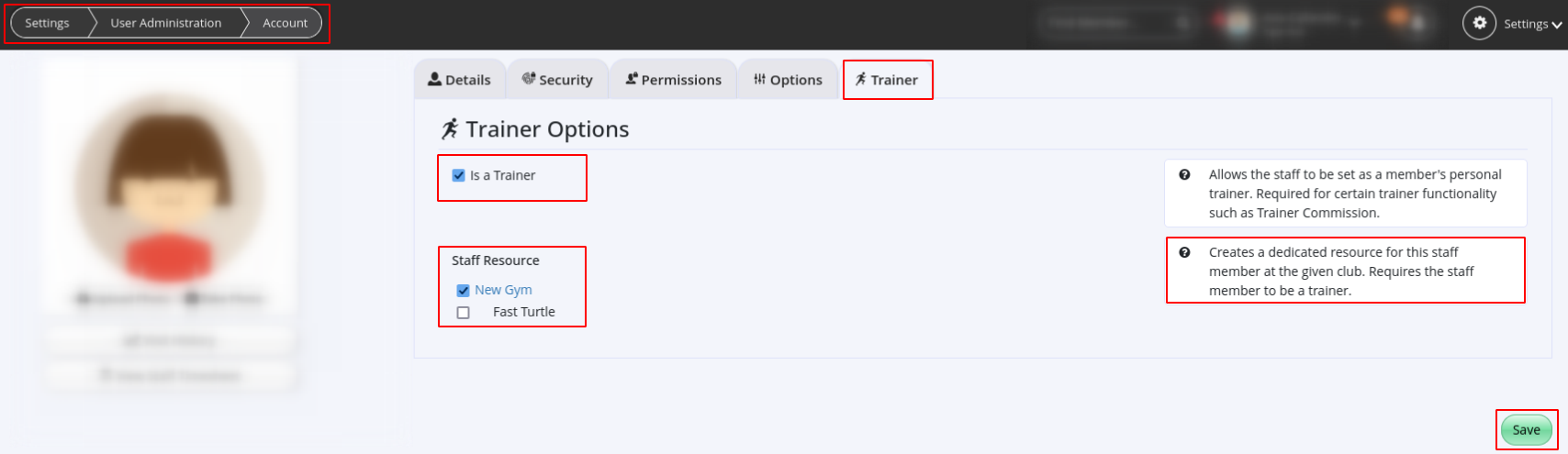
- Select Staff Resource under the Trainer tab.
- Complete trainer Rosters.
- Roster is used to assign time on schedule when Trainer can be booked for sessions by staff; it may not reflect full working hours
- Setup Facilities
Next - Trainer Categories

 2026 © Treshna Enterprises Ltd.
