


Most gyms set their prices by checking what the gym down the road charges, then leave them alone for years. That’s a reasonable starting point, but your own member data tells you far more about what your members will pay and where you’re losing money.
This post covers the numbers worth tracking, how to test a price change on paper before you make it, and the pricing structures that let you charge different members different amounts fairly.
The numbers to track
You don’t need a data team. Most of these come straight out of your gym software, or a simple spreadsheet.
Cancellations and retention
Count how many members cancel each month, as a share of your total members. This is your churn rate. If you have 400 members and 20 cancel in a month, your monthly churn is 5%.
Watch it before and after any price change. A rise in cancellations after a price increase is the clearest sign you’ve gone too far.
Just as important is why people leave. Record a cancellation reason every time. You may find price is rarely the reason, and that time, location or motivation matter more. That changes what you should fix.
In GymMaster: set up your cancellation reasons in Custom Fields > Membership Cancel Reasons. Members choose one when they cancel, in person or online, and you can report on them. The KPI report shows new, cancelled, retained and rejoined members for any date range.
Average revenue per member
Add up everything members paid you in a month (memberships, PT, products, casual classes) and divide by the number of members. This shows whether extra services are adding much on top of the base membership.
Member lifetime value
Lifetime value is roughly what an average member pays you over the whole time they stay. The simple version is:
monthly revenue per member ÷ monthly churn rate
Example (hypothetical numbers): if members pay an average of $50 a month and 5% cancel each month, the average member stays about 20 months and is worth about $50 ÷ 0.05 = $1,000.
Cost to get a new member
Add up your marketing and sales costs for a month (ads, commissions, promotions, staff time on sales) and divide by the number of new members that month.
Compare this with lifetime value. If it costs $300 to win a member worth $1,000, you have room to spend more on marketing or to offer a stronger first-month deal. If it costs $800, you need to keep members longer, charge more, or find cheaper ways to win them.
In GymMaster: online sign-ups automatically record where the person came from, including the referring site and any UTM campaign tags in the link they clicked. That lets you work out acquisition cost for each channel as well as overall. See Marketing Attribution.
Conversion rate on offers
When you run a promotion, track how many people saw it and how many joined. A very low rate suggests the price or the offer isn’t right. A very high rate can mean you priced it too low.
How sensitive your members are to price

Some gyms can raise prices with very few cancellations. Others lose members over a few dollars. Economists call this price elasticity. In practice, members are less likely to leave over a price rise when:
- There’s no close alternative. If you’re the only gym nearby with a pool, or the only 24/7 option, members have fewer places to go.
- Leaving has a social cost. Members who train with friends or know everyone in their regular class are less likely to switch.
- It’s a habit. People who come several times a week and like their routine tend to stay.
Budget gyms competing mainly on price usually have the most price-sensitive members. Studios and clubs with a strong community or specialist facilities usually have the least.
Test a price rise on paper first
Before raising prices, work out how many members you could lose before you’re worse off.
Example (hypothetical numbers): you have 400 members paying $50 a month, so $20,000 a month. You’re considering $55.
- At $55, you need $20,000 ÷ $55 = about 364 members to earn the same.
- So you could lose up to 36 members (9%) before the rise costs you money.
- If you normally lose 20 a month anyway, watch whether that number moves after the change.
This doesn’t tell you what will happen, but it tells you what to watch for, and how bad it would have to get before you’d reverse it.
Ask members what they’d pay
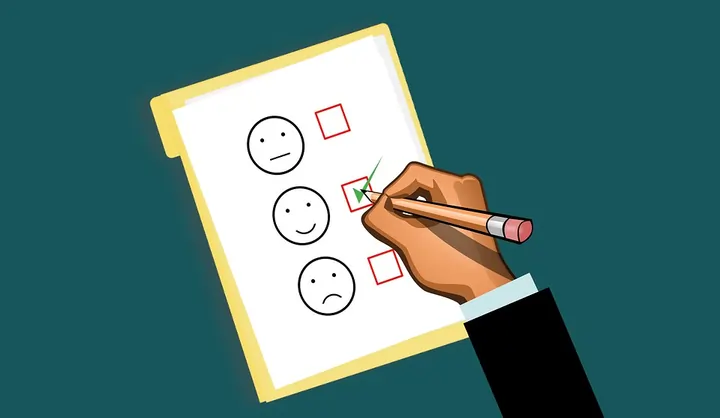
A short survey to members and recent prospects will tell you more than guessing. Useful questions:
- What would make you upgrade your membership?
- Would you pay extra for sauna and recovery access, or for a guaranteed spot in peak classes? How much?
- If your membership went up by $5 a month, would you stay, downgrade or leave?
Look at the answers by group. Members who visit five times a week, members who only come to classes and members who joined in the last three months often answer very differently. If one group clearly values something more, price that thing as an extra instead of raising everyone’s price.
Keep an eye on competitors
Check competitors’ prices every few months, and note how they present them: joining fees, minimum terms, what’s included, and what costs extra. Use this as context, not as the answer. If you offer something they don’t, you don’t need to match their price.
Use different prices for different members
A single price for everyone leaves money on the table at both ends. Members who’d pay more for extras can’t, and price-sensitive people don’t join at all. These structures help.
Off-peak memberships
Find your quiet hours, then sell a cheaper membership that only works during them. This brings in price-sensitive members without crowding your peak times.
In GymMaster: the retention reports under Report and Till > Standard Report > Retention show your busiest times. Then give the off-peak membership a door access benefit tied to an off-peak roster, so the doors only open for those members at those times. Set this in Settings > Membership Types > Edit Membership Type > Membership Benefits. Guides: Reporting on Member Visits, Door Access Benefits, Roster and Open Hours.
Add-ons for premium extras
Instead of a single expensive all-inclusive membership, sell the base membership and let members add what they value, such as a hot yoga room, sauna or recovery area.
In GymMaster: create the extra as a membership type with the Add-On Program basis. It attaches to the member’s existing membership, and you can mark the room as a restricted door so only members with the add-on can get in. See Membership Basis.
Packs and casual options
Some people won’t sign up for an ongoing membership at any price but will buy a 10-class pack. Concession packs and day passes catch these people, and some of them later move to a membership. See Class & Booking Pack vs Club Visit Pack.
Concession rates
Lower rates for students, seniors or off-peak shift workers can fill gaps in your membership without cutting your main price. Make them separate membership types so you can see how many people use them. In GymMaster you can set an age range on a membership type, so only eligible members can buy it.
Promotions without cutting your base price
Cutting your standard price to win new members means every new member pays less for as long as they stay. A temporary offer gets people in the door without that long-term cost.
In GymMaster: a membership type can have a promotional period, such as a discounted or free first month, after which billing returns to the normal price automatically. Discount codes in Settings > Financial Configuration > Discount Codes can take money off the sign-up fee, add account credit, or apply a promotional period, without changing the standard price, and you can limit how many times a code can be used. See Membership Discount Codes.
Making the change
When you’ve decided on a new price:
- Check your contracts. Make sure your membership terms allow price changes, and how much notice you need to give.
- Tell members in advance, with the date, the new amount and the reason.
- Decide who it applies to. You might apply it to new members only, or keep long-standing members on their current rate for a while.
- Make the change.
In GymMaster: edit the Membership Fee on the membership type. You’ll be asked whether the change applies to new members only, or to new and existing members. For existing members, you can schedule the change for a future date. Members on special or legacy rates, or still in their minimum term, are excluded by default so you can review them one by one. Check the preview before you confirm. See Membership Price Changes.
Check the result
Run the same numbers one, three and six months after the change: cancellations, cancellation reasons, new sign-ups and revenue per member. Compare them with your worked example. If you lose fewer members than you allowed for, the change worked. If you lose more, you have the data to reverse it or adjust it quickly.

 2026 © Treshna Enterprises Ltd.