
GymMaster Gym Software Manual
Templates and Communication
Communication to your members can largely be automated while remaining individualized, by utilizing Templates.
Create / Edit Email Template
Go to Settings > Templates
Choose whether to edit an existing template or create a new one;
- Add / Select Email Template
- Name template for future reference
- Assign category if needed
- Select which club/s can use template
- Fill in subject line of email
- Write or edit email in body section
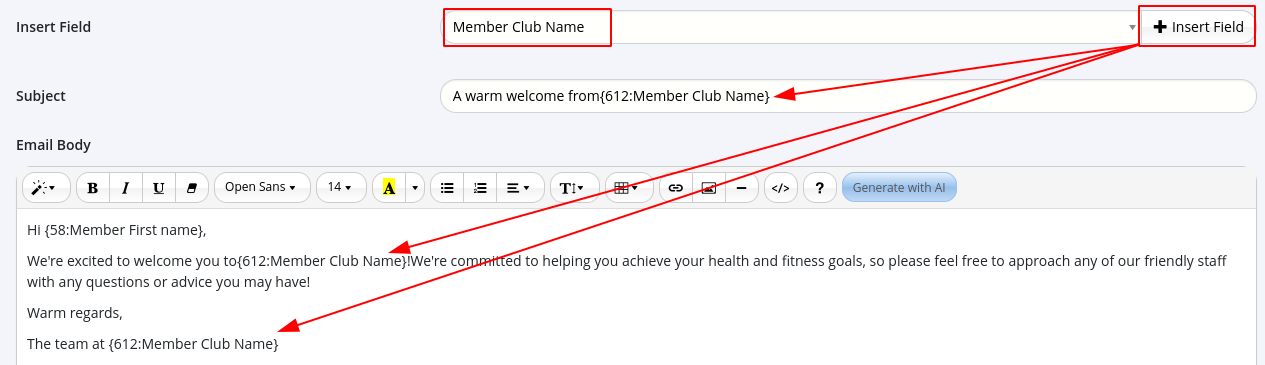
To add member-specific details to a generic template, use Insert Fields option;
- Use search bar to find relevant field, such as First Name or Club Name
- Click on the spot in email where you want field to appear, then press Insert Field button
Add images if required
Choose whether to use the Club Email Template shell (header, footer, and color scheme)
Preview email to see how it looks, top right corner
Save
If needed, add attachments to template after it has been saved.
Next - SMS Templates

 2026 © Treshna Enterprises Ltd.
