
GymMaster Gym Software Manual
Add Member
Details for all new, current, casual, expired members as well as prospects are stored on GymMaster
To Add Member, follow through these steps;
Add Membership
- Use Add Membership button to purchase a membership for a member
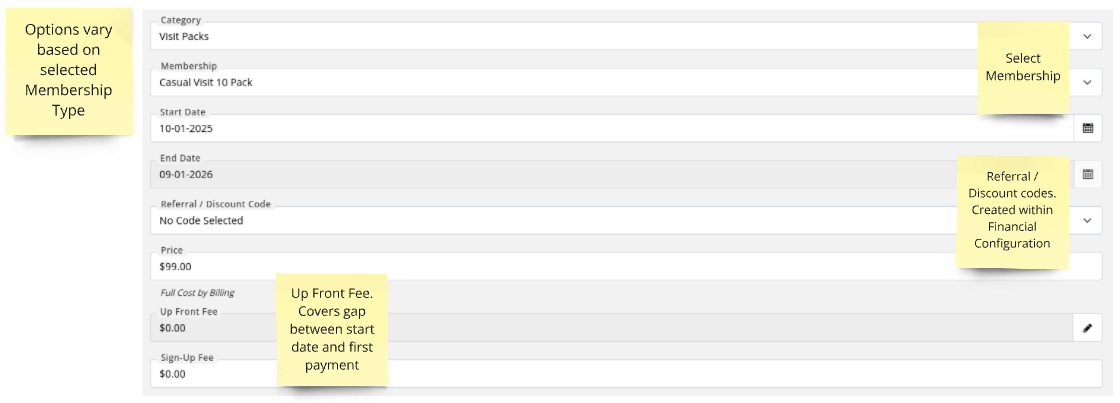
- Select membership category from the dropdown box
- Select membership to purchase
-
Start Date: Date the membership will be valid from
Details required from here will differ depending on the structure of the membership, complete details as required- First Payment Date: Date first payment will be charged
- Up-Front Fee: This is a prorated adjustment. The first payment may differ from the regular ongoing payment amounts to account for the time gap between the start date and the first payment date.
-
Save Membership
Once Membership is selected and saved, GymMaster will take you to Billing
Final Step - Add Billing

 2026 © Treshna Enterprises Ltd.