
GymMaster Gym Software Manual
Add Member
Details for all new, current, casual, expired members as well as prospects are stored on GymMaster
To Add Member, follow through these steps;
Add Billing
Billing simplifies payments for the club and for members, allowing members to pay automatically for their memberships on a weekly, fortnightly, monthly or annual basis, depending on the Payment Frequency within the membership selected.
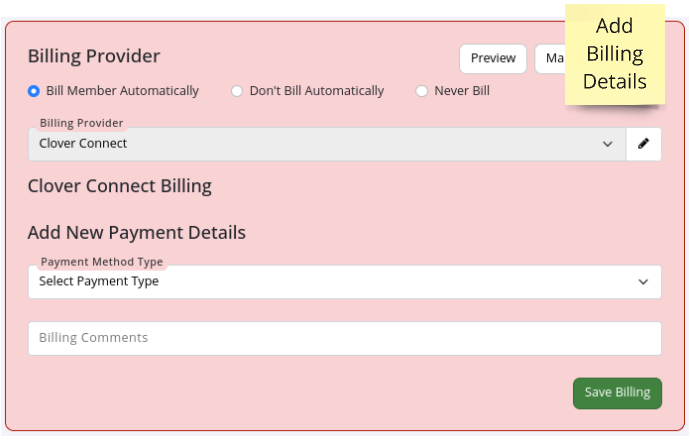
Billing Provider
Select one;
- Bill Member Automatically = fees are automatically charged. Recommended
- Don’t Bill Automatically = fees are charged when scheduled manually
- Never Bill = in person payments only
Default Provider will be pre-selected, based on club Billing Setup
Add New Payment Details
Select how automatic payment will be taken;
- Credit/Debit card details
- Bank Account
- Card Swipe Provider will store card details
Save Billing
See Billing for more information about the setup and processing of payments.
Add New Member Complete
See Member Page to learn how to manage your member

 2026 © Treshna Enterprises Ltd.
