
GymMaster Gym Software Manual
Custom Fields
Tailor fields and sections within GymMaster to align with the unique requirements of your club.
- Member Input Fields
- Labels
- Promotions
- Prospect Funnel
- Membership Cancel Reasons
- Booking Cancel Reasons
- Prospect Not Interested Reasons
Manual Sign Up
When signing member up manually;
- Go to Add Member > Member Details
- Scroll down to Additional Details
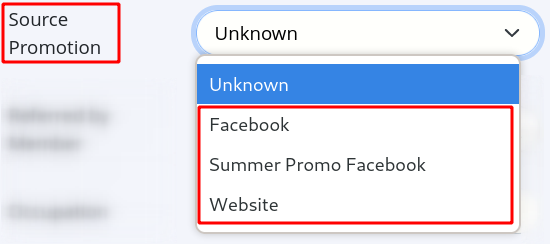
- Click on Source Promotion field
- Choose from the list of options created in Custom Fields > Promotions, indicating where they heard about your club
- Save
Next - Contact Us Form

 2026 © Treshna Enterprises Ltd.
