
GymMaster Gym Software Manual
Custom Fields
Tailor fields and sections within GymMaster to align with the unique requirements of your club.
- Member Input Fields
- Tags
- Promotions
- Prospect Funnel
- Membership Cancel Reasons
- Booking Cancel Reasons
- Prospect Not Interested Reasons
Apply Tag
There is no limit to the number of tags that can be attached to a member or prospect.
Apply tags Manually
A tag can be added manually by staff to any prospect or member
- Go to Member Details Tab
- Find Tags field under Details Tab
- Click on field to select tag/s to apply to member
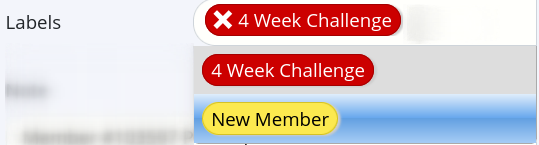
- Save
Apply Tags Automatically
Tags can be applied automatically when an event occurs in GymMaster using Task Automation.
Tags Complete
Next - Promotions

 2026 © Treshna Enterprises Ltd.
