Membership benefits define how each membership functions for your members on a day-to-day basis.
They control what a member can book, including pricing and limits for classes and services. They also determine physical access, such as which doors a member can use and during what hours, and whether any purchasing privileges or discounts apply.
Because benefits directly shape the member experience, they are the foundation for creating clear, well-structured, and tiered membership offerings. It is worth taking the time to understand and configure this section carefully.
Before we begin, note that all new memberships are created with default benefits applied:

If these defaults are not appropriate for the membership, edit or remove them using the icons on the right-hand side.
Benefits are added one at a time.
It is common and recommended to use multiple benefits on a single membership to create structured access, limits, or tiered pricing.
Membership benefits are configured within the membership type; Settings > Membership Types > Edit Membership > Membership Benefits.
Select Add Benefits to begin.
Booking benefits control whether a member can book classes or services, which ones they can book, and under what conditions. Although configured separately, classes and services behave in the same way from a benefit perspective.
When creating booking benefits, consider:
If you want to offer limited free bookings followed by paid bookings, this must be created as multiple benefits. For example, one benefit may allow three free classes per week, while a second benefit allows unlimited classes at a discounted price.
Once a booking benefit is exhausted, pricing automatically reverts to the current member default price set when the class or service was created.
Classes
Class benefits define what classes a member can attend and how they are charged.
Benefits may apply to all classes, specific categories, or individual classes.
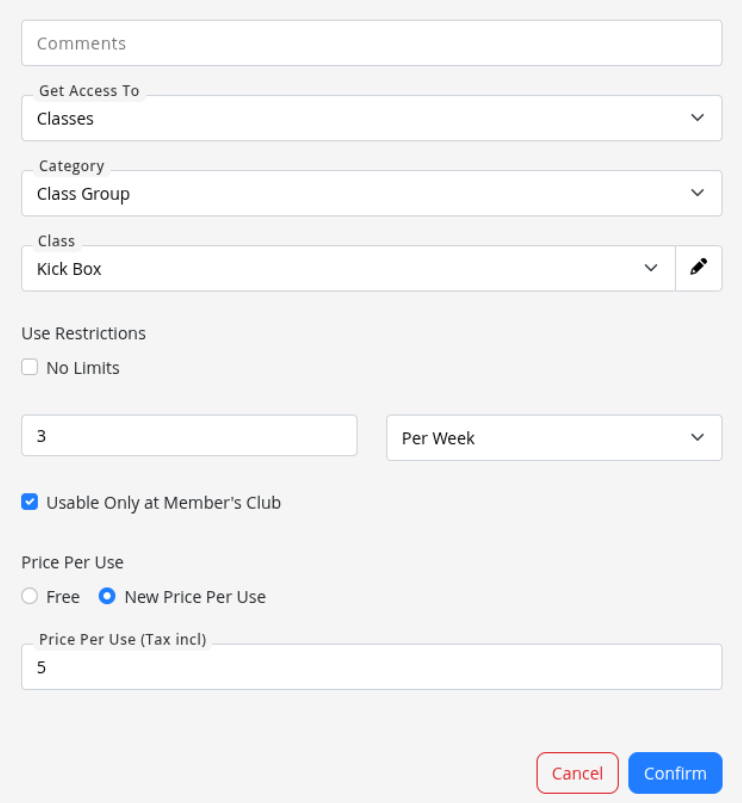
Example below allows member holding this membership to attend 3x kickboxing classes per week at $5 per class. Any kick boxing classes attended beyond this amount per week would revert to the regular member rate per class.
Services
Service benefits control access to bookable services such as personal training, guest bookings, or facility reservations.
As with classes, services can be free, discounted, or limited in number.
Multiple service benefits can be combined to create structured entitlements, such as one free service per week followed by additional services at a reduced rate.
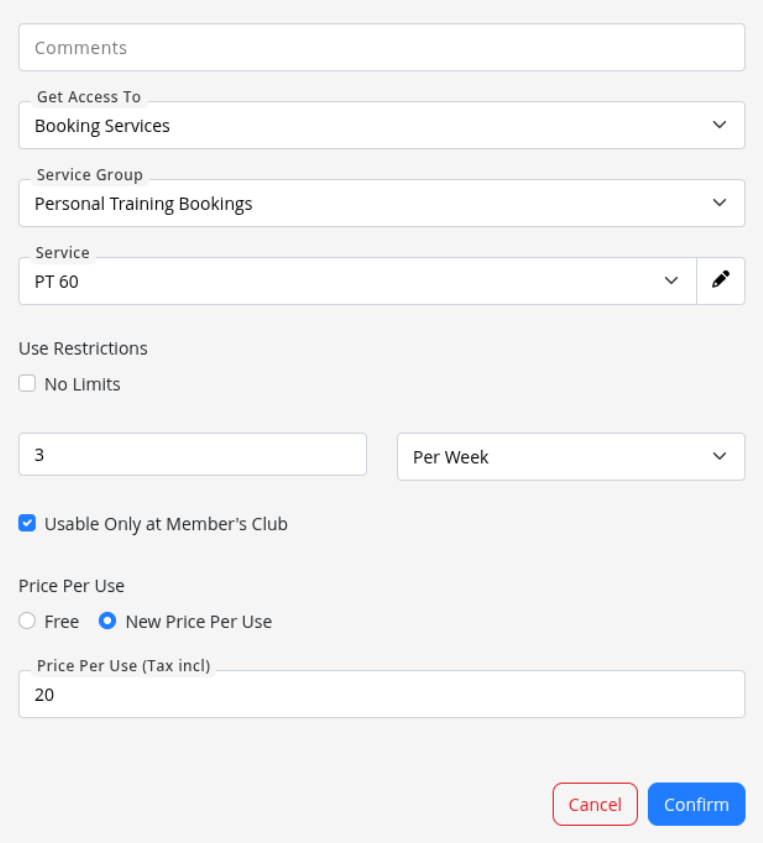
Example below allows member holding this membership to attend 3x 60min Personal Training sessions per week at $20 per session. Any personal training sessions booked beyond this amount per week would revert to the regular member rate per session.
If a member needs to access a door, their membership must include an appropriate door benefit. Door benefits determine which physical doors a member can unlock and when.
Door access can be granted to all doors or to specific doors only.
Access hours are controlled using rosters, such as Open Hours, Peak, Off Peak, 24/7, or a custom door roster.
Usage limits can also be applied, for example allowing access only a certain number of times per week.
This flexibility allows memberships to support everything from full 24/7 access to tightly controlled, premium-only areas such as saunas or private facilities.
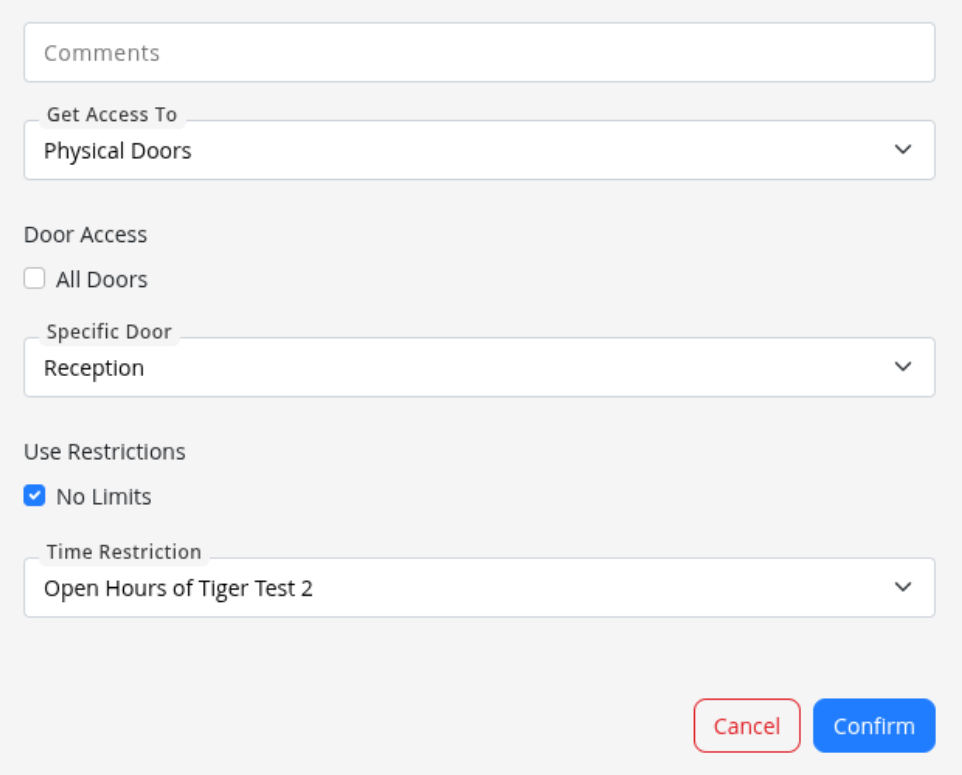
*Example below allows this member unlimited access through reception doors, within the open hours set within Settings > Roster and Open Hours.
This allows memberships to include retail discounts or exclusive member pricing.
Discounts may be applied as a percentage or as a fixed price.
Note that individual products must already exist in GymMaster before a specific product benefit can be applied.
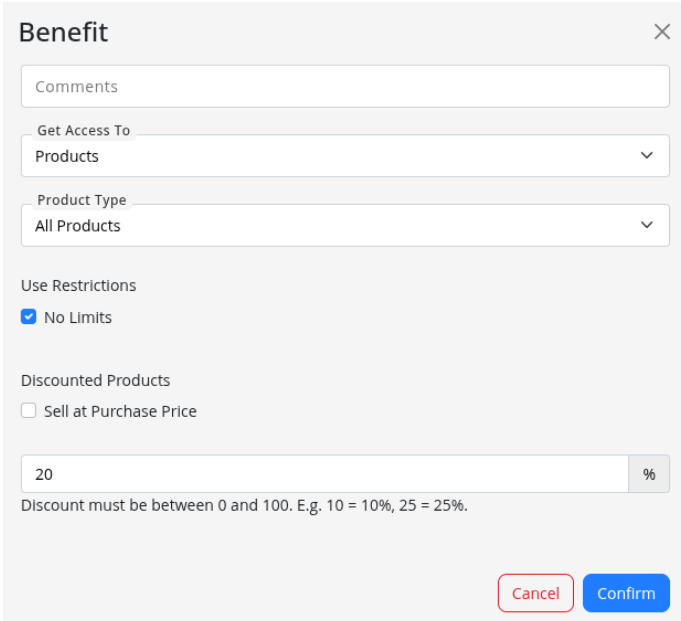
Example below allows member to receive a general 20% discount off all products sold by the club.
Option must be enabled under Settings > Advanced Configuration > Membership Type > Enable Guest Pass
This allows members to bring guests into the club, with access controlled by the usage limits and any price per visit you define.
The membership must include Door Access benefits, as these determine which doors the guest is permitted to access.
Once a guest pass benefit is added, you can optionally assign a Guest Waiver in the Forms section. If a waiver is set, the guest must sign it before their visit can be approved.
Guest passes are not compatible with charge per visit or class pack membership types.
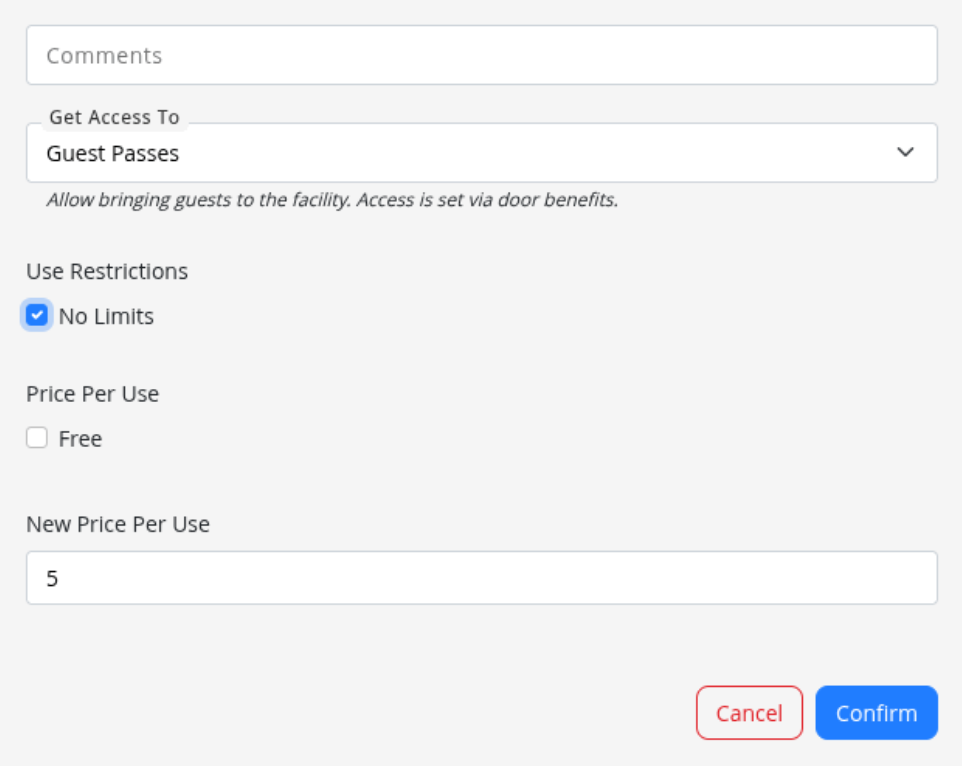
Example below allows member to bring unlimited guests to the club, at $5 per guest visit
For more details on Guest Passes see Memberships: Guest Passes



 2026 © Treshna Enterprises Ltd.