
GymMaster Gym Software Manual
Member Page
Manual tasks related to members can be managed through the different tabs within each member’s page
- Accounts and Billing
- Bookings
- Communication
- Details
- Memberships
- Side Menu
- Training
- Frequently Asked Questions
Measurements and Progress Summary
Store and manage specific member measurements and goals within the training tab on their profile page
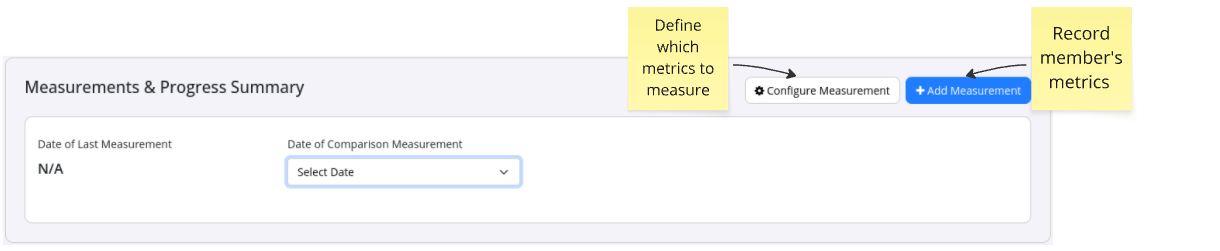
First ensure required measurements and units of measurement are setup, within Measurement Configuration
Add Measurements
- Select this option to;
- Input initial measurements
- Update them over time
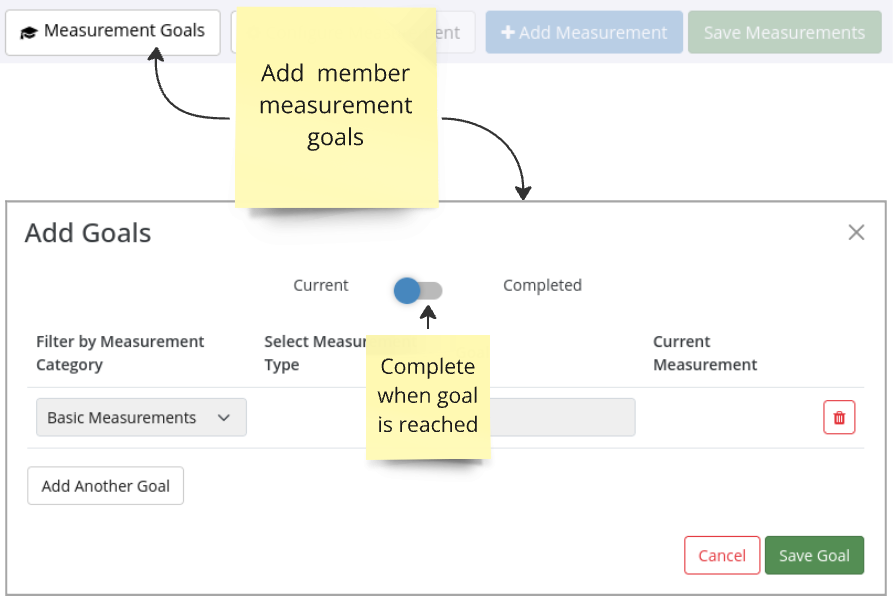
Set Measurement Goals
- Goals for any/multiple measurements can be added
- Once goals are reached, select Completed
Next - Frequently Asked Questions

 2026 © Treshna Enterprises Ltd.
