
GymMaster Gym Software Manual
Member Page
Manual tasks related to members can be managed through the different tabs within each member’s page
- Accounts and Billing
- Bookings
- Communication
- Details
- Memberships
- Side Menu
- Training
- Frequently Asked Questions
Add to Communication Log
In-person communications and paperwork can be added to your member’s communication log.
Go to Member Details > Communication tab
Select Add
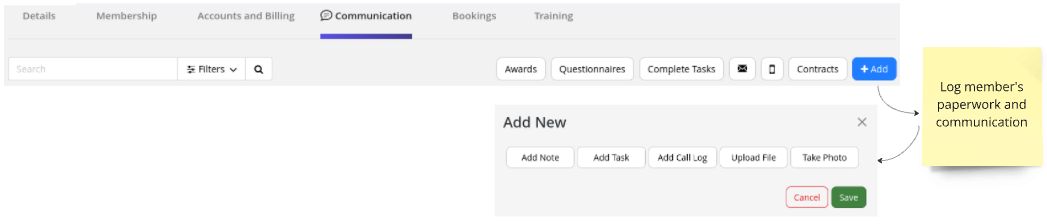
Select communication type to add;
- Add Note: Note will be stored in communication log
- Add Task: Assign task specific to member. For example, add Personal Communication Task to assign a staff member to contact member
- Add Call Log: Staff can log all calls made to member for accurate communication history
- Upload Files: Paperwork, signed paper contracts, waivers and so forth can be scanned / photographed and uploaded into members communication log
- Take Photo: Add photo to communications log
Save
Next - Awards

 2026 © Treshna Enterprises Ltd.
