
GymMaster Gym Software Manual
Financial Configuration
Customize and manage the financial aspects of your business, ensuring smooth financial processes for club and members.
Enable Discount Codes
To enable discount codes for bookings and/or memberships in the member portal, follow these steps:
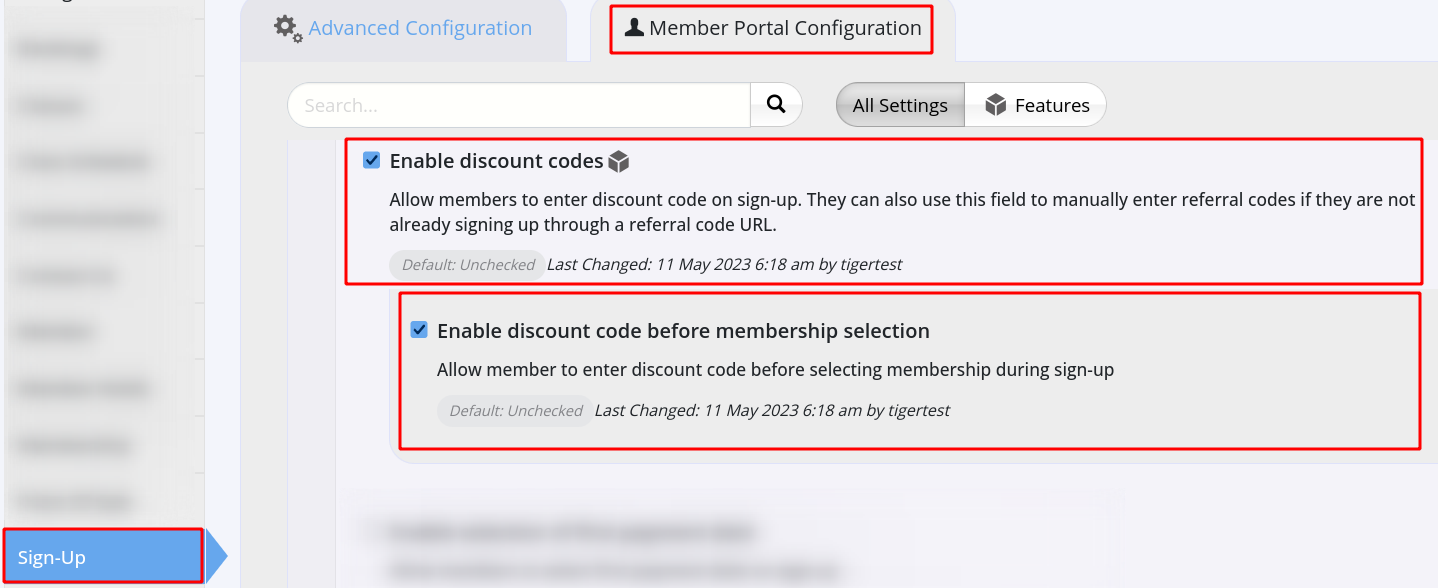
- Go to Settings > Advanced Configuration > Member Portal Configuration > Bookings and Sign-Up
- Enable Discount Codes under;
- Bookings - for Classes and Services
- Sign-up - for Memberships
- Save
Next - Create Discount Codes

 2026 © Treshna Enterprises Ltd.