
GymMaster Gym Software Manual
Bookings and Classes
This is the back-end of your Schedule. Set up your facilities, staff / trainers, classes and services to allow them to be scheduled and booked
Add Services
Once you have completed Settings and Categories, you can begin to add your services to GymMaster
- Click Add Service - located on the top right corner of the Services page

Service Details
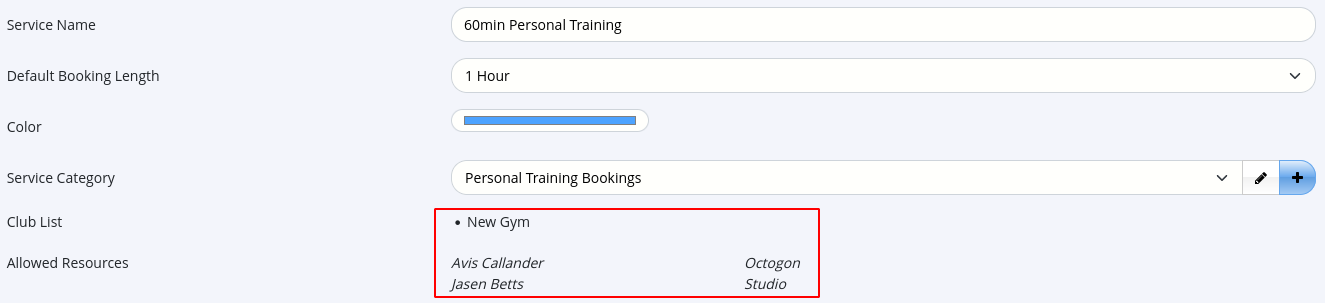
- Enter Service Name and select the appropriate Service Category that it belongs to
- Booking Length - set default length of your service, keeping in mind that the actual run-time of the service can be adjusted if needed when it is added to the schedule
- Club List - based on Service Category settings
- Allowed Resources - based on Service Category settings
In example below, note the pre-selected Club List and Allowed Resources - these are based on selections made within the Service Category
Service is For
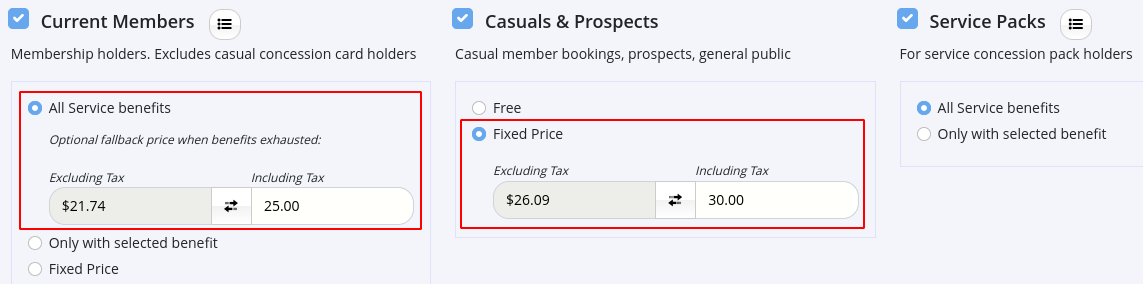
Allow access / select price based on member type
- Current Member - member who has an active contractual membership with the club and has access to all facilities
- Casual Member - individual without a long-term contract or regular recurring payments to your club. They may use club/class visit packs or hold a charge-per-visit membership
- Booking Pack - prepaid bundle of visits that members can purchase to access services at their discretion over a period of time
In example below; Current Members may attend this service for free, when included in their benefits. If their benefits do not apply, the price for Members is $25. Casual Members can attend for $30.00 per booking. Booking Pack Holders can use their service allowance to book this service.
Enable Online Booking
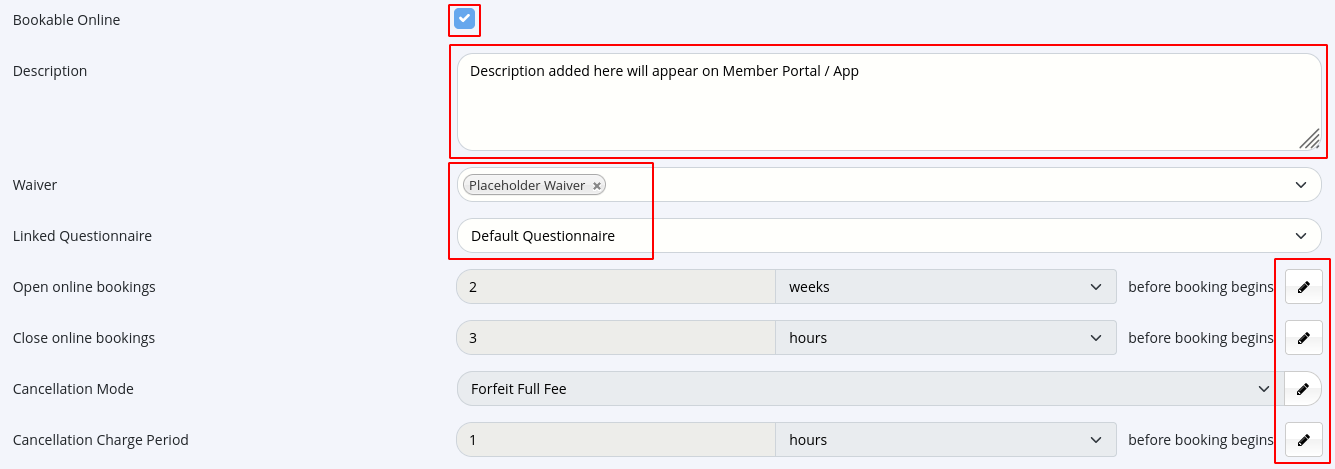
Allow members to book service through Member Portal and Member App
- Open and Close Online Bookings - default is set within Service Configuration
- Logo - will be displayed on Member Portal / Member App
- Cancellation Mode - default is set within Service Configuration
- Cancellation Charge Period - default is set within Service Configuration
- Cancellation Fee - default is set within Service Configuration
Restrictions
- Time Between Sessions - optional - establish a minimum interval between sessions for each member. For example, 7 days permits a member to book a maximum of one session per week

Commission Rates
Select flat rate or percentage rate per attendee

Save
Services Complete
Next - Frequently Asked Questions

 2026 © Treshna Enterprises Ltd.