
Till Take Report
The Till Take Report is found under Reports and Till > Till Take.
It provides a summary of income received through Point of Sale in GymMaster.
It helps staff review sales and payments, reconcile cash (cash up), and track the cash held in the till across shifts, and at end of day.
What it Covers
The Till Take Report groups transaction information into several categories.
| Category | Description |
|---|---|
| Payment Received | Total income received during the reporting period. |
| Voided Sales | Total value of sales voided during the reporting period. |
| Payment Method Summary | Totals grouped by payment method. |
| Payments by Tax Level | Payment totals grouped by tax code. |
| Drawer Cash | Opening and closing cash amounts, including the expected amount in the drawer. |
| Charge to Member | Totals charged to member accounts during the reporting period. |
The Till Take Report allows staff to;
- Review sales and payments processed during a shift or day
- Compare expected drawer cash with the cash counted
- Check cash removed from the till for banking
- Review payment totals by payment method
- Access previous shift reports when checking historical balances
Check the report totals against the actual cash and banking records as part of the club’s reconciliation procedure.
Run End of Shift / Day Report
Reports can be run at end of shift and / or end of day. You can also view previous reports.
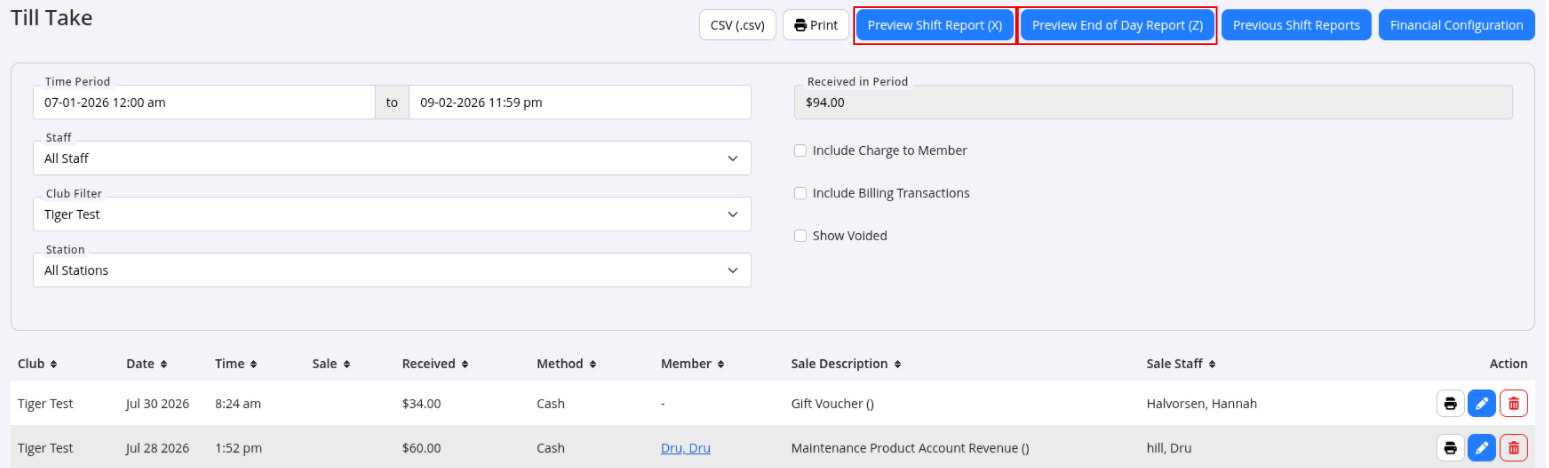
The Shift Report (X Report) shows transactions processed from the start of the day up to the time the report is run.
It is intended to be run at the end of each shift to review sales totals for that shift.
The End of Day Report (Z Report) shows transactions processed since the previous Z Report was run.
It is intended to be run at the end of the trading day and provides a summary of the day’s activity.
- Select Preview Shift Report or Preview End of Day Report
- Select relevant POS Station report to run
- If required, log Cash Counted
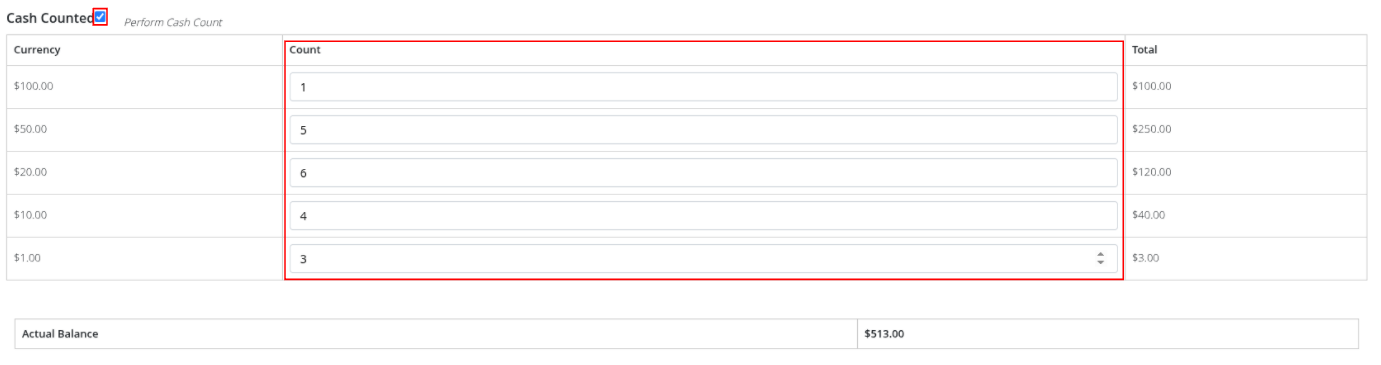
- Scroll down to Next
- If required, log Cash Banked
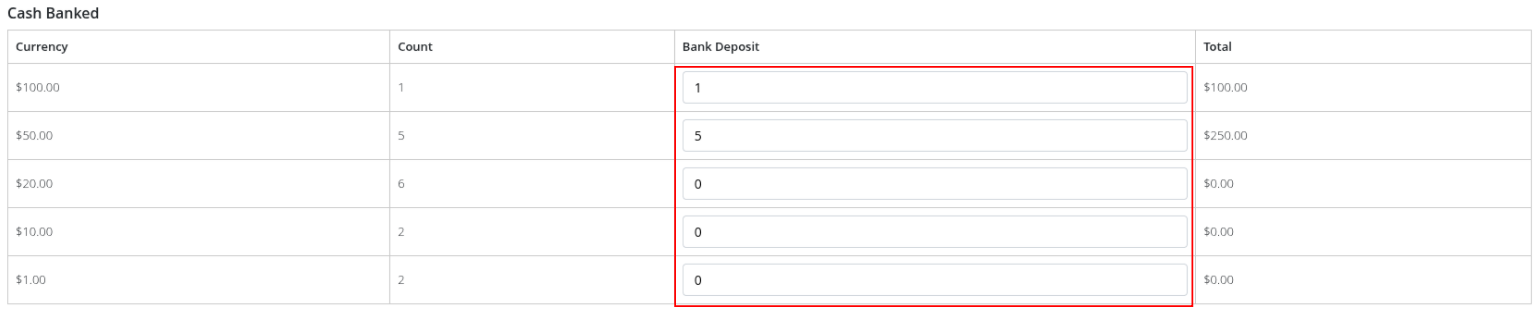
- Print if required; top right
- Complete and Update Float
Previous Shift Reports
Previous Shift Reports provide access to historical X and Z Reports, allowing staff to review earlier shift reports and balances.
These can be reviewed at any time.
Common Questions This Covers
- What is the Till Take Report used for
- What is the difference between an X Report and a Z Report
- How can I review a previous shift’s report
- What information is included in the Till Take Report
- How do I record cash counted and cash banked
- How do I update the till float
- How can I check the expected cash in the drawer

 2026 © Treshna Enterprises Ltd.