Note: Our staff will handle the back-end setup, connecting your hardware and doors with GymMaster.
Once GateKeeper and required hardware is setup and installed, you can manage access and door readers via Settings > Doors & Readers*.
Here you can create specific access rules for your facility.
Each reader is linked to a particular door and Gatekeeper.
Choose reader names that clearly identify which door a member has swiped.
Door status can be toggled between Open, Locked, or Active.
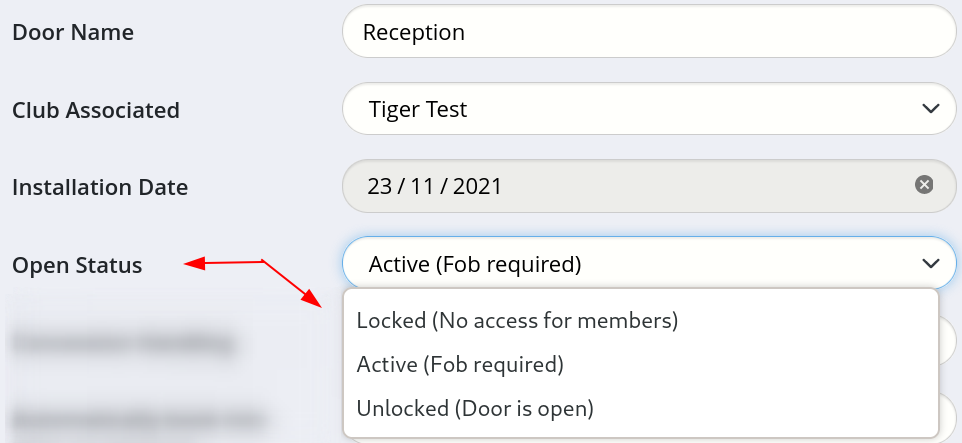
Controlled doors can be configured to automatically grant or deny access based on bookings.
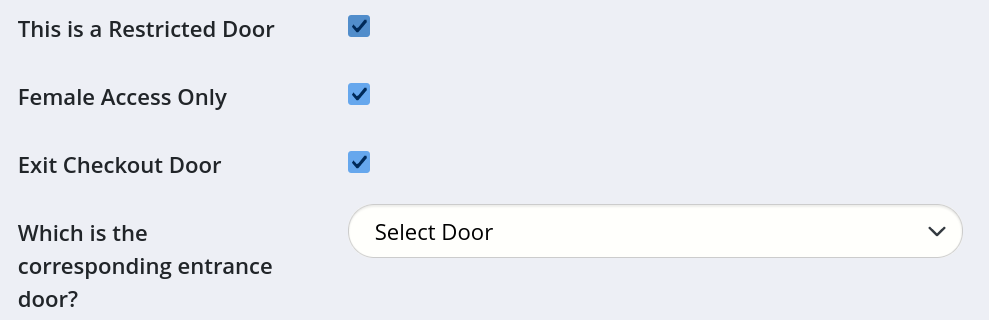
You can assign doors as Female Access Only or Restricted, display door information in the Last Visits report, designate a door as an Exit, or enable Tailgating service.
The Doors & Readers page also provides a summary of Gatekeeper status and options to restart software or reboot hardware.



 2026 © Treshna Enterprises Ltd.