GymMaster’s Prospect Funnel helps you track and manage every potential member from first enquiry through to sign-up.
It provides a clear, step-by-step view of where each prospect sits in your sales process, ensuring no lead is missed and follow-ups happen at the right time.
The funnel comes preloaded with standard stages and can be customised to match how your club converts leads into members.
Start by shaping the Prospect Funnel to reflect your club’s prospect journey. Each stage should represent a meaningful step, particularly where staff action or automated communication is required. As prospects move through these stages, GymMaster can trigger tasks automatically to keep things moving.
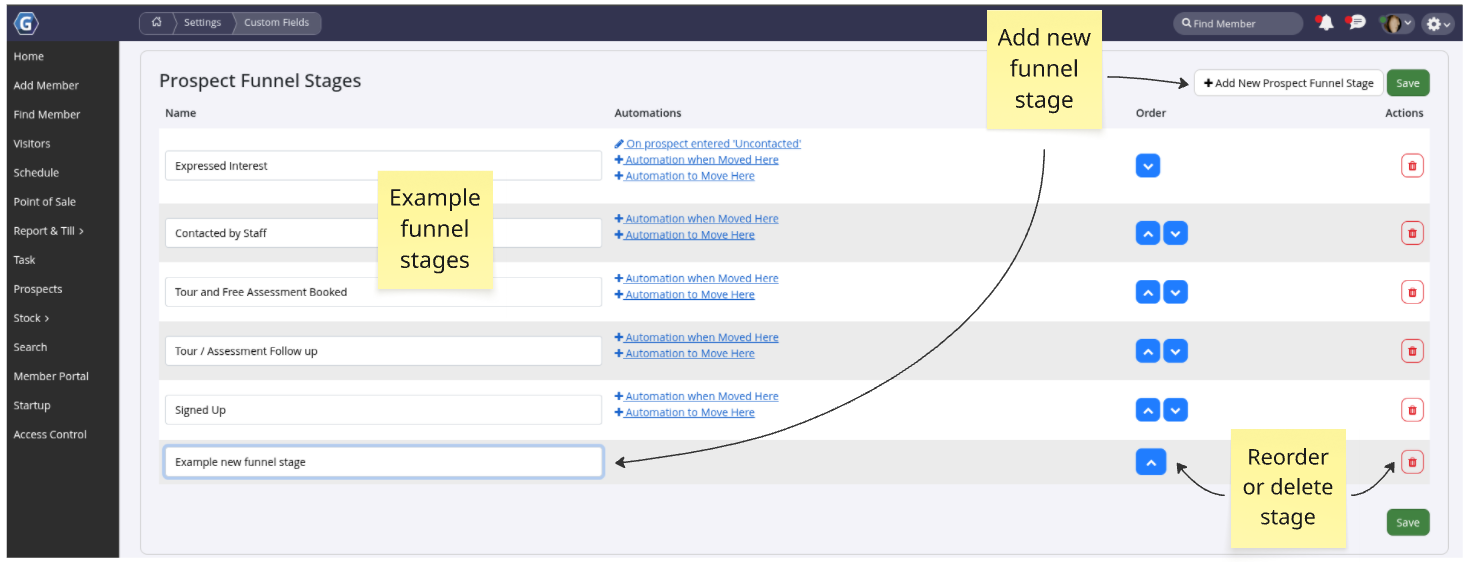
Go to Settings > Custom Fields > Prospect Funnel.
Here you can add new stages, rename existing ones, or reorder the funnel to suit your process. Use the blue arrows to adjust the order — the stage at the top will always be the entry point for new prospects. Each stage should clearly indicate what action or outcome is expected before the prospect moves forward.
Once complete, click Save.
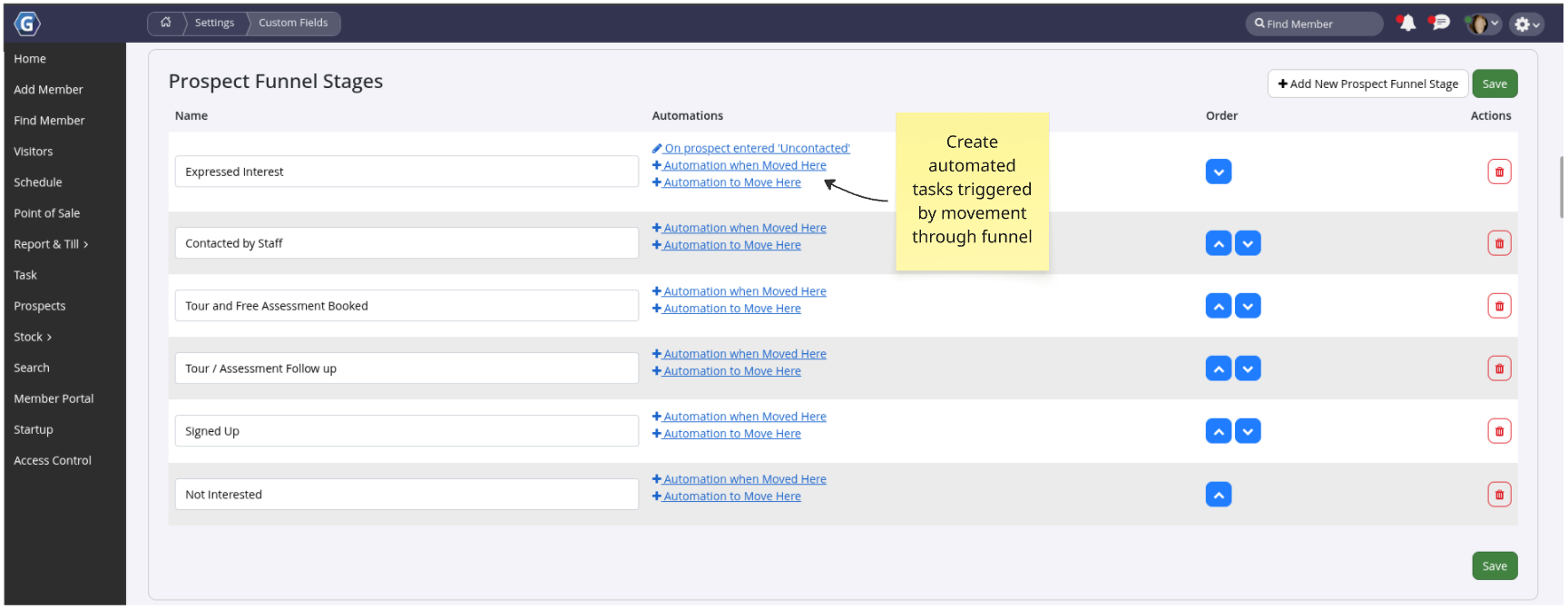
To streamline lead management, set up automated tasks that trigger when a prospect enters a specific funnel stage. These tasks can either prompt staff to take action or send automated emails or SMS messages using predefined templates.
Tasks are created directly from Custom Fields > Prospect Funnel Stages using the automation links. If the task involves communication, select an appropriate email or SMS template. Review the Prospect section to confirm whether completing the task updates any prospect details automatically.
For staff follow-ups, enable Staff Action Required, assign the appropriate Performer, and clearly describe the action needed. Once saved, the task will trigger automatically whenever a prospect enters that stage.
Automated communication helps you stay responsive without adding to staff workload. Create email and SMS templates tailored to each stage of your Prospect Funnel to keep messaging consistent and timely.
Once created, link each template to an automation task within the relevant funnel stage.
Messages will then send automatically as prospects progress through the funnel.
Before creating new templates, review the existing options — many can be reused or quickly adapted to suit your needs.
Tip: Create a test prospect to confirm your funnel stages and automated tasks are working as expected before using them live.
If you’re unsure which tasks or templates to use, refer to the Prospect Funnel Example Guide for practical guidance.



 2026 © Treshna Enterprises Ltd.