
GymMaster Gym Software Manual
Templates and Communication
Individual Communication
To send a one-off individual message to a member;
- Go to Find Member > Member Details > Communication tab
- Select Send Email' or Send SMS

- Write your SMS/Email message
- Select Send Email' or Send SMS
- Send
Personal Communication Task
When a member requires personal communication, a task can be generated to ensure the correct staff member is aware and follows through.
Completing this task through the Communication Tab within the member’s profile ensures a task log is maintained alongside existing communication history.
A task created here will appear under Tasks > Manual Tab for staff to view and take action.
To add a personal communication task;
- Go to Member Profile > Communication Tab
- Select Add

- Select Add Task
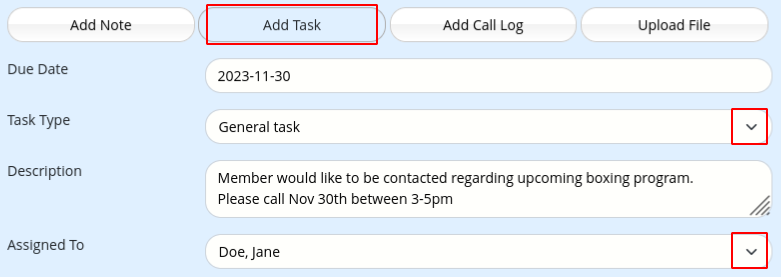
- Complete task details
- Select Add
- Save
Communication Settings
Bulk Communication
Templates and Communication

 2026 © Treshna Enterprises Ltd.
