
Key Fob Setup and Hardware
While not everyone wants to bring their phone to the gym (required for Bluetooth and QRCode access) most gym-goers will have their keys with them. Key fobs are cheap, durable, easily replace if lost. For all these reasons, key fobs remains the most popular long-term access method used by clubs. Key fobs can be issued in person and manually assigned to each member, usually during their first visit.
Like with all access methods, Key fob access is always linked to the member’s current account status, which means:
- Members can only enter during the door access times allowed by their active membership or casual booking.
- Members with failed billing attempts, account holds, expired memberships, or cancelled memberships will be denied access until the issue is resolved.
Covered in this article;
Assign Key Fob to Members
Key fobs can be assigned in person during sign up, or during a new members first visit to the club if they have signed up online. Key fobs must be assigned manually, one at a time.
- Go to the Key Fob/Token field within the Details tab of the members page
- Present a blank, unassigned key fob to your GymMaster reader. Key fob field will auto-fill with the key fob assigned number
- Save
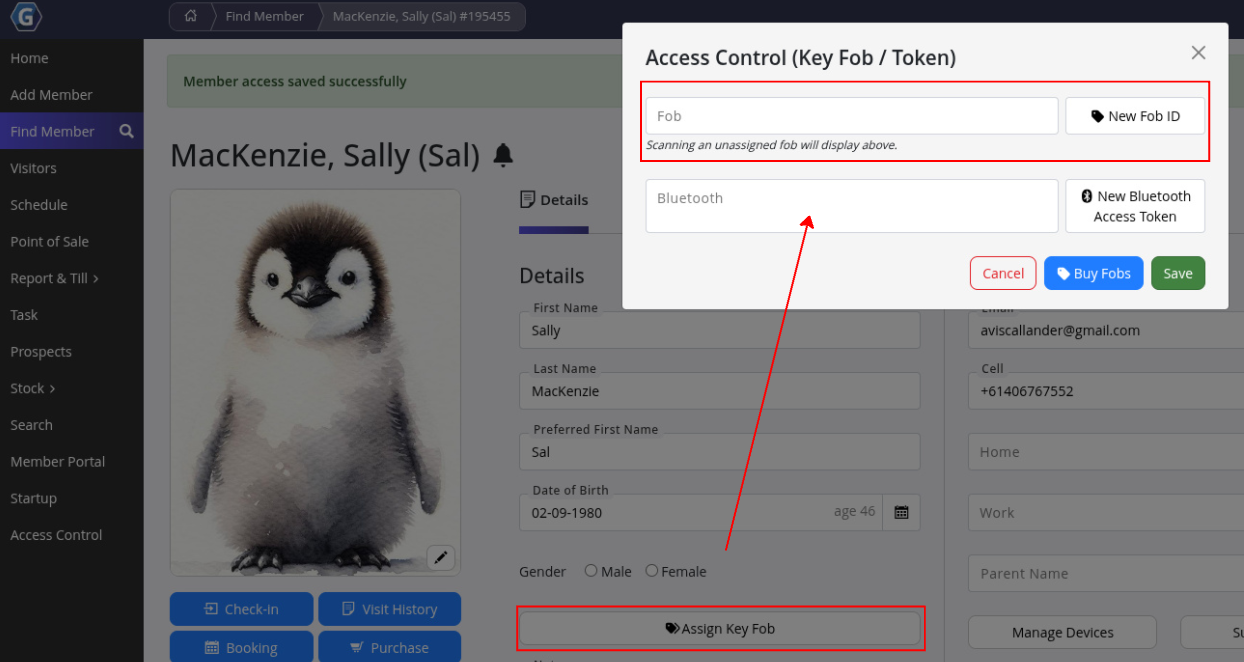
Once assigned, the member can access the club using their key fob. Each key fob is unique and linked directly to the member’s account. As a result:
- Access is automatically granted or denied based on membership status and door access permissions.
- Members with unpaid accounts, holds, expired memberships, or cancellations will be denied entry until the issue is resolved.
Deactivate Key Fob
To deactivate key fob for this member, simply delete the key fob number within the key fob field. Key fob can then be reassigned to another member.
Required Hardware
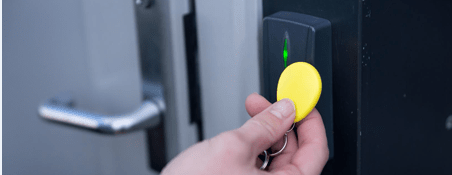
If you are planning new installations or upgrades, view our preferred readers on the GymMaster Website. Key fob access requires RFID door readers to be installed at entry points, which integrate with GymMaster software and our GateKeeper door access devices. GymMaster door readers support both RFID key fobs and Bluetooth access. We also provide readers that support both key fobs and passcodes.
You will need a technician to install all hardware, using our hardware setup guides.
Order Key Fobs
You can order your key fobs directly through GymMaster.
- Scroll to the footer of almost any page in GymMaster and select Order Key Fobs
- You will be redirected to the GymMaster Client Portal. Select your preferred key fob style and complete order
Common Questions this Covers
- How do we assign key fob access
- How do we allow member tag access
- How do we give key card access
- How do we add key cards, key fobs, key tags, to new members

 2026 © Treshna Enterprises Ltd.