
There's Data Missing from my Report
1 min read
Updated
3 months ago
The first thing to check when your report shows no data, or if records are missing from your report is whether or not that report is being filtered. Sometimes a filter added by yourself or a colleague might not have been removed after an earlier session.
You can tell if a report is being filtered by the (Report Filtered) label next to the report’s name.
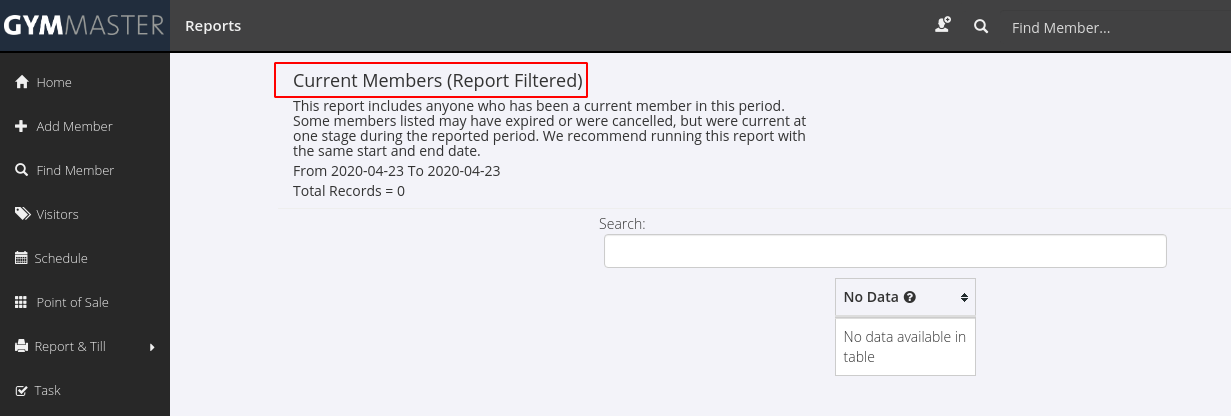
Try removing any filters by clicking Edit Report instead of Show Report on the previous page.
If after removing any filters you still think there is data missing contact support.
Be sure to include which report you’re running, the date range, and an example of a record that is missing.
For more on managing filters see Filtering your reports.
Get started with a free, no-obligation chat, and see how we can help you grow

Awards and recognition
- Deloitte Master of Growth Index 2025
- Deloitte Master of Growth Index 2024
- Software Advice FrontRunners 2023
- GetApp Category Leaders 2023
- Capterra Best Value 2022
- GetApp Best Functionality & Features 2022
- Software Advice Most Recommended 2022
- SoftwareSuggest User Most Likely to Recommend Summer 2022
- Software Advice Best Customer Support 2021
- Deloitte Technology Fast 500 Asia Pacific 2018
 2026 © Treshna Enterprises Ltd.