
Door Access Benefits
Door Access for members is controlled by the benefits within their Membership Type, and their Access Method.
Adding Door Access Benefits to your memberships will determine which doors members can unlock and when they can access them.
Doors are managed here.
Benefits are configured within the individual Membership Type.
- Begin at: Settings > Membership Types > Edit Membership Type > Membership Benefits
From here, you can add, edit, and manage the door access benefits included with that membership.
Door Access Benefits
Door Access Benefits determine which doors members can open based on their membership.
Access can be configured to allow members controlled access to:
- All doors
- Specific doors
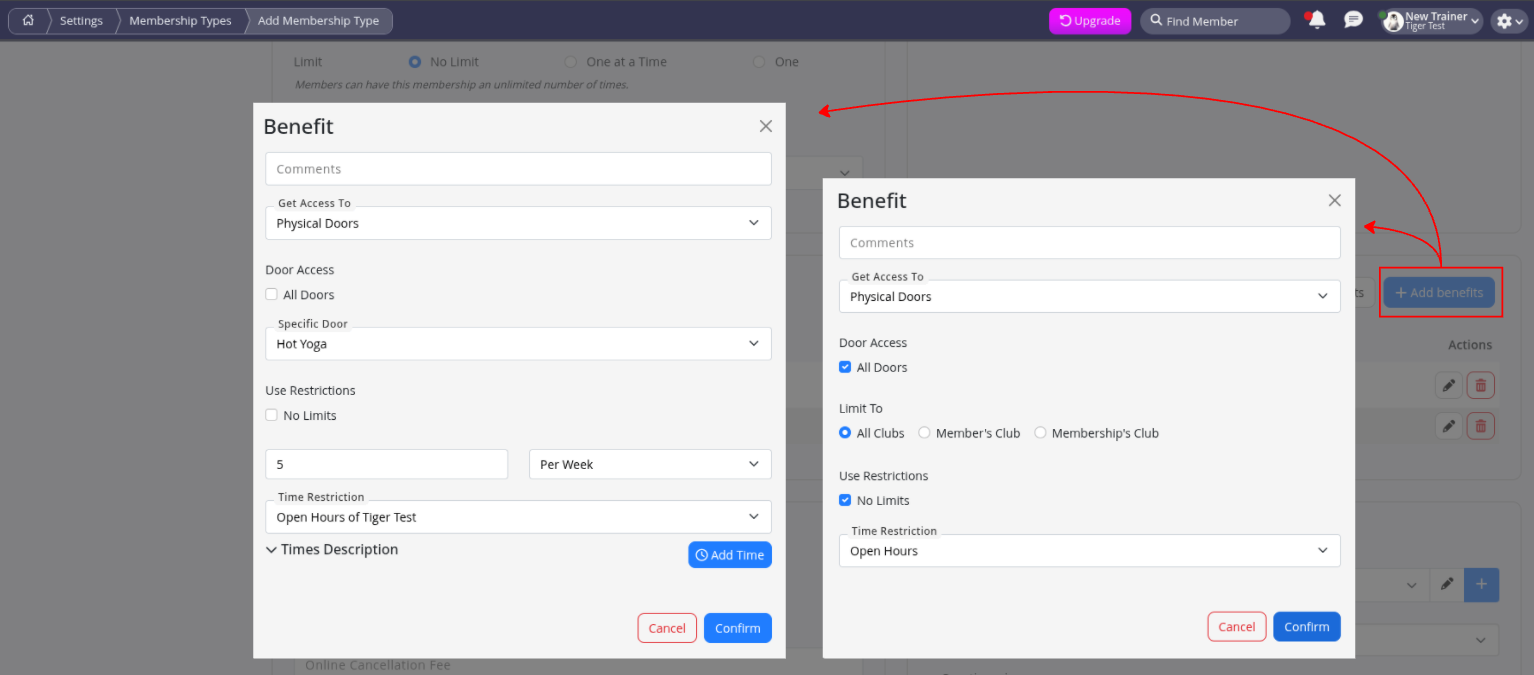
| Left Example | Right Example | |
|---|---|---|
| Door Access Benefit | Member can access the Hot Yoga room up to 5 times per week. | Member can access All Doors (excluding restricted doors) during Open Hours. |
Any membership can include multiple benefits.
For example, if both of the above benefits were applied to the same membership, the member would have access to all standard doors during Open Hours, as well as the restricted Hot Yoga room for up to 5 visits per week.
Restricted Doors
Some areas of your facility should not be accessible through a general All Doors benefit.
Rather than manually configuring every permitted door, you can set specific doors as restricted doors.
- Restricted doors require members to have a matching Door Access Benefit before access is granted
- These doors can be excluded from member access entirely and only assigned to staff members with the appropriate access permissions
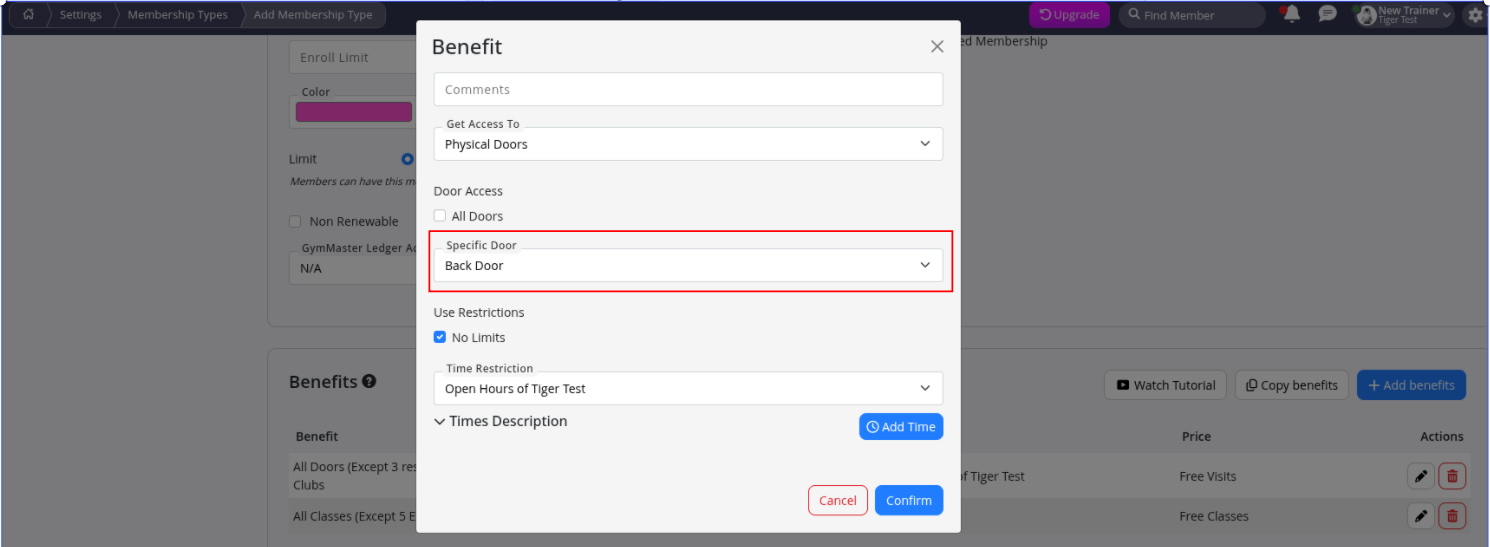
To allow access for selected memberships, you would need to add a specific Physical Door benefit that allows access to the restricted door.
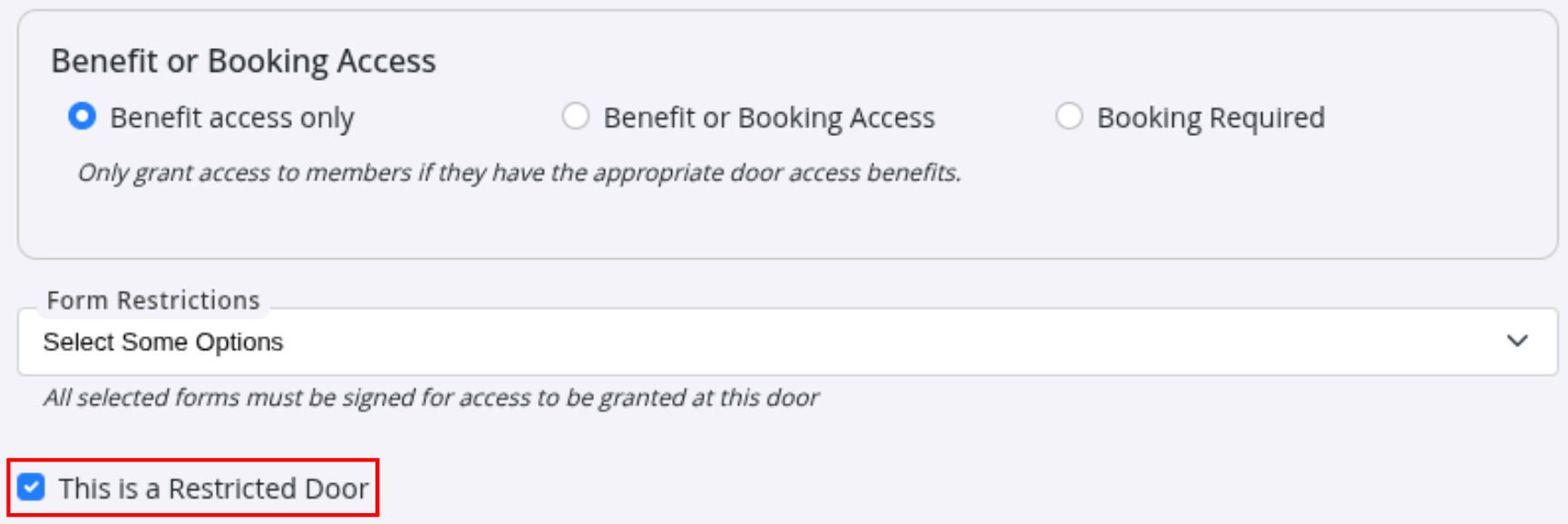
Restricted Door:
- Go to: Settings > Doors and Readers > Edit Door
- Select This is a Restricted Door
- Save
Example below; The door is restricted, meaning it will not be included within an All Doors benefit.
- To allow selected member access to a restricted door, create an additional benefit that allows access to the Specific Door
Booking-Based Access
Full Guide: Booking-Based Access
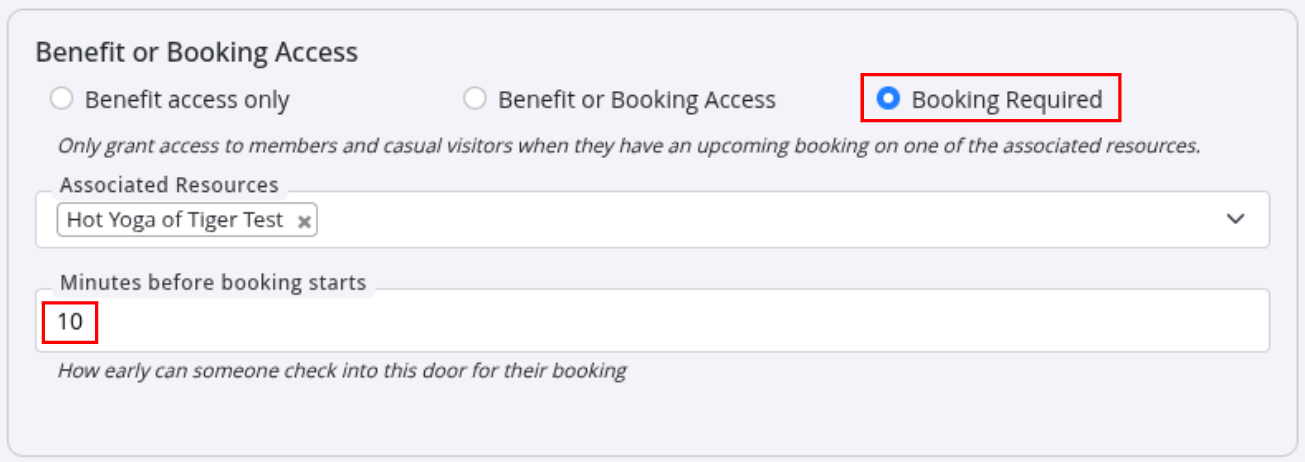
With Booking-Based Access, members and casuals can be granted door access only when they have a valid booking. This is ideal for facilities where access should be linked to attendance, such as courts, studios, meeting rooms, or treatment rooms.
For example, access to a Hot Yoga room can be configured so that entry is only permitted 10 minutes before a scheduled class, and only for members or casual attendees with a valid booking.
With Booking-Based Access enabled, the door no longer needs to be restricted through Membership Benefits to control entry. Instead, access rules are managed through the door settings and applied based on the member’s booking.
Multiple Benefits
A single membership can include multiple access benefits, allowing you to create flexible membership offerings.
For example, a Hot Yoga membership could include:
- All Doors access during Open Hours
- 5x weekly Hot Yoga room access during Open Hours (Restricted Door)
- Back Door access during Open Hours (Restricted Door)
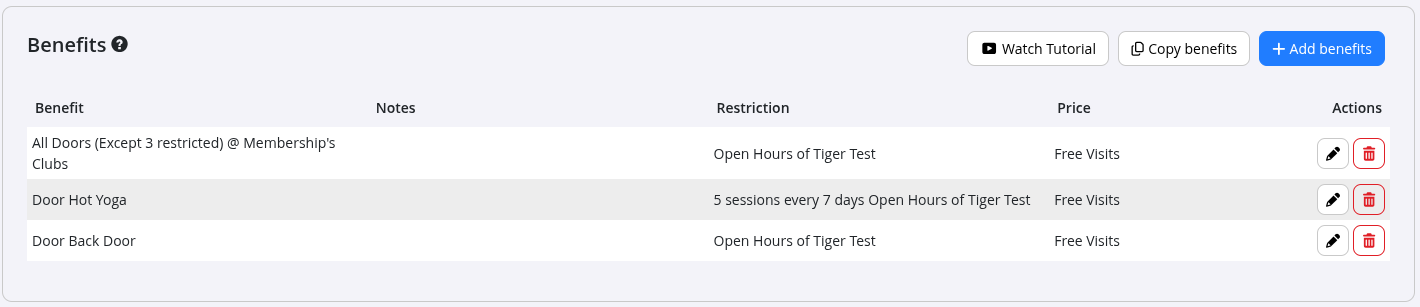
GymMaster supports several types of Membership Benefits, including:
For a complete overview of Membership Benefits, see Membership Benefits.
Common Questions this Covers
- How do I set up Door Access Benefits?
- How do I give members access to specific doors?
- How do I restrict door access by membership?
- How do I control member access times?
- Can I give different memberships different door access?
- How do I limit access to certain facilities?
- How do Door Access Benefits work?
- Can members unlock doors with their membership?
- What is the difference between Door Access Benefits and Booking-Based Access?
- How do I configure member door permissions?

 2026 © Treshna Enterprises Ltd.