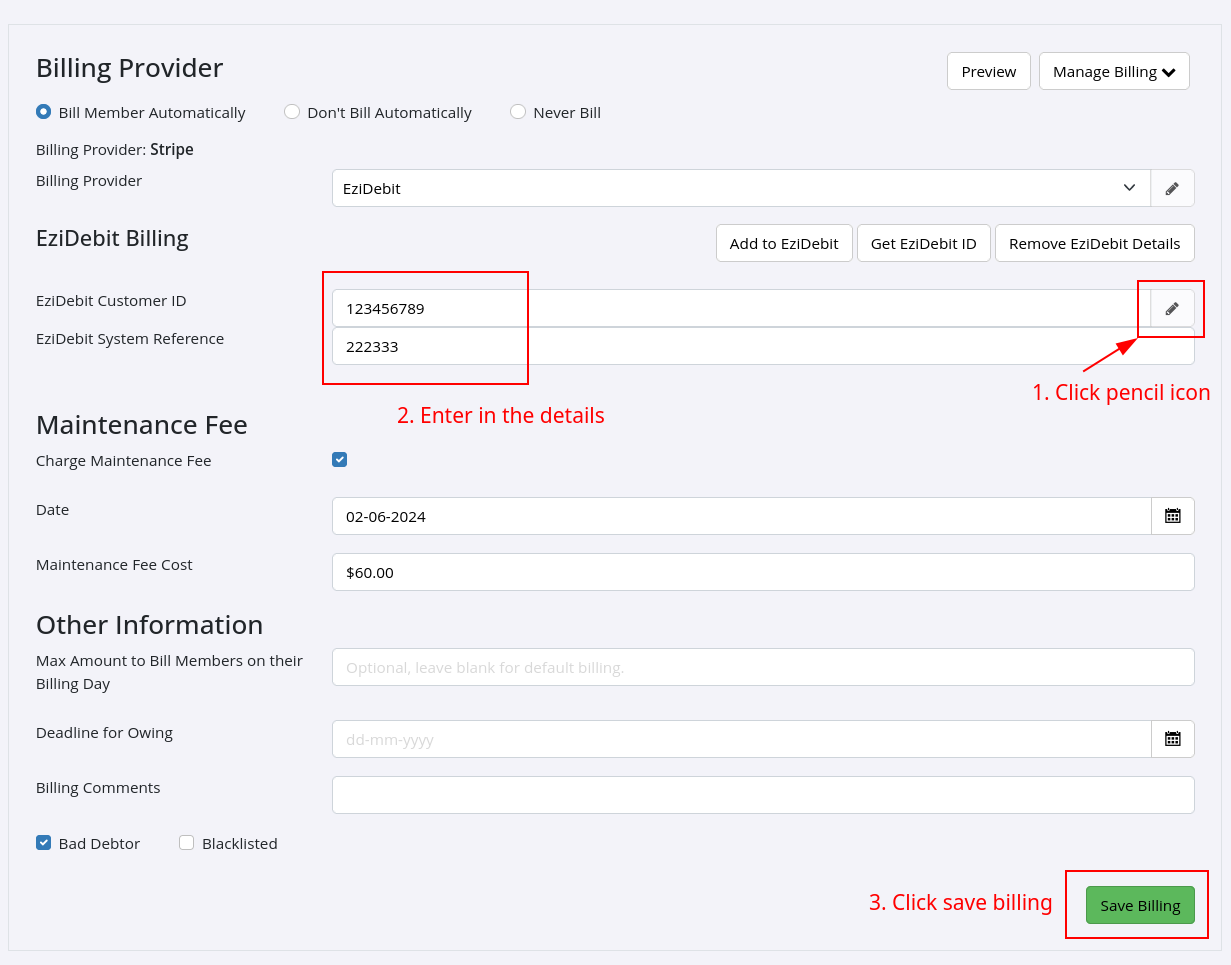
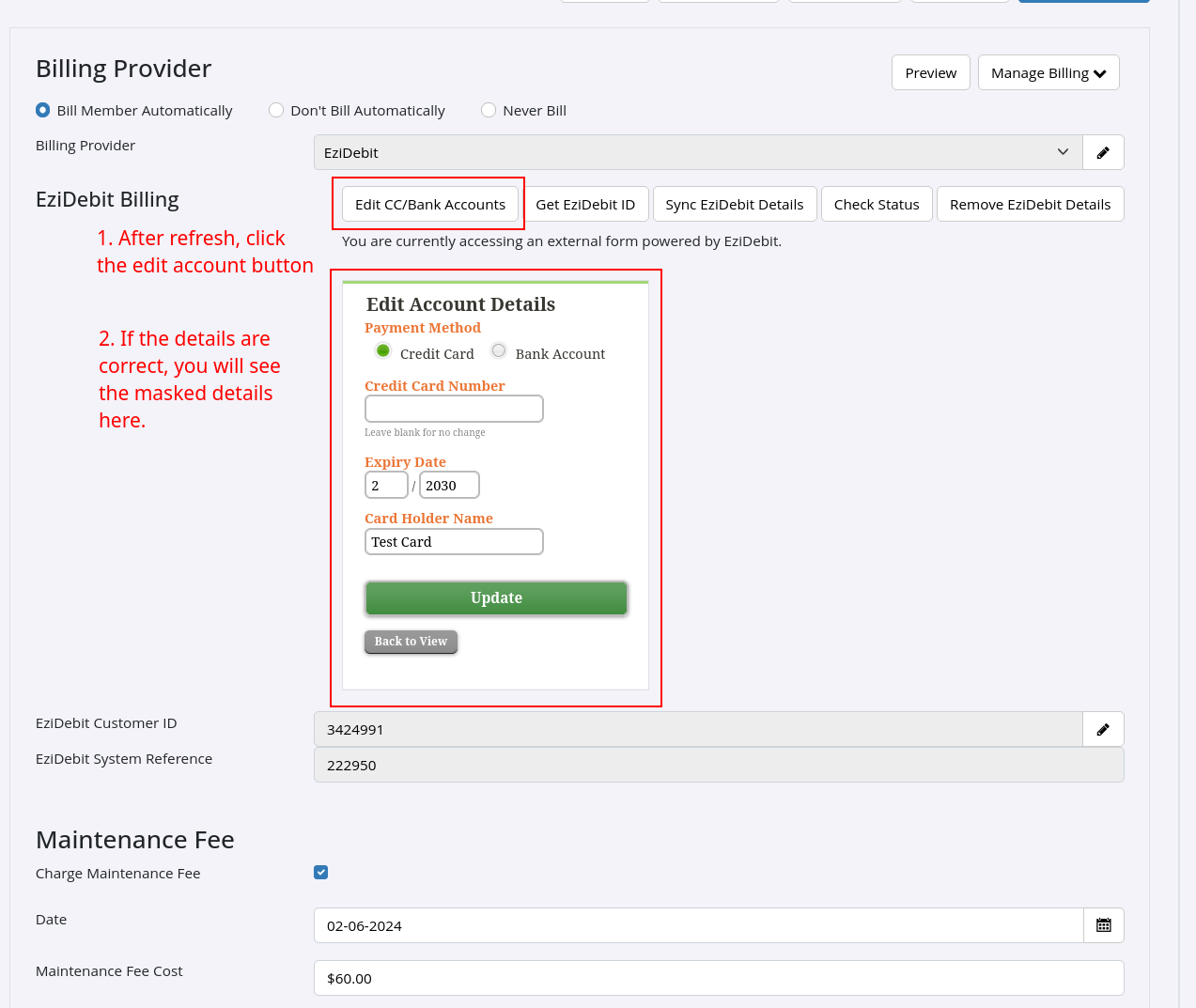
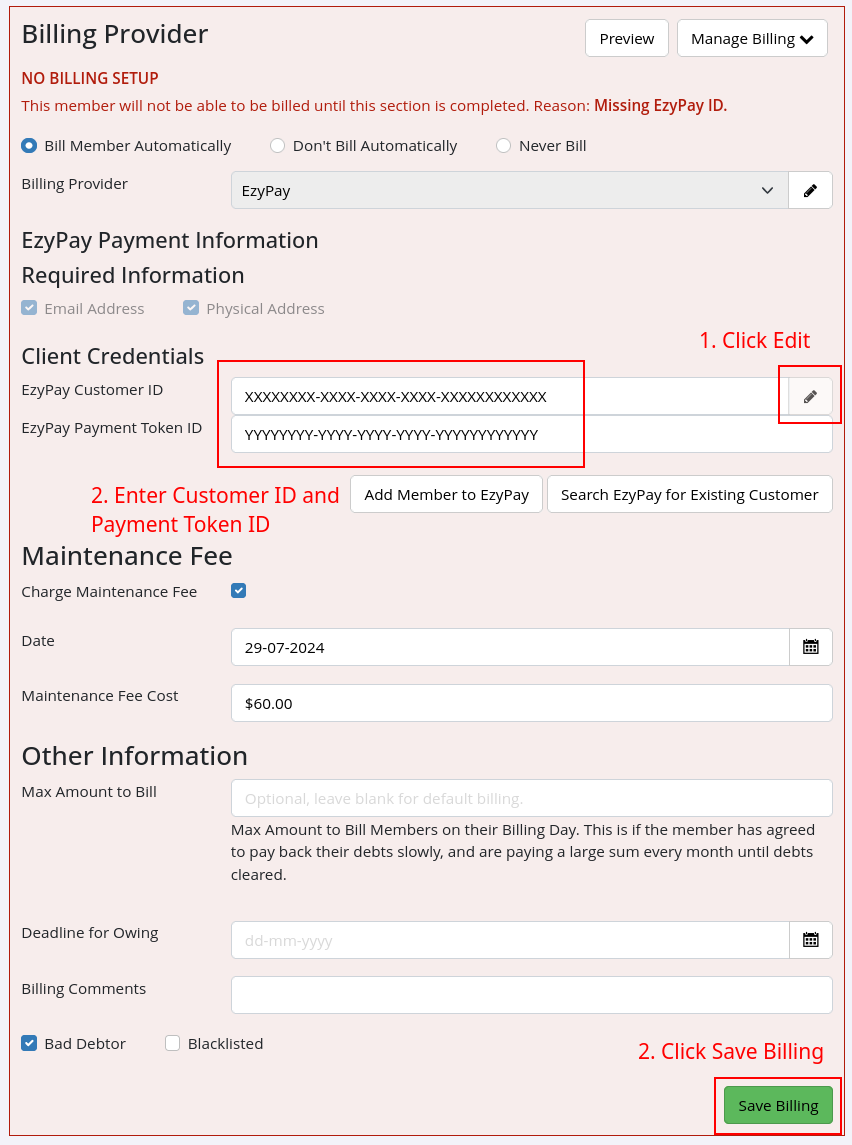
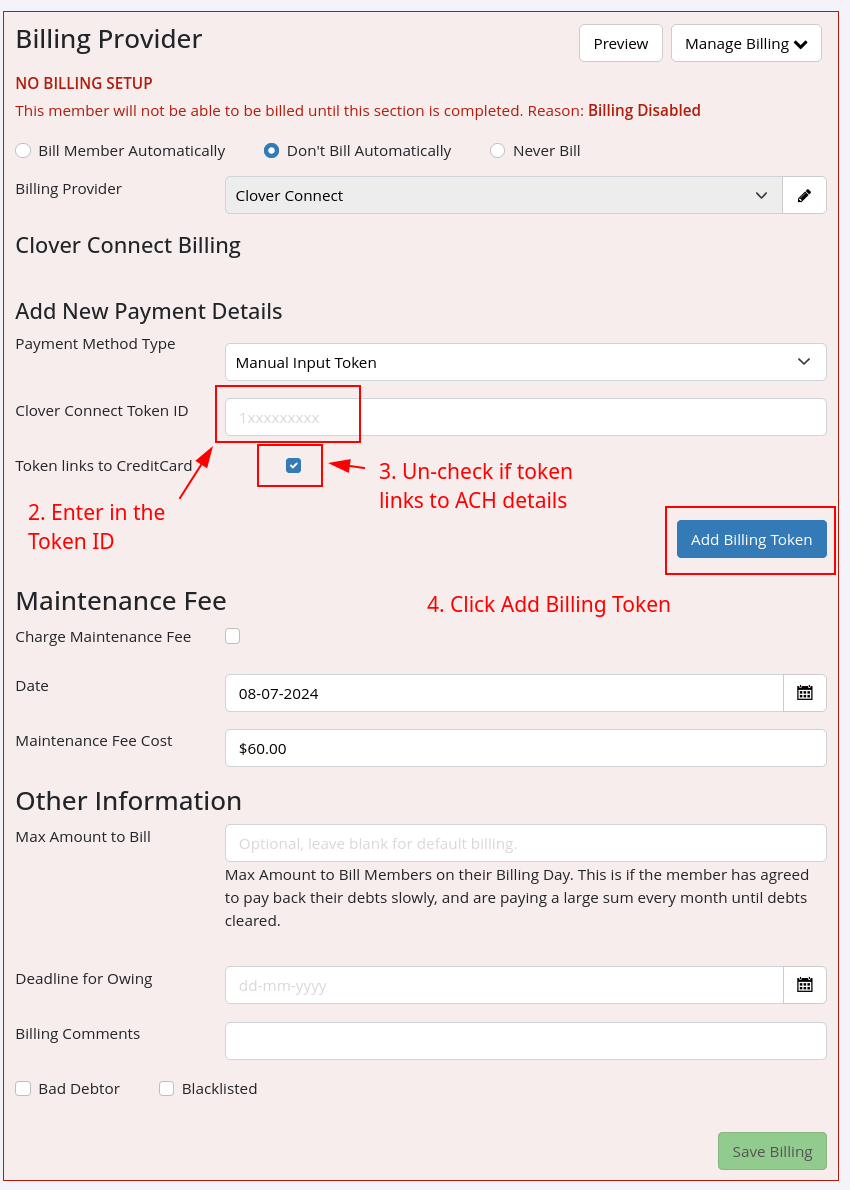
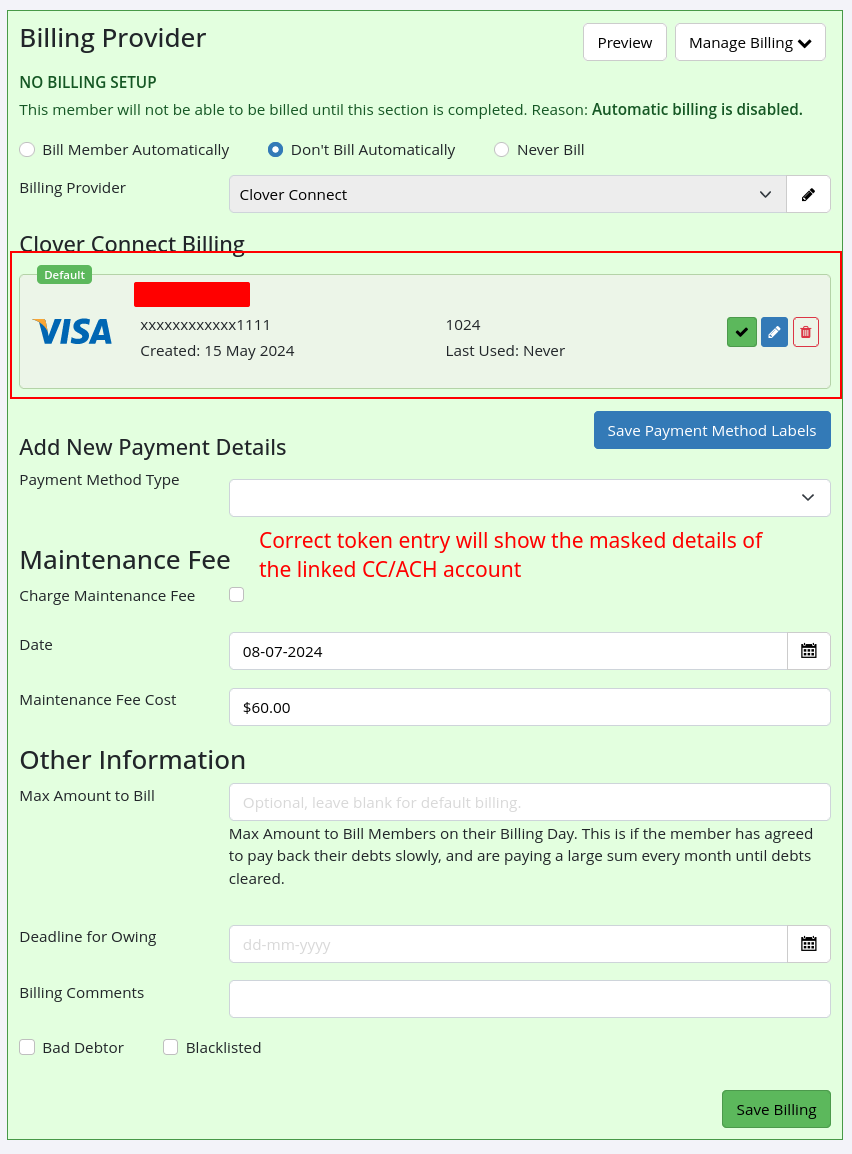
If you’ve received a Billing Token extract from your new billing provider, you can manually enter them into GymMaster Member profiles to link their billing details (credit card or bank account).
Before you start — a GymMaster staff member needs to enable this feature for your account.
Email [[help@gymmaster.com]] from your account holder’s email address requesting “Allow staff to enter in Member Tokens for Billing”.
EziDebit
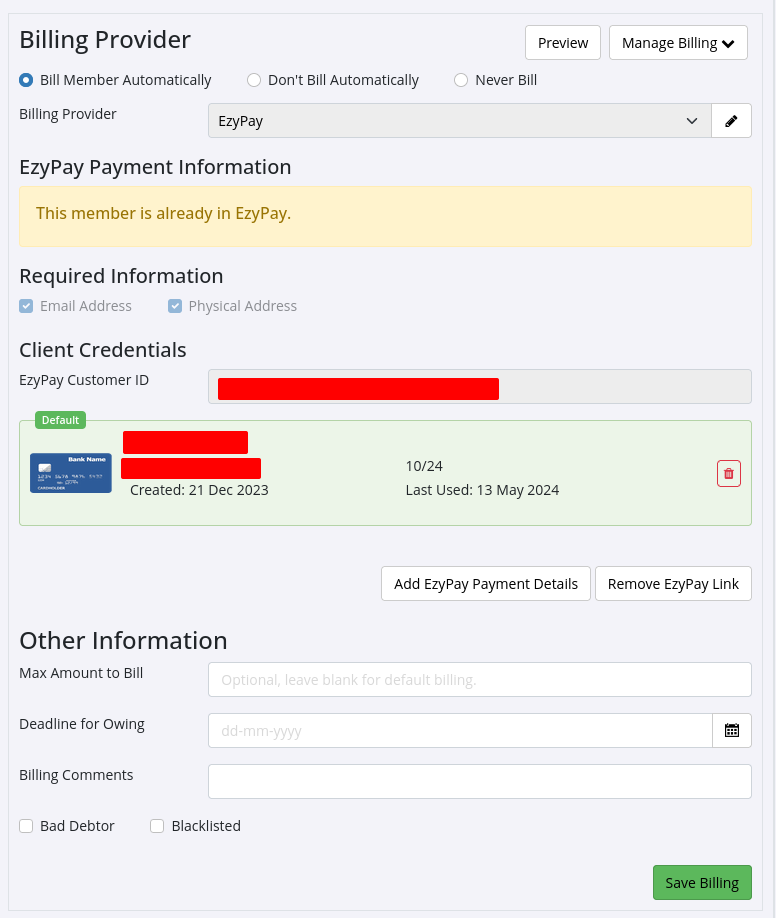
EzyPay
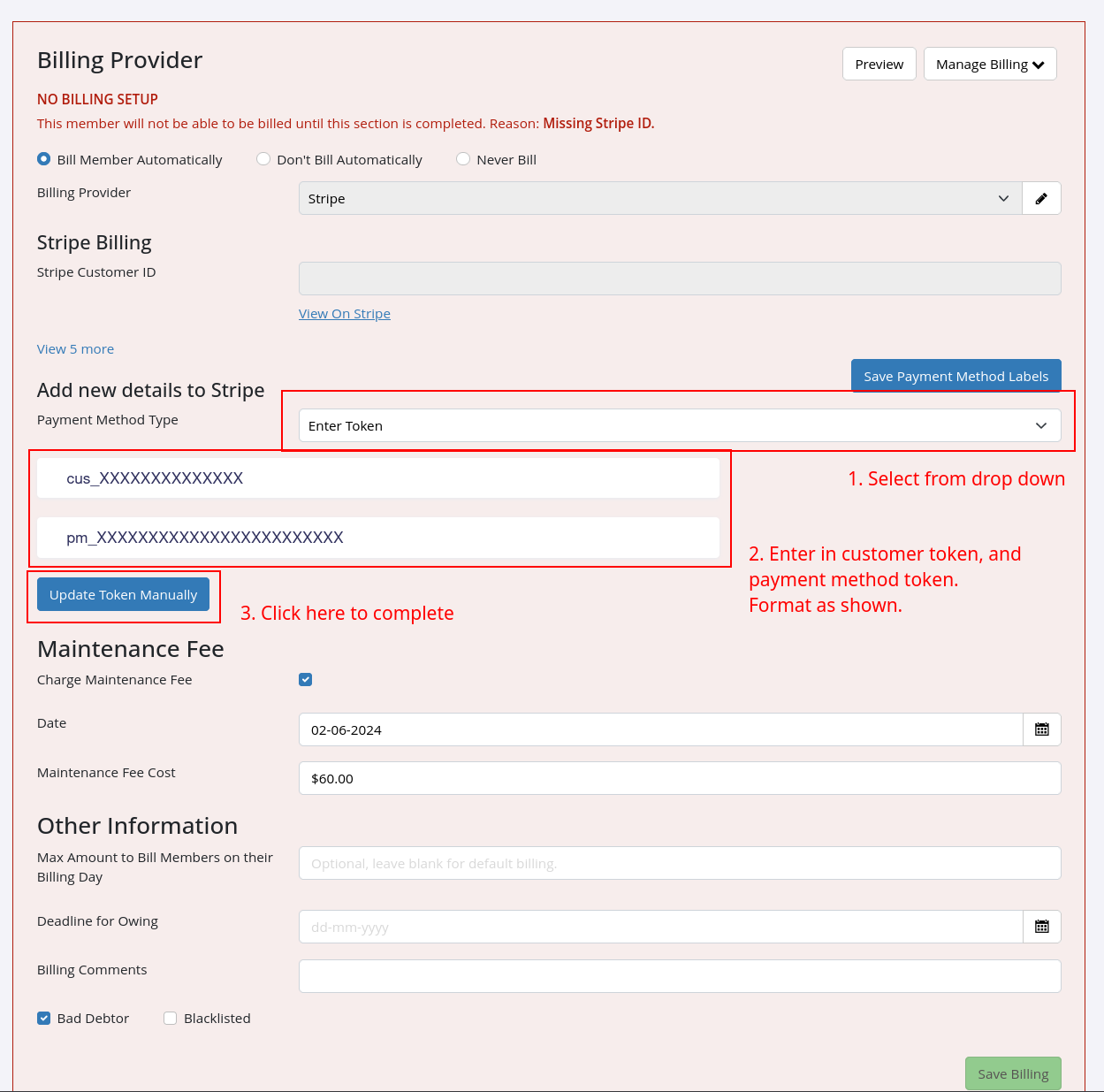
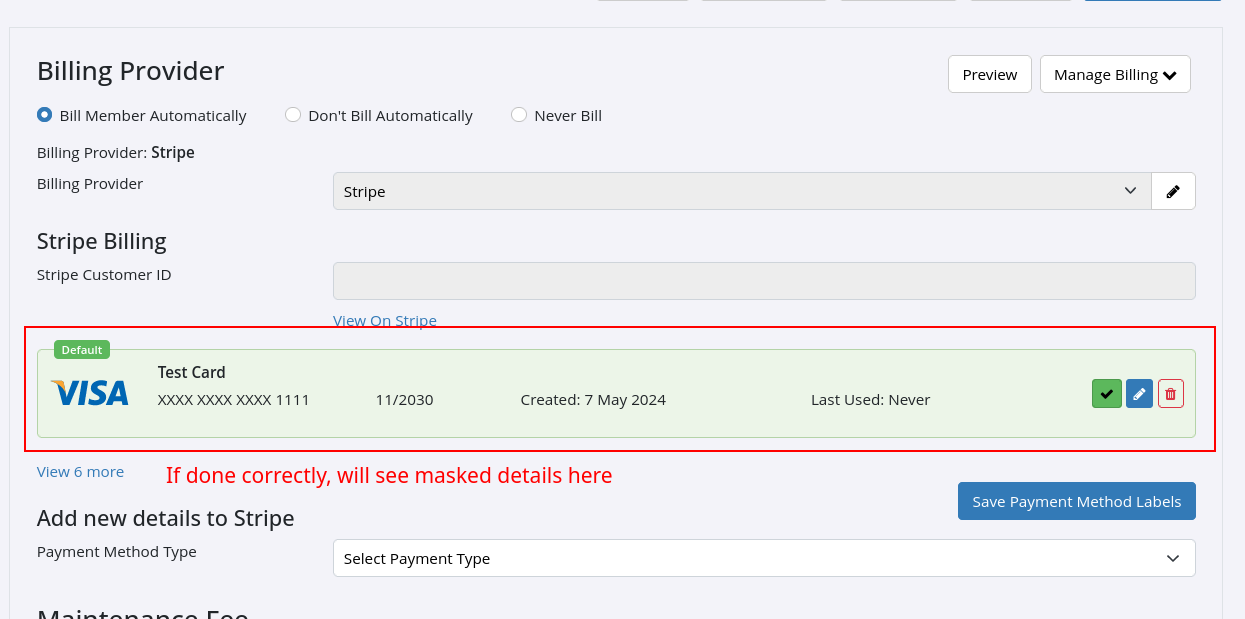
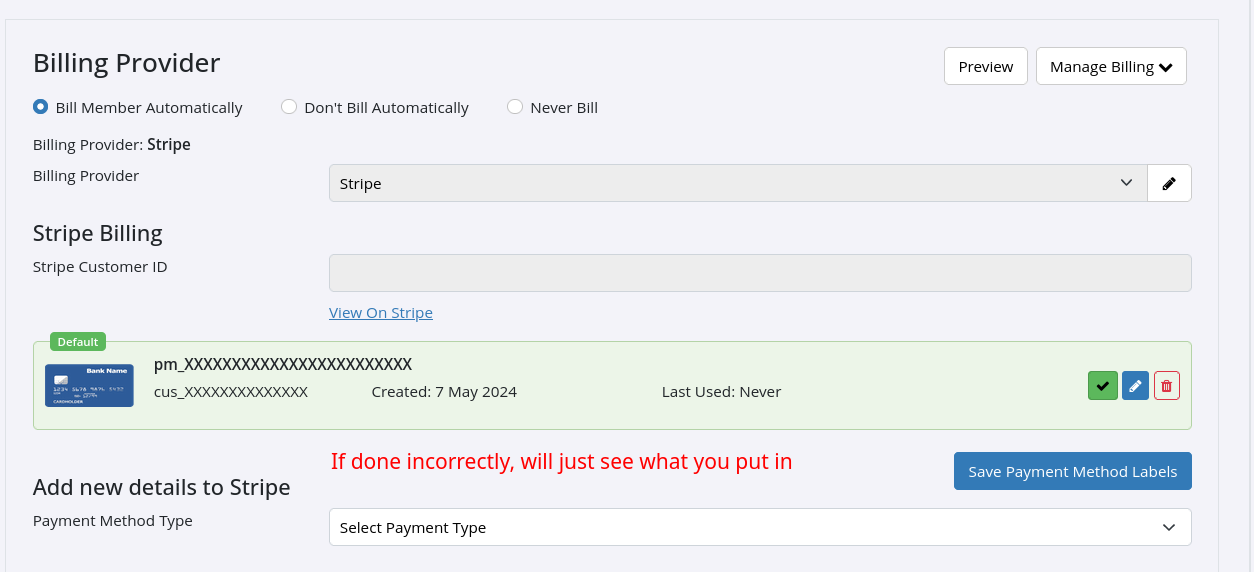
Stripe
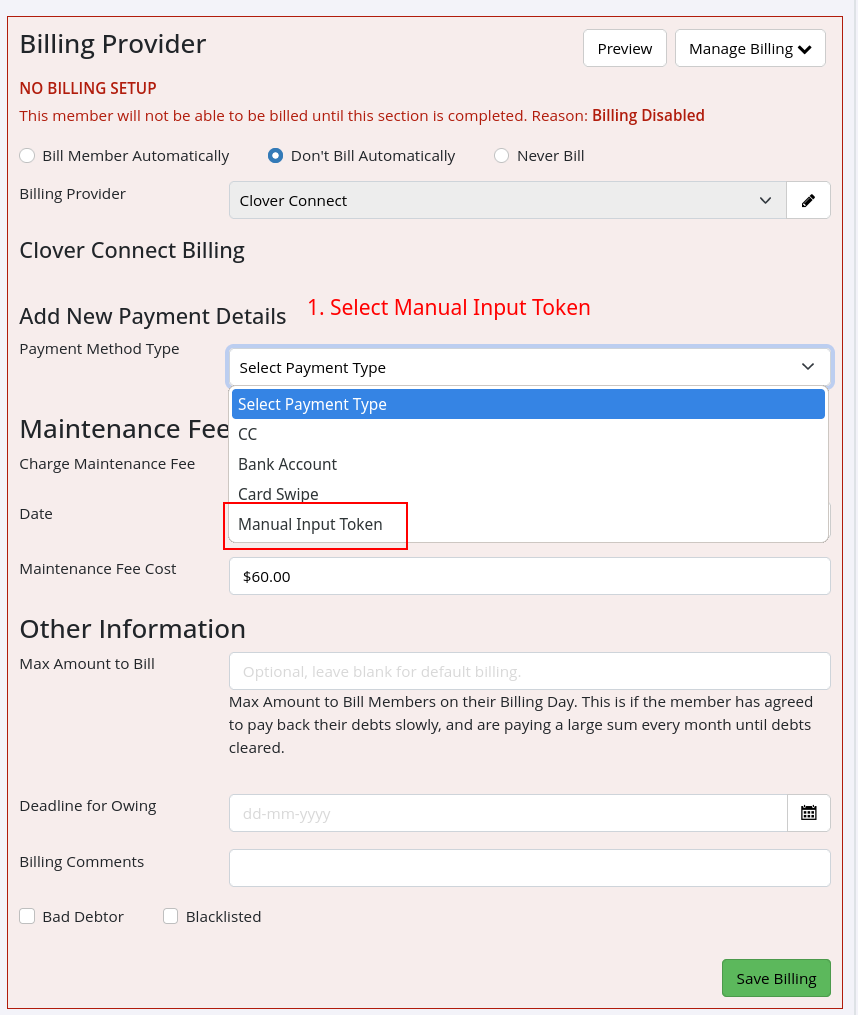
CloverConnect
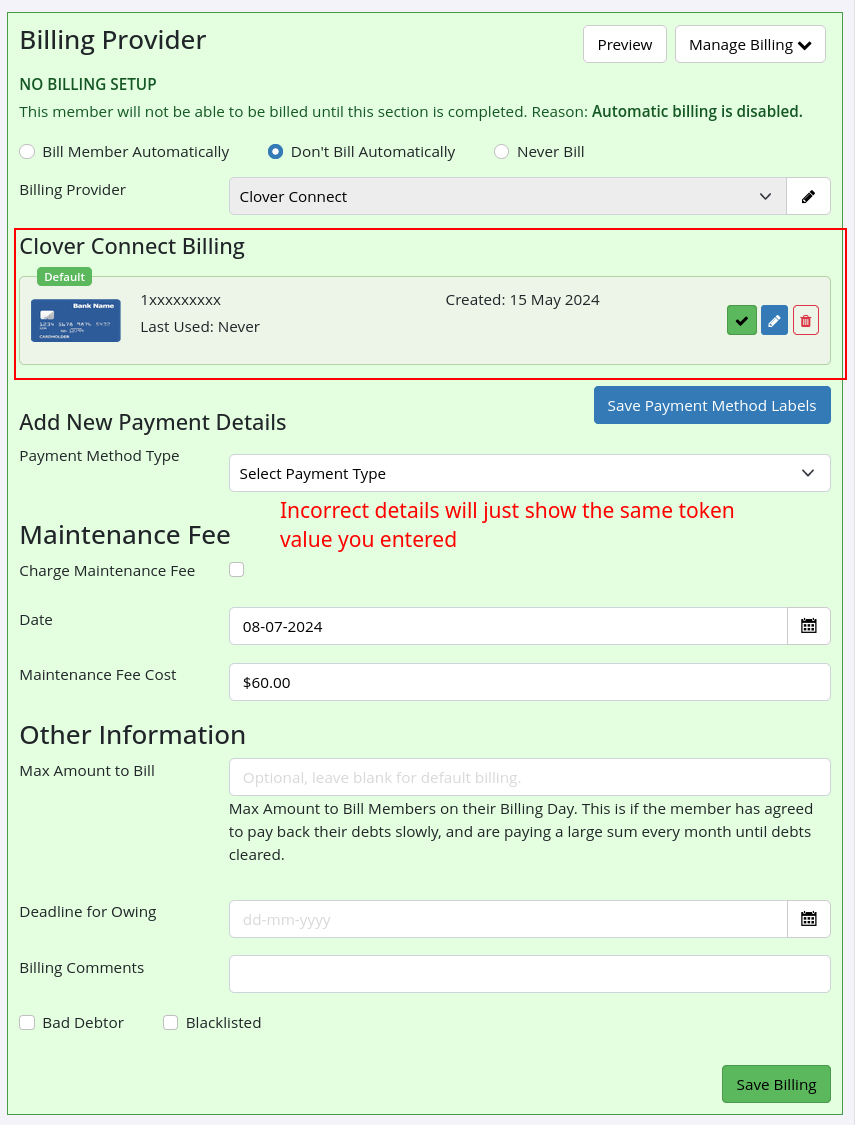
Common Errors
Next:
Common Errors
Common Questions this Covers

 2026 © Treshna Enterprises Ltd.

