
Make Sale via Point of Sale
Learn how to make a sale in GymMaster point of sale, take payments and complete member purchases.
Ensure all configuration is completed in Advanced Configuration > Point of Sale before completing your first sale.
Follow these simple steps to complete an in-person purchase via your Point of Sale station.
Assign Member and Staff to Sale
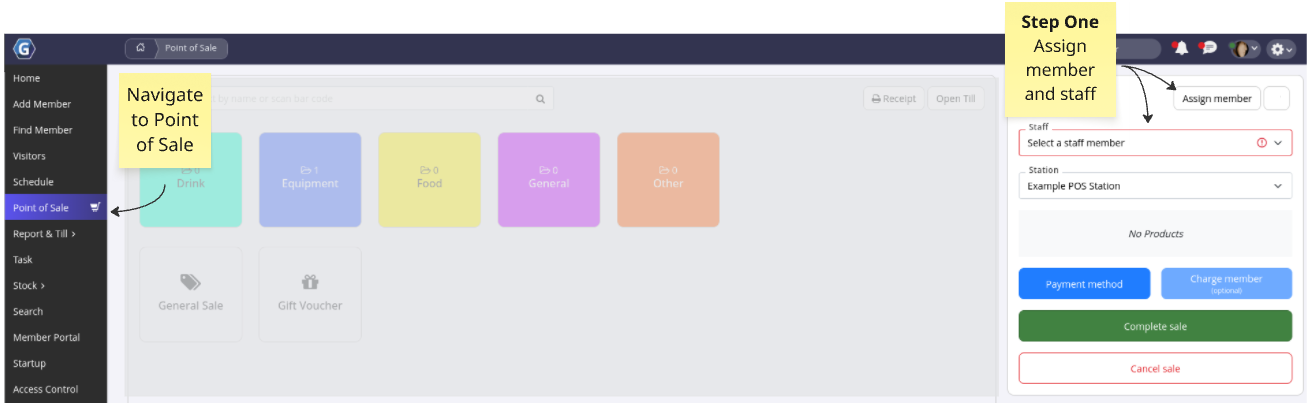
Begin at Point of Sale.
Assign Member
- If you arrived via a membership or booking purchase, the member will already be assigned
- Otherwise, select Assign Member and add the member to the sale. This is recommended for accurate records and easier refunds
Assign Staff to Sale
- Confirm the correct Staff Member is selected, if required
- You can make this mandatory in Advanced Configuration > Point of Sale
Select Sale Type
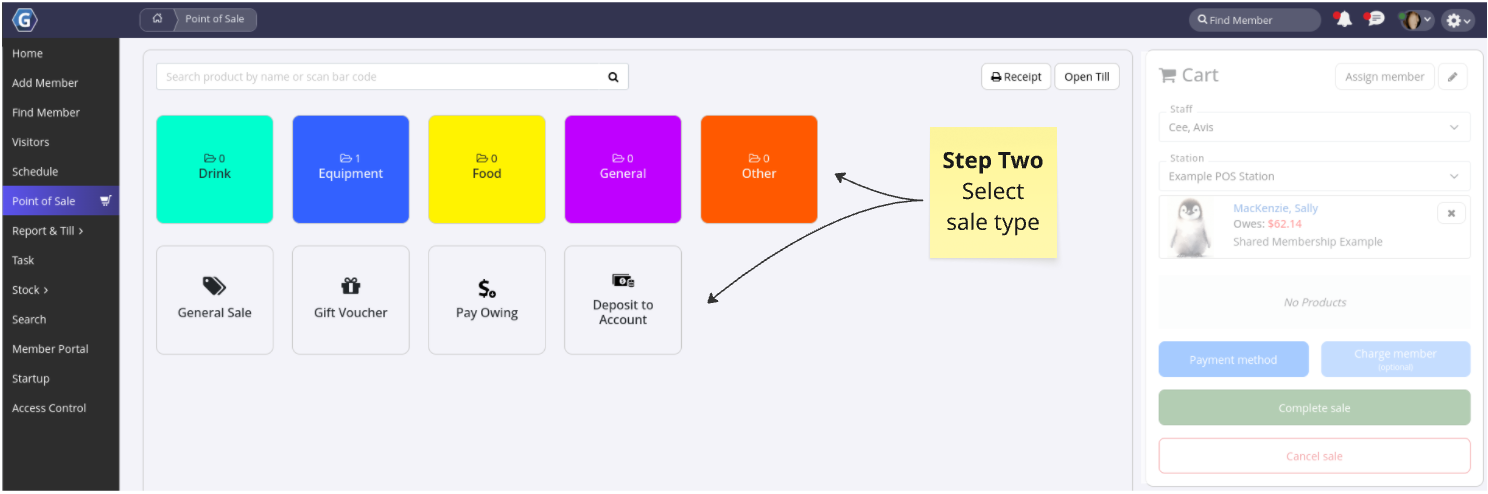
Is the member purchasing a product or paying off an account balance? Select the appropriate option.
| Selection | Sale Type | Configuration |
|---|---|---|
| Products | Food, drink, merchandise | Settings > Products |
| General Sale | Flexible sale | |
| Gift Vouchers | Sale of gift vouchers | Gift Vouchers |
| Pay Owing | Pay full or partial account balance | |
| Deposit to Account | Add funds to account for future use |
Add as many sale types and products as required.
All items will be added to the cart.
Apply Discount
Full Guide: Point of Sale Discounts
Optional.
Applies to products only.
Apply discount before continuing to payment.
Select Payment Method
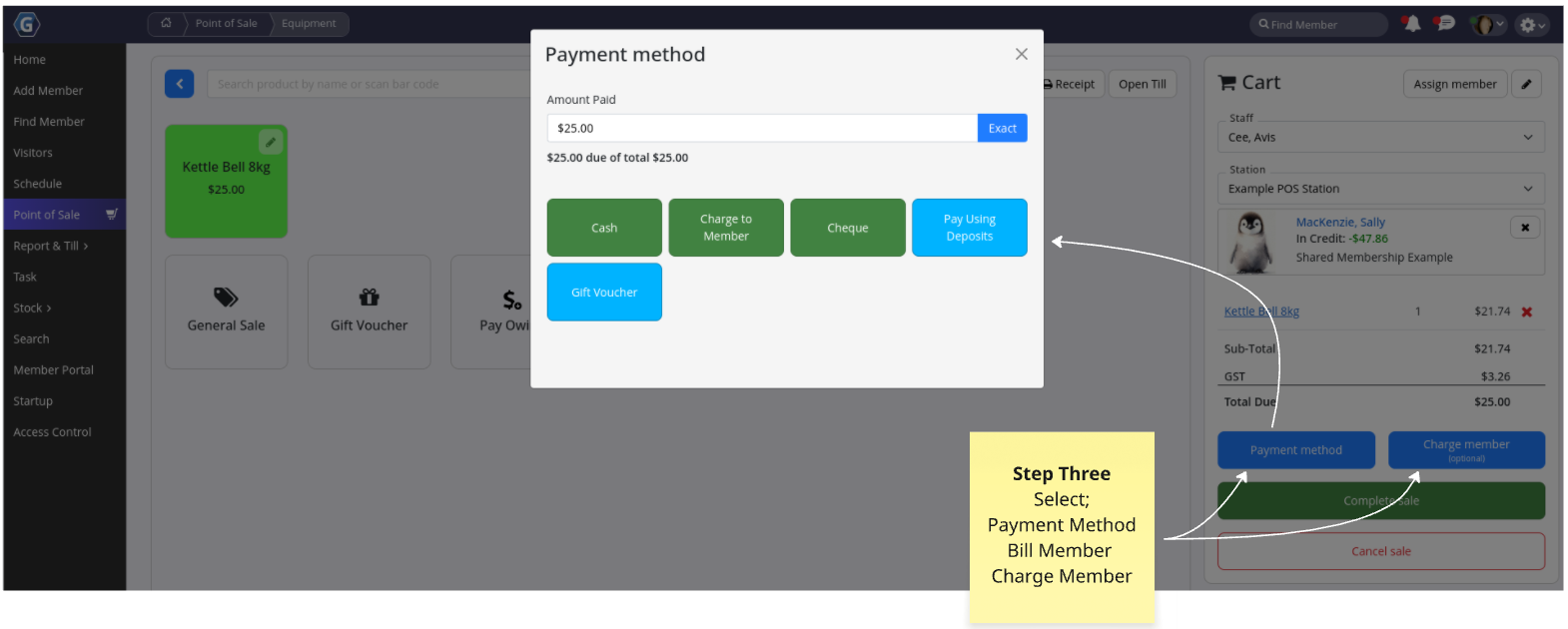
Choose how the payment will be processed.
| Option | Payment Process | Configuration |
|---|---|---|
| Payment Method | Cash, EFTPOS, gift voucher, or other configured options | Settings > Financial Configuration > Point of Sale > Payment Methods |
| Bill Member | Sends transaction to billing provider | Requires billing setup for club and member |
| Charge Member | Adds sale to member account for later payment | No billing details required. Advanced Configuration > Point of Sale |
Complete Sale
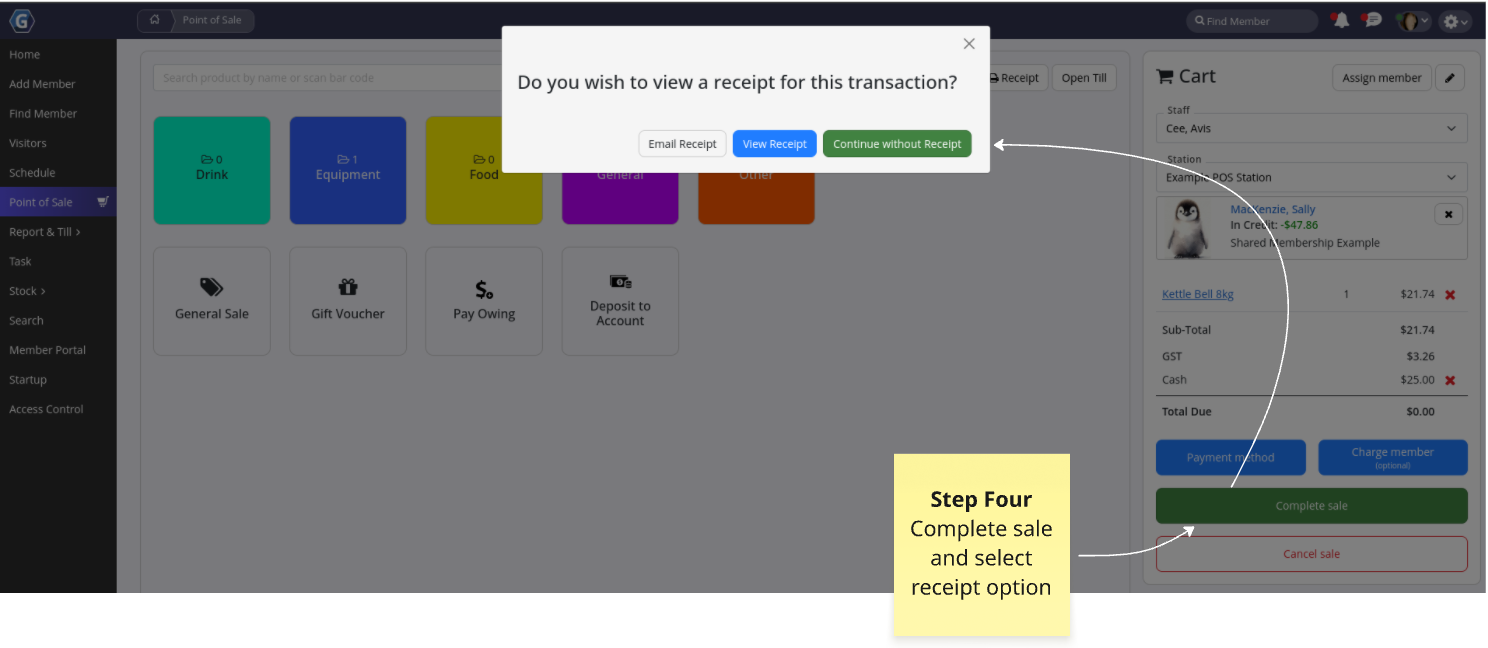
Select Complete Sale to finalise the transaction.
You can then choose to email, print, or view the receipt, or continue without a receipt.
In-person sale complete!
Common Questions this Covers
- How do I complete a sale in GymMaster Point of Sale
- How do I process a payment for a member at the front desk
- How do I use Point of Sale to sell products in GymMaster
- How do I charge a member using Point of Sale
- How do I take payment for a membership or booking in GymMaster

 2026 © Treshna Enterprises Ltd.