
Incomplete Memberships: Completing a Membership
When a membership is first added, it will appear as Incomplete.
While a membership is incomplete, it cannot be billed and member benefits will not be active.
This usually happens for one of two reasons:
Forms Need to Be Signed
If the membership is waiting on forms to be signed, it will appear like this:
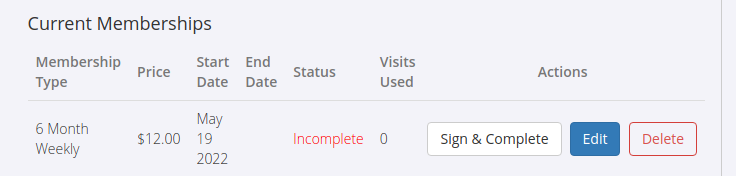
You can:
- Click Sign & Complete to have the member sign their agreements immediately
- Use one of the other available signing options
If you do not want memberships to require signed forms before activation:
- Settings > Membership Types > Categories
- Edit the membership category
- Uncheck Enable Sign & Complete
- Save changes
Billing Details or Payment Required
If the membership still requires billing details or an initial payment, it will appear like this:
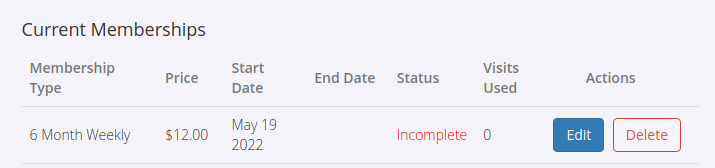
What is required depends on how the membership has been configured under:
- Settings > Membership Types
- Edit Membership Type > Payment and Fees > Bill Automatically
Bill Automatically Enabled
When Bill Automatically is enabled, the membership uses Integrated Billing.
To complete the membership:
- The member must be set up with your billing provider
- Click Save & Complete
- GymMaster will open the member’s Accounts and Billing tab so billing details can be added
Depending on your billing provider, this may require bank account details or card details.
Bill Automatically Disabled
When Bill Automatically is disabled, the membership is expected to be paid manually or in person.
To complete the membership:
- Record a payment against the first charge
- Click Save & Complete
- GymMaster will open the Point of Sale
A full payment is not required; partial payments can also complete the membership.
If you do not want an initial payment to be required before activation:
- Settings > Advanced Configuration > Membership
- Disable Require an initial payment
Common Questions this Covers
- Why does a membership show as incomplete
- How do I complete an incomplete membership
- What does sign & complete mean
- How do I disable required signatures
- Why does a membership require billing details
- What does Bill Automatically do
- How do I record a payment to complete a membership
- Can memberships be activated without taking payment first

 2026 © Treshna Enterprises Ltd.
