
Day Passes
The Day Pass membership basis gives casual visitors and prospects a simple way to experience your facility for a single day.
Once purchased, a day pass provides access the day of entry (until midnight) and expires after it has been used.
To allow current members to bring friends to the club, consider using Guest Passes.
Create Day Pass
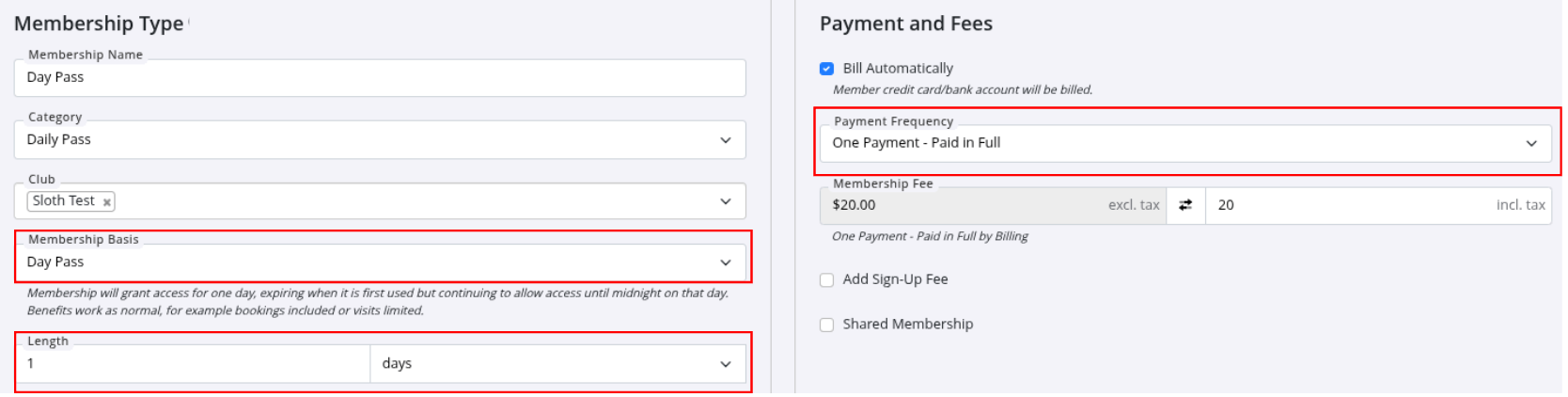
- Create a new membership type using Day Pass membership basis.
- Set up the Day Pass in whatever way best suits your facility, considering length (eg 1 day) and benefits to allow access to classes or services.
- This membership basis type requires One-Payment - Paid in Full as your payment frequency selection.
- Remember to configure the appropriate Door Benefits to allow access.
- Set No-Limit use restriction to allow visitors to come and go throughout their access day.
- Place it in a membership category with automatic bluetooth access enabled.
- Enable Selling Memberships Online
- Try Quick Sign-up to make it even easier for casuals to buy a Day Pass.
Contactless Purchase
You can make the purchase process contactless by providing an Buy-Online Link or QR code in your marketing . This is particularly useful for facilities that want to offer casual access or prospect trial days without needing staff onsite.
- Visitors can purchase day pass online using the Buy-Online Link, or;
- Visitors can scan QR Code displayed at front door
- They will be guided to download the GymMaster Member App and can use their phone to access the facility.
By displaying an online link or QR code with simple instructions in marketing or at your front door, you can keep signups and access running even when the facility is unstaffed.
Buy-Online Link
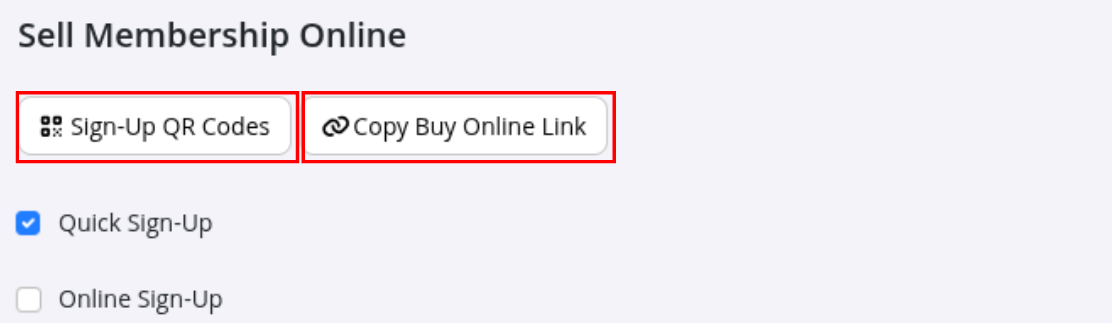
Navigate to Membership Type > Your DayPass Membership > Sell Membership Online
- Use Copy Buy Online Link to generate a direct URL to the membership purchase page.
- This link can be pasted and:
- Added to your website
- Shared by email or SMS
- Posted on social media
- Used in marketing campaigns
Link will take customers to your online purchase page for your Day Pass.
Sign-Up QR Code
Navigate to Membership Type > Your DayPass Membership > Sell Membership Online
- Use Sign-Up QR Code to generate a QR Code to the Day Pass purchase page.
- Buy Online QR Code - This QR code can be scanned using a phone camera (recommended for new casuals)
- The QR Code can be;
- Used in marketing campaigns
- Printed out and displayed at the front door of your club.
Casuals scan code using phone camera, and are taken to Day Pass online purchase.
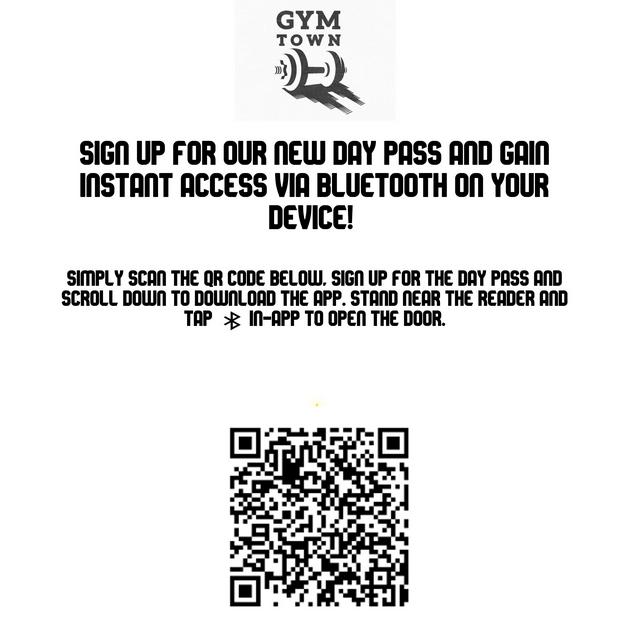
Note: Poster above is for illustrative purposes only. Please do not use this poster or QR code in your facility.
Visitor Access
Once the visitor has signed up and purchased the Day Pass;
- They can scroll down the welcome page to find the App Store/Google Play links.
- Download and open the GymMaster Member App
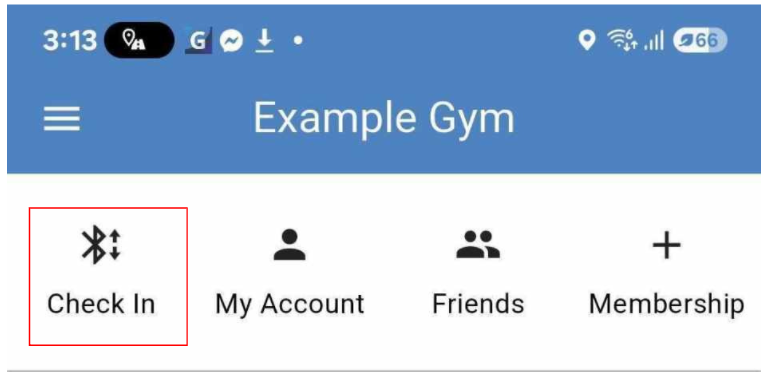
- Use Check-In icon to enter the facility using bluetooth
- They will need to enable bluetooth on their device
Common Questions this Covers
- How do I set up a contactless Day Pass
- How can prospects access the club when it is unstaffed
- How can I let casual visitors purchase a Day Pass online
- How do I create a QR code for a Day Pass
- How do I set up contactless sign-up and entry for a gym or facility
- Can members sign up and get access without staff being present
- How do QR codes work for GymMaster self-service membership sign-up
- What setup is needed for a contactless day pass system in GymMaster
- How do members get access after purchasing a membership online through a QR code

 2026 © Treshna Enterprises Ltd.