
Hide Membership from Public Sign-up
You may have memberships that you don’t want displayed to everyone on your public sign-up page, such as corporate memberships, staff offers, or special promotions.
GymMaster allows you to hide a membership and make it available for purchase through direct promotion.
Hide Membership
To hide a membership from the regular online sign-up options:
- Go to Settings > Membership Types
- Edit an existing membership or create a new one
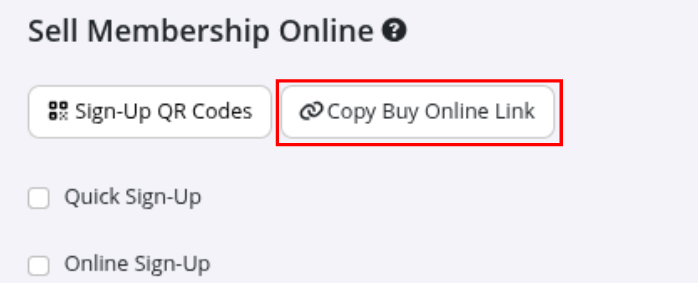
- In the Sell Membership Online section, leave Online Sign-Up unchecked
- Save the membership
If you have several hidden memberships, consider creating a separate Membership Type Category for them. This makes it easier to identify and manage these membership types.
Sign-up Options
Use direct promotion to offer exclusive access to specific membership types.
You can include a direct link, QR code, or discount/promo code in your promotion to take customers directly to online sign-up or unlock access to the hidden membership;
Buy Online Link
The Buy Online link provides direct access to online purchase of a specific membership, even if the membership is hidden.
This can be useful when sharing a membership offer through a targeted email, corporate partnership, referral campaign, or other private promotion.
When the member opens the link, the hidden membership is already available for purchase.
Sign-Up QR Codes
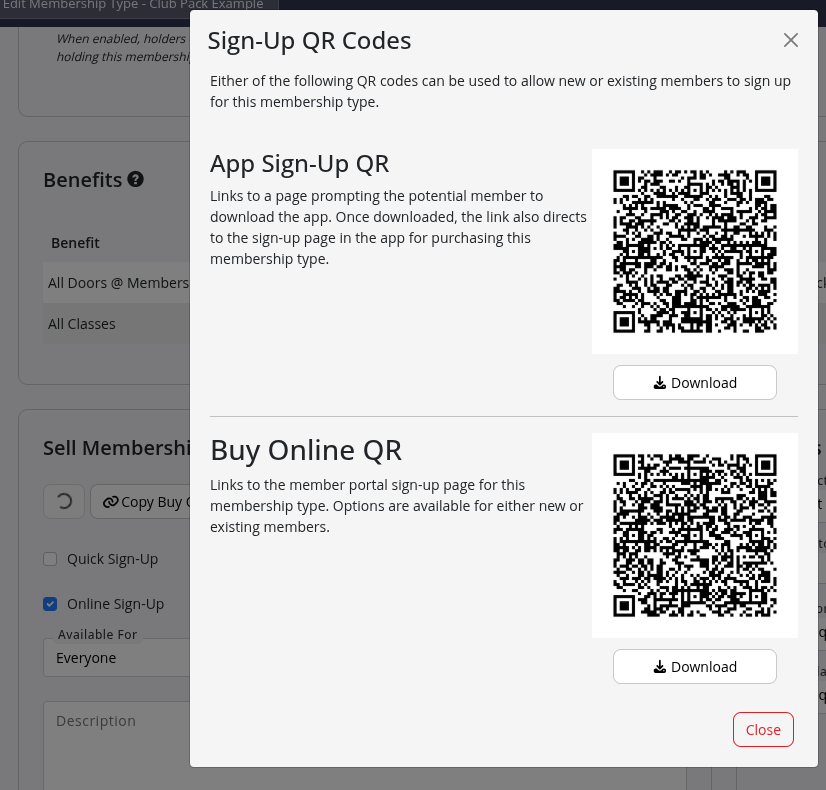
Each membership type includes downloadable QR codes that can be used to allow sign-up to an otherwise hidden membership.
- App Sign-Up QR - This QR code is scanned through the GymMaster Member App.
- Buy Online QR - This QR code can be scanned using a phone camera.
QR codes take customers directly to the online purchase page for the selected membership.
Discount Codes
Full Guide: Membership Discount Codes
When a member enters a discount code during online sign-up, the eligible hidden membership becomes available.
The discount code can therefore be used to unlock a membership, apply a discount, or both, depending on how the code is configured.
Common Questions this Covers
- How do I hide a membership from the public sign-up page
- How can I create a membership that is only available with a discount code
- How do I create a discount code for a hidden membership
- Can I offer a discount as well as unlock a hidden membership
- Can I create a direct sign-up link for a hidden membership
- How do I create a QR code for a hidden membership
- How do I organize multiple hidden memberships
- Can hidden memberships be used for corporate or staff plans

 2026 © Treshna Enterprises Ltd.