
Troubleshoot Member Email Issues
2 min read
Updated
1 month ago
There are several reasons why a member may not receive an email from GymMaster.
The first step is to identify whether the issue is related to the member’s profile, communication settings, or external email delivery.
Use the steps below to identify where the issue is occurring.
Check Email and Subscriptions
Confirm the member has a valid email address recorded and is subscribed to receive email communications.
- Go to: Member Profile > Details > Contact
- Check the email address has been entered correctly
- Confirm the member is using an active email address
Subscriptions
- Check the member is subscribed to the relevant email categories
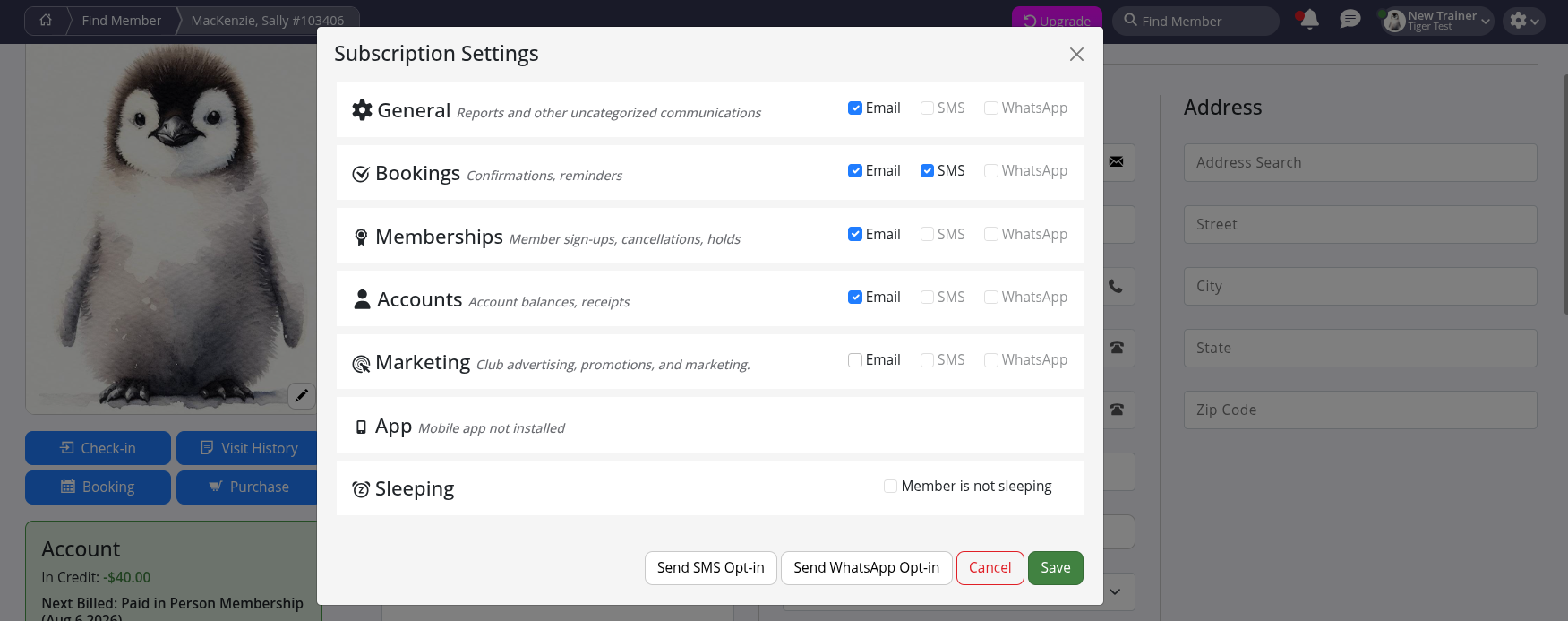
Check Communication Tab
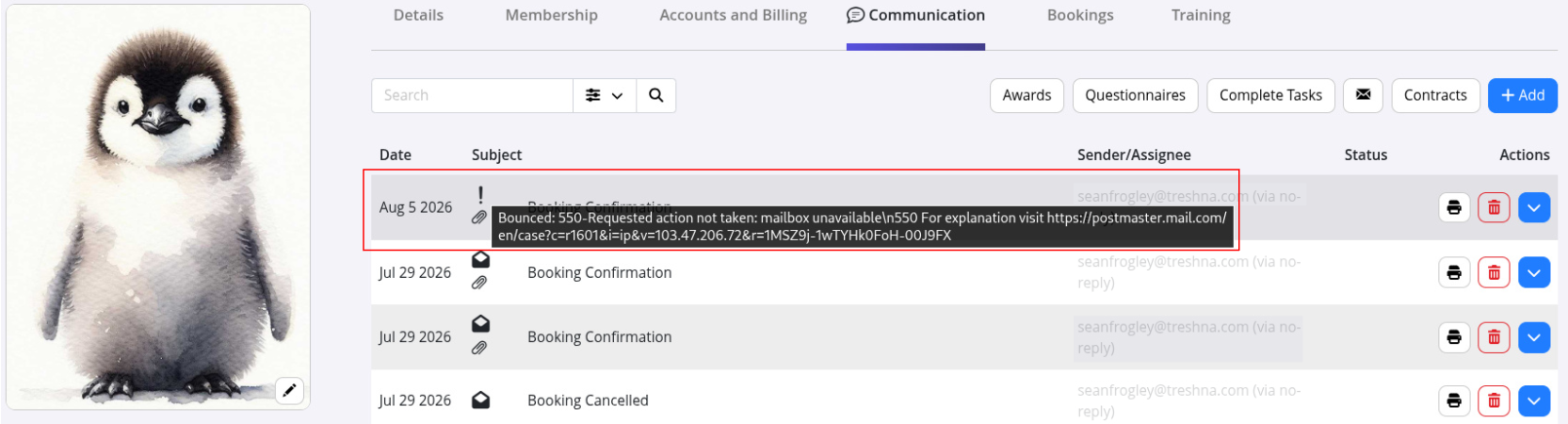
The Communication tab shows emails that have been sent to an individual member.
- Go to: Member Profile > Communication
Find the email communication you are troubleshooting.
| Communication List | What this Means |
|---|---|
| Email not listed | No email has been sent to this member. Check whether the communication was created correctly, or whether the member met the criteria for an automated email. |
| Email listed with error icon | Hover over the icon to view additional details. This will show why the email failed or bounced. |
| Email listed with no error icon | GymMaster successfully sent the email. If the member has not received it, check their spam/junk folder or whether their email provider has blocked the message. |
External Email Issues
If GymMaster shows the email was successfully sent, delivery may still be affected by external email providers.
Common reasons include:
- The email being filtered into spam or junk folders
- The recipient mailbox being full
- The recipient’s email provider blocking the message
- Email security settings preventing delivery
Common Questions this Covers <common_questions>
- Why is a member not receiving emails
- How do I check if an email was sent to a member
- How do I check member email subscriptions
- Why are GymMaster emails going to spam
- How do I troubleshoot bounced emails in GymMaster
- Where can I see emails sent to a member
- How do I check communication history for a member
- Why did an email fail to send
</common_questions>

 2026 © Treshna Enterprises Ltd.