
Webhooks
GymMaster offers a webhook service that can send information to a third party such as Salesforce, GoHighLevel, or your own bespoke applications. If you already have experience with webhooks you can probably skip the first section. With LLMs (‘AI’) making custom integrations more accessible to people who haven’t built one before, it may be a helpful overview of what webhooks are and when you might want to use them.
- What are webhooks?
- Setting up a webhook
- Event types
- Payloads
- Event reference
- Failed deliveries and retries
- Getting more data
What are webhooks?
How are they different to using an API?
When there isn’t an off-the-shelf integration available (e.g. Fitness Passport, Mailchimp, or our supported billing providers), you can build your own integration with GymMaster using our API or webhooks. This could be anything from showing live class availability on a screen in your facility or adding bookings to your website, to a complete mobile app for your members.
An API endpoint is a URL that provides the information you ask for: your integration makes a request and receives a response. It answers questions like “What classes are on today?” and “How much does this member owe?”. This works well for actions started on your end, but it becomes cumbersome for questions like “Which new members have signed up?”, because you would need to ask over and over throughout the day and compare each answer to the last one to work out what changed.
Webhooks solve this problem by answering the question before you need to ask it. You give us a URL where we can reach you, and we’ll send a payload of information about an event as soon as it happens in GymMaster. They are better suited to things like members signing up, checking in to bookings, or making payments.
In many cases you will find GymMaster’s built-in task and communication systems provide everything you need. Webhooks are useful when you want to keep GymMaster in sync with your own sales and retention pipelines, marketing tools, or anything else that can be set up to receive webhooks.
For the API, see the GymMaster API documentation.
Setting up a webhook
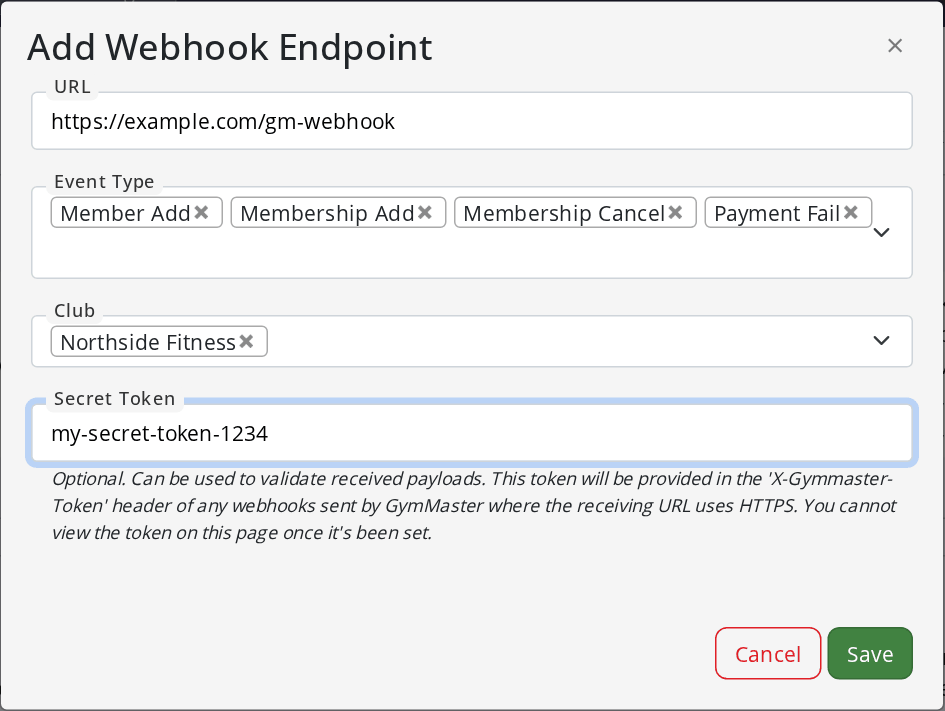
- In GymMaster, go to Settings > Integrations > Webhook Manager and select Add
- Enter the URL that should receive the webhooks
- Choose one or more Event Types, and the Club (or clubs) they apply to
- Optionally, set a Secret Token. GymMaster will send this in the X-Gymmaster-Token header of every webhook, so your receiving system can check that the request really came from GymMaster. A secret token can only be used with an https URL, and can’t be viewed again once it’s set.
- Select Save
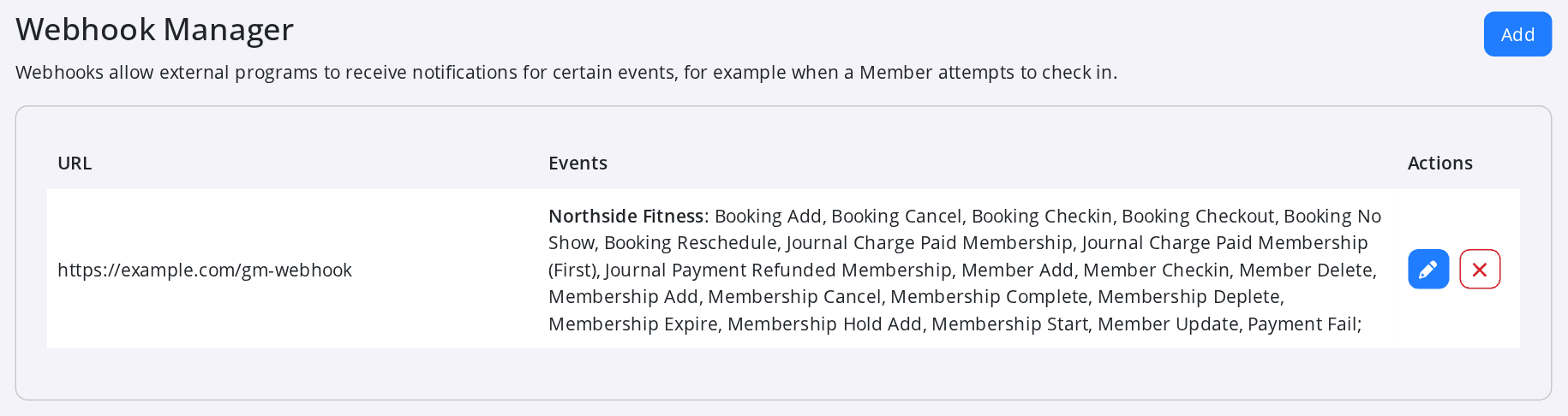
The Webhook Manager shows each URL with the events and clubs it receives. Use the pencil button to change the events for a URL, or the cross to remove it.
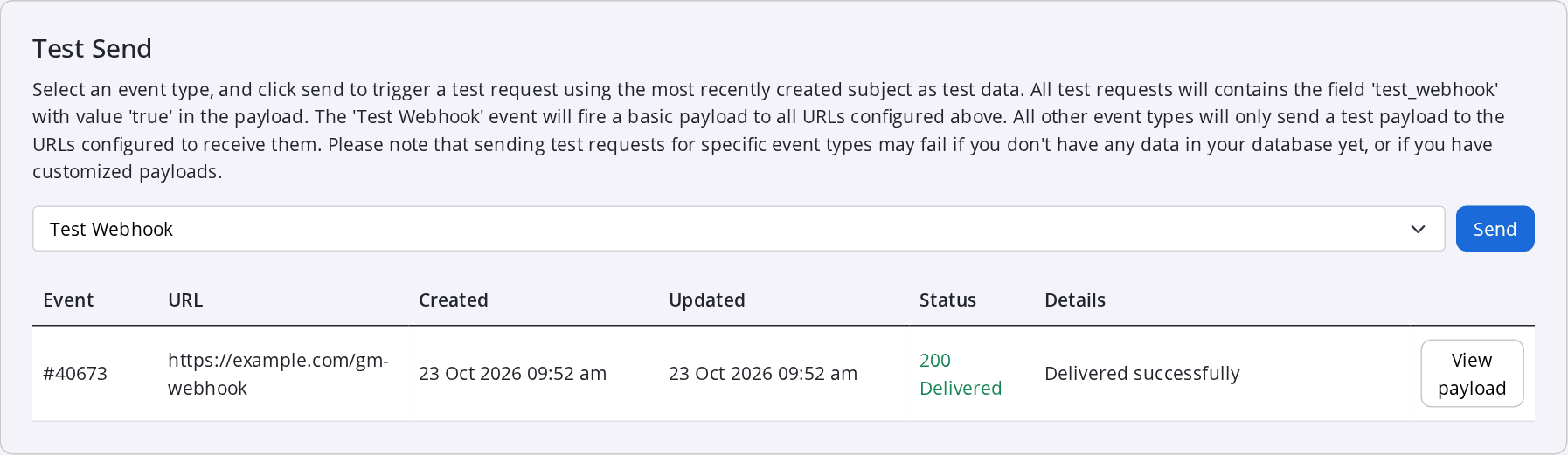
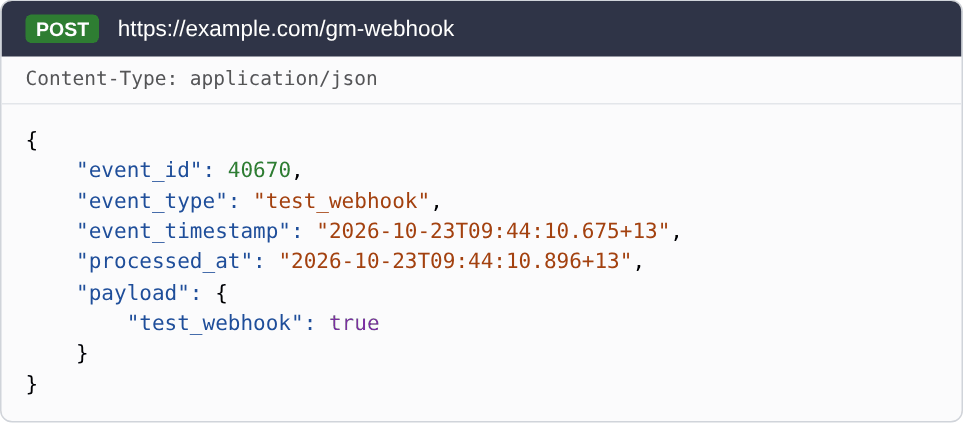
Use Test Send on the Webhook Manager page to send a test webhook to your URL. Test webhooks use the most recently created record of that type (e.g. the newest member) as sample data, and include “test_webhook”: true in the payload so you can tell them apart from real events. The Test Webhook event sends a basic payload to every URL you have set up.
After you select Send, the result shows below. Delivered means your URL replied with a success status. Select View payload to see what GymMaster sent.
Event types
At the time of writing, webhooks can be sent when:
- Members are added, updated, deleted, or check in at the door
- Memberships are added, started, completed, cancelled, expired, put on hold, or run out of visits (concession memberships)
- Bookings are made, checked in, checked out, rescheduled, cancelled, or marked as a no-show
- Payments for a membership are paid (with a separate event for the first payment), refunded, or fail
More event types will be added depending on demand. If there is an event you need that isn’t listed, contact GymMaster support.
Webhooks are set up per club (also known as a ‘company’) if you have more than one. You can set up a different URL for each event type you subscribe to, or send them all to the same URL and use the event type included in each webhook to sort them on your end.
Door check-ins and booking check-ins are separate events. A member checking in at the door sends Member Checkin, and checking in to a class or appointment sends Booking Checkin.
Payloads
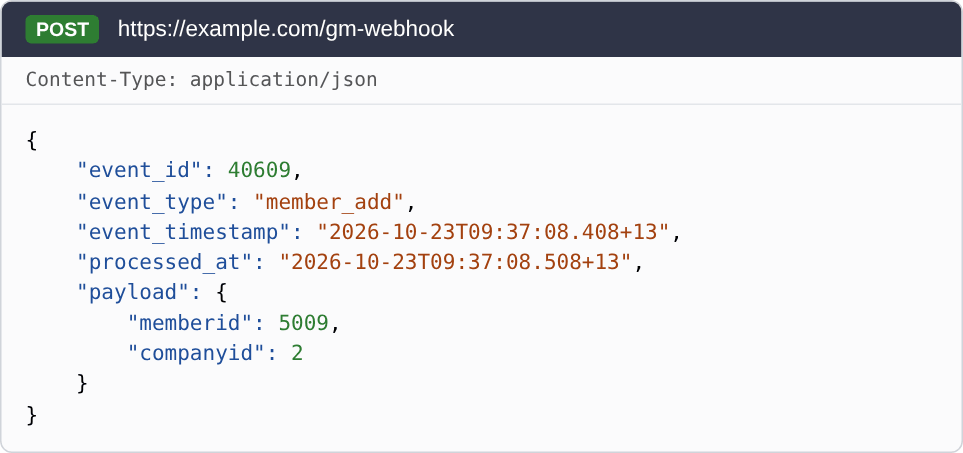
Webhooks are sent as a POST request with a JSON body. All webhook payloads follow the same base structure. They contain an event ID, event type, event timestamp, processed timestamp and finally a payload object. For example:
{
    "event_id": 338514,
    "event_type": "member_add",
    "event_timestamp": "2026-05-22T19:28:10.472+12",
    "processed_at": "2026-05-22T19:28:25.608+12",
    "payload": {
        "memberid": 9226,
        "companyid": 4
    }
}
| Field | Description |
|---|---|
| event_id | A unique number for this webhook event. It stays the same if a webhook fails and is retried, so you can use it to make sure you haven’t already processed the same webhook. |
| event_type | Which event the webhook is for, e.g. member_add or booking_checkin. |
| event_timestamp | When the event happened in GymMaster. |
| processed_at | When the webhook was sent from GymMaster. Comparing this with event_timestamp shows whether a webhook was delayed, and by how much. |
| payload | The data for this event. The fields in this object differ depending on the event type. |
All IDs in a payload are GymMaster IDs. Use them with the GymMaster API to get more details, such as the member’s name or the membership type. Every payload includes companyid, the ID of the club the event happened at.
Event reference
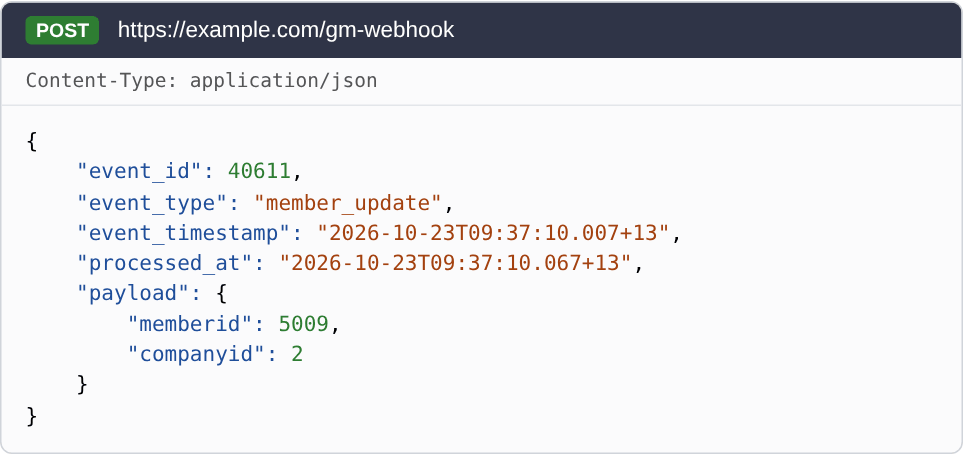
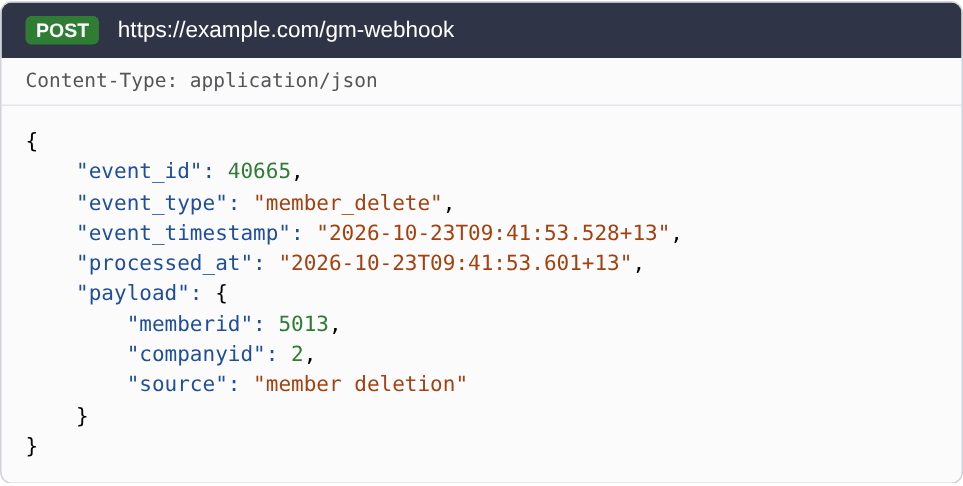
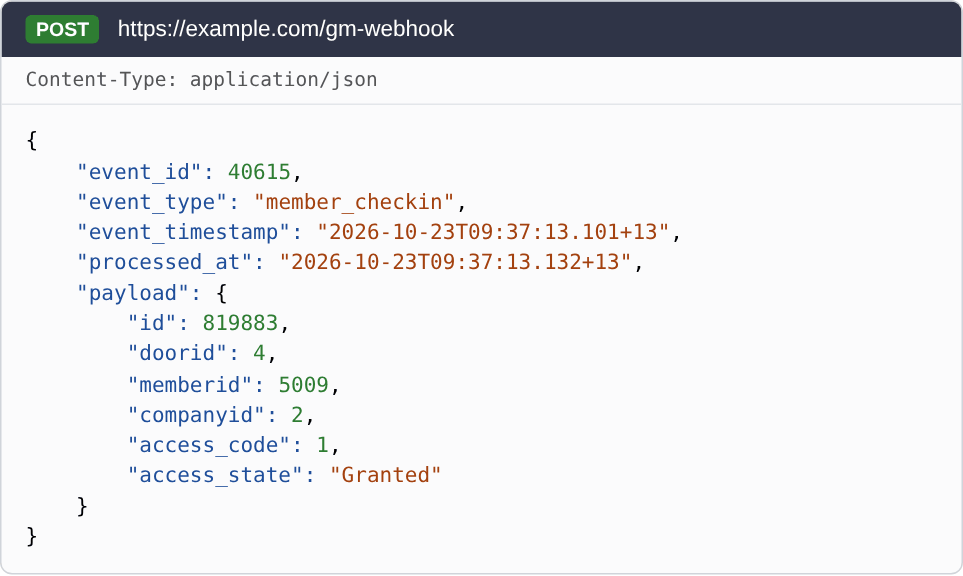
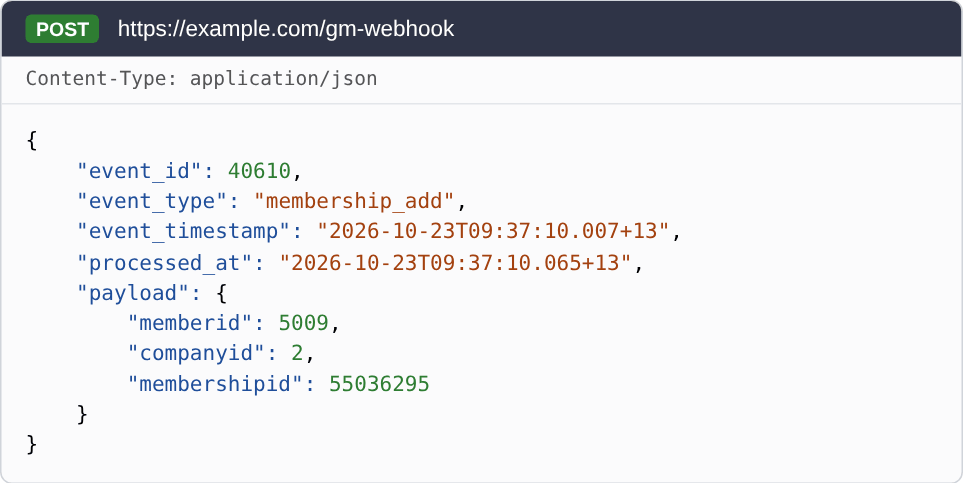
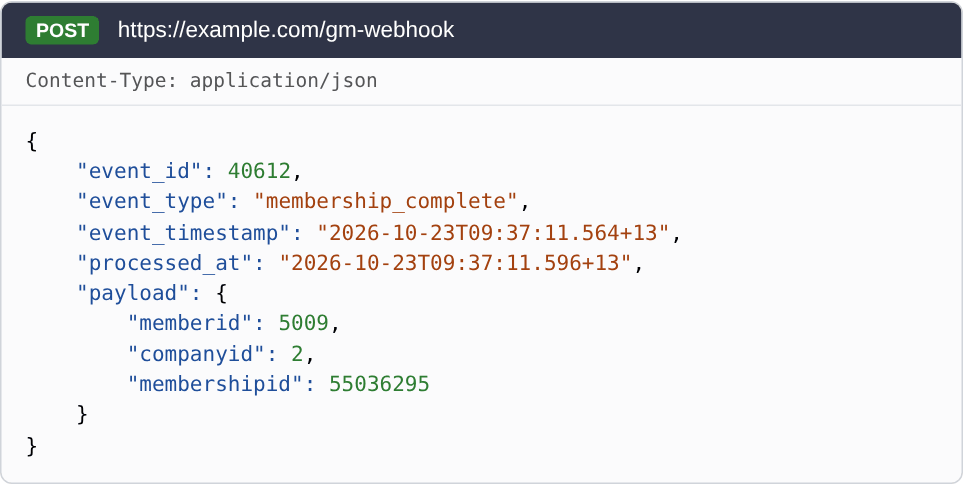
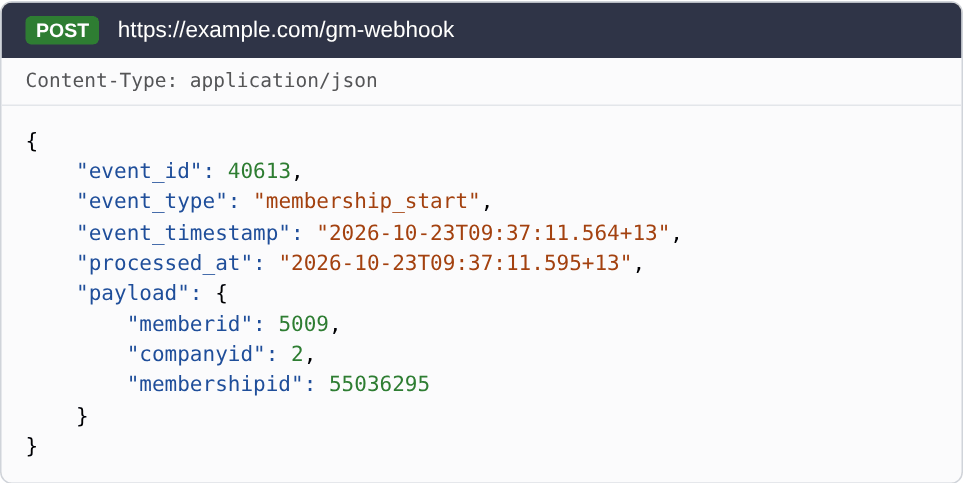
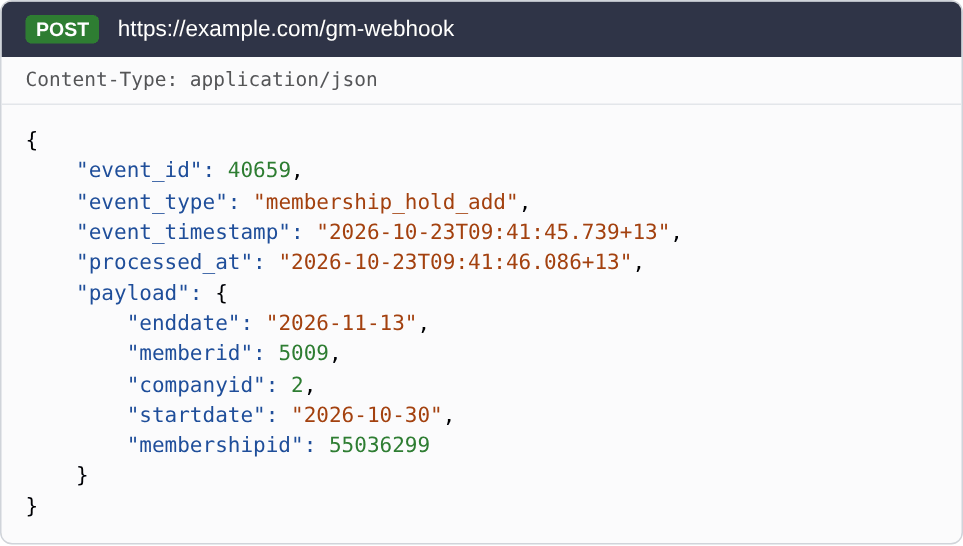
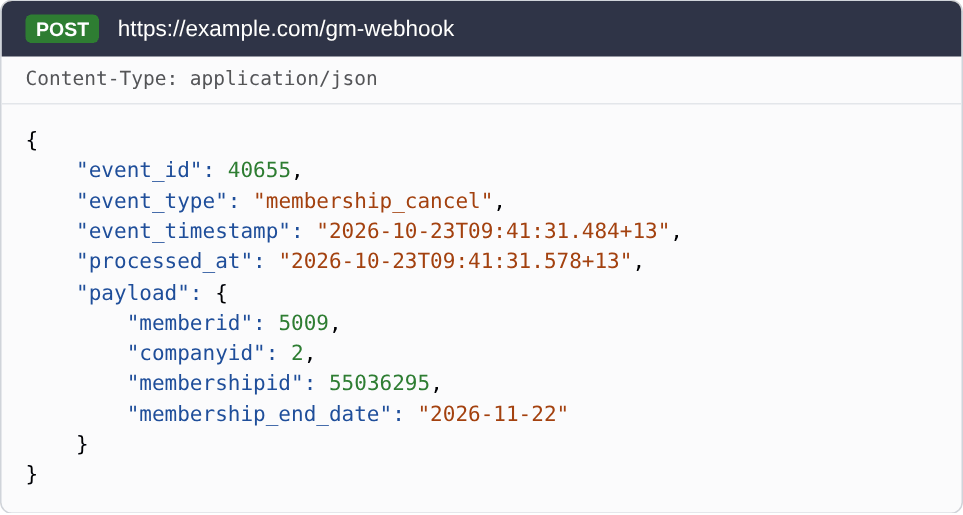
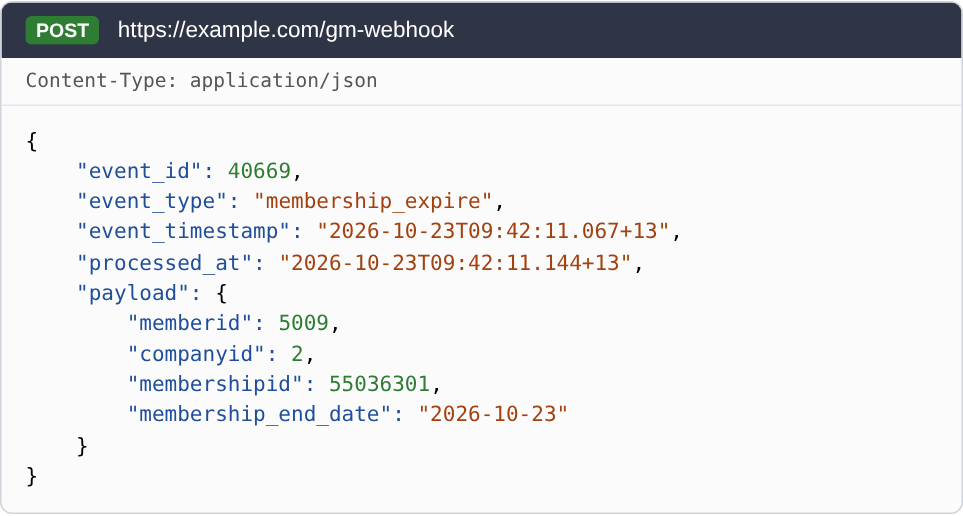
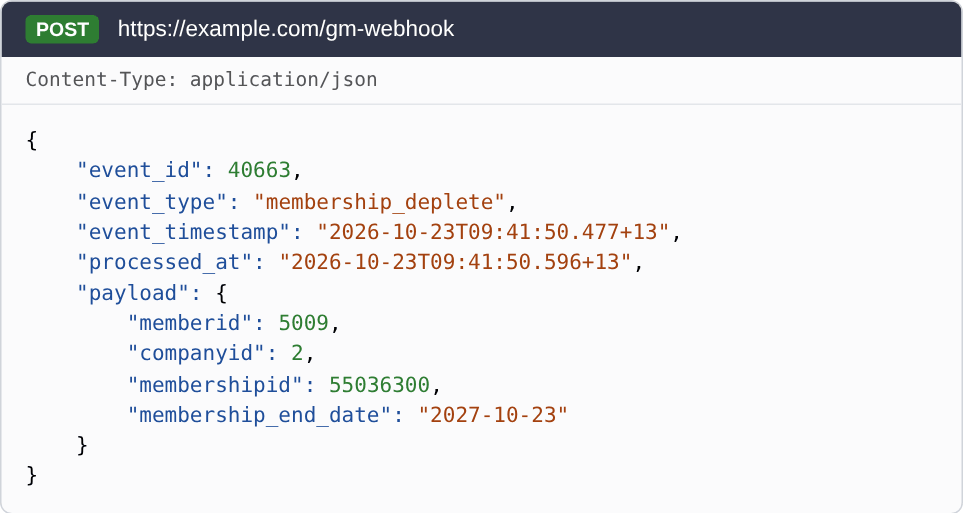
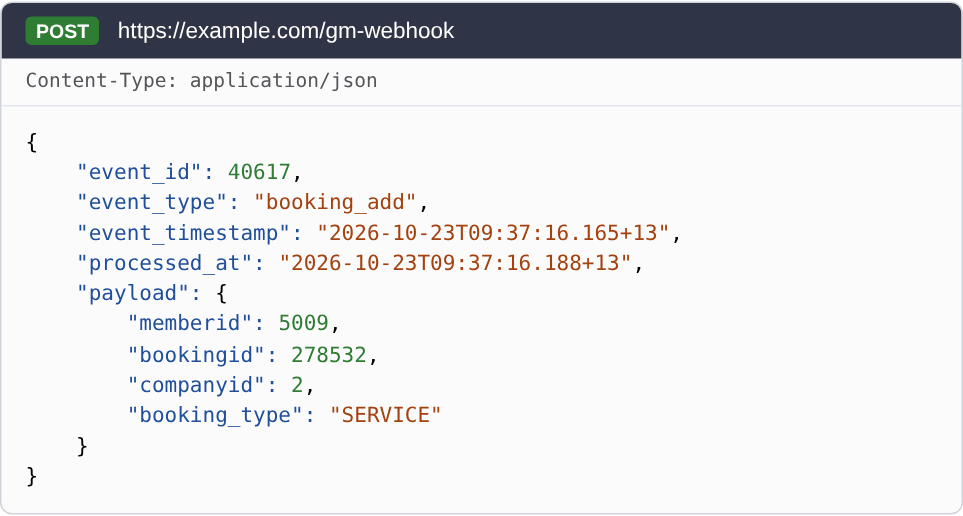
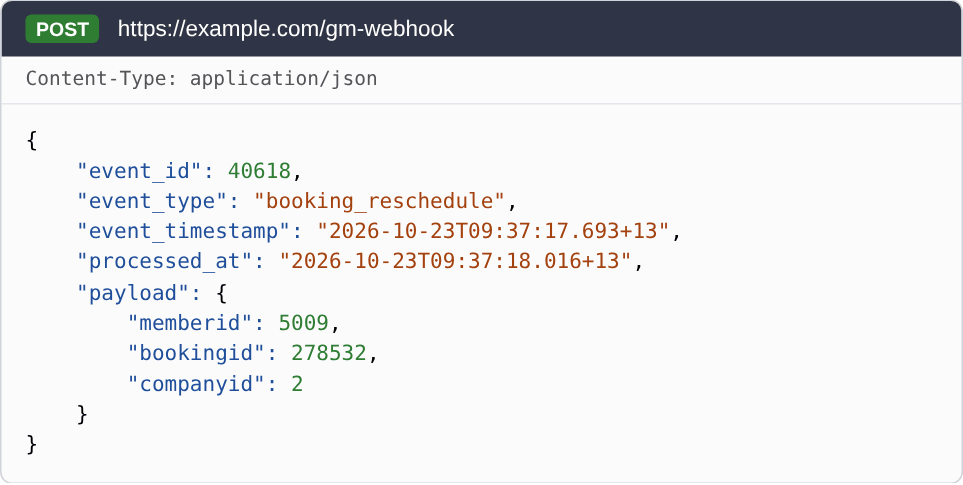
Each event below shows its name in the Webhook Manager, its event_type, when GymMaster sends it, and an example of a webhook GymMaster sent for it.
Dates such as membership_end_date are the dates GymMaster stores. If your club shows end dates as the last day a member can visit, GymMaster may show the date one day earlier than the payload.
Member events
Member Add (member_add)
Sent when a member or prospect is added, for example by staff, by an online sign-up, or by an import.
| Field | Description |
|---|---|
| memberid | The new member. |
Member Update (member_update)
Sent when a member’s details change. This includes their profile, addresses, emergency contacts and profile photo. GymMaster sends one webhook per save, even if many details change at the same time. Some other actions also change the member record and send this event, for example adding a membership.
| Field | Description |
|---|---|
| memberid | The member that changed. |
Member Delete (member_delete)
Sent when a member is deleted, or merged into another member.
| Field | Description |
|---|---|
| memberid | The member that was deleted. |
| source | member deletion or member merge. |
Member Checkin (member_checkin)
Sent when a member tries to get in at a door, for example with a fob, card, or the member app. It is sent for denied entry as well as granted entry. Check-ins to a class or appointment send Booking Checkin instead.
| Field | Description |
|---|---|
| id | The ID of this visit. |
| memberid | The member that tried to get in. |
| doorid | The door they used. |
| access_code | 1 when entry was granted. Any other number means entry was denied. |
| access_state | Granted, or the reason entry was denied. |
Membership events
Membership Add (membership_add)
Sent when a membership is added to a member. The sale may not be finished yet. Use Membership Complete if you only want memberships that have been completed.
| Field | Description |
|---|---|
| memberid | The member. |
| membershipid | The new membership. |
Membership Complete (membership_complete)
Sent when the sale of a membership is completed, for example when staff finish adding it or a member finishes signing up online.
| Field | Description |
|---|---|
| memberid | The member. |
| membershipid | The membership. |
Membership Start (membership_start)
Sent when a completed membership starts. If the membership starts today or earlier, it is sent when the membership is completed. If it starts in the future, it is sent on the start date.
| Field | Description |
|---|---|
| memberid | The member. |
| membershipid | The membership. |
Membership Hold Add (membership_hold_add)
Sent when a hold is added to a membership.
| Field | Description |
|---|---|
| memberid | The member. |
| membershipid | The membership on hold. |
| startdate | The first day of the hold. |
| enddate | The end date of the hold. |
Membership Cancel (membership_cancel)
Sent when a membership is cancelled. The membership can still be in use until its end date.
| Field | Description |
|---|---|
| memberid | The member. |
| membershipid | The cancelled membership. |
| membership_end_date | The date the cancellation takes effect. |
Membership Expire (membership_expire)
Sent when a membership ends on its end date. Memberships that end because all their visits are used send Membership Deplete instead.
| Field | Description |
|---|---|
| memberid | The member. |
| membershipid | The membership that ended. |
| membership_end_date | The end date of the membership. |
Membership Deplete (membership_deplete)
Sent when a concession membership (one with a set number of visits) ends because the member used all of their visits.
| Field | Description |
|---|---|
| memberid | The member. |
| membershipid | The membership that ended. |
| membership_end_date | The date the membership’s visits were due to expire. |
Booking events
All booking events include bookingid (the booking) and memberid (the member it is for).
Booking Add (booking_add)
Sent when a member is booked into a class, service, or appointment, by staff or by the member.
| Field | Description |
|---|---|
| bookingid | The new booking. |
| memberid | The member. |
| booking_type | What was booked: CLASS_ATTENDEE for a class, SERVICE for a service or appointment, or GROUP_ATTENDEE for group training. Bookings that are not for one member can show other values, such as CLASS or GROUP. |
Booking Reschedule (booking_reschedule)
Sent when the date or time of a booking changes.
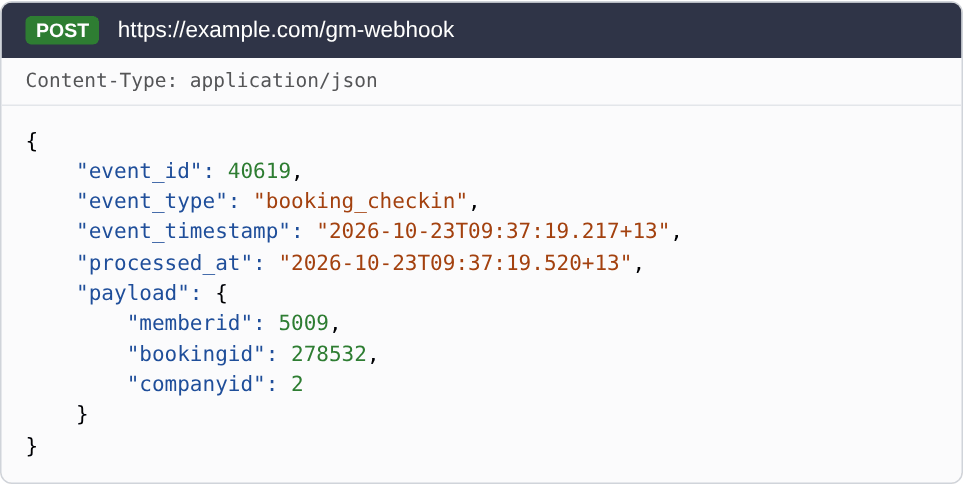
Booking Checkin (booking_checkin)
Sent when a member is checked in to a booking, including late arrivals.
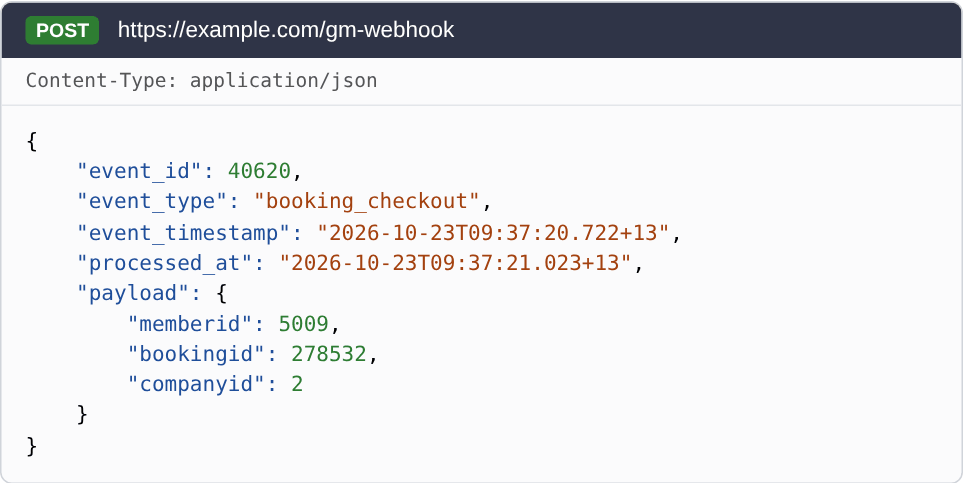
Booking Checkout (booking_checkout)
Sent when a check-in to a booking is undone, so the member is shown as booked again.
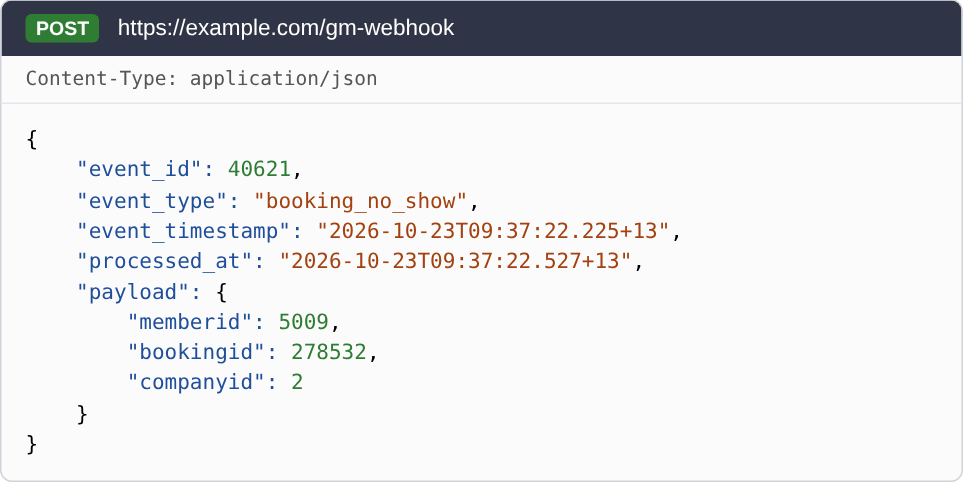
Booking No Show (booking_no_show)
Sent when a booking is marked as a no-show.
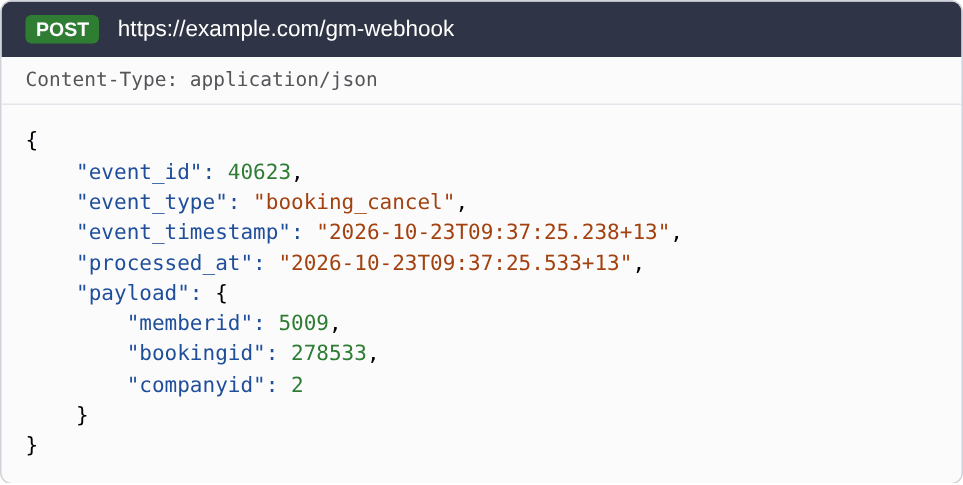
Booking Cancel (booking_cancel)
Sent when a booking is cancelled.
Payment events
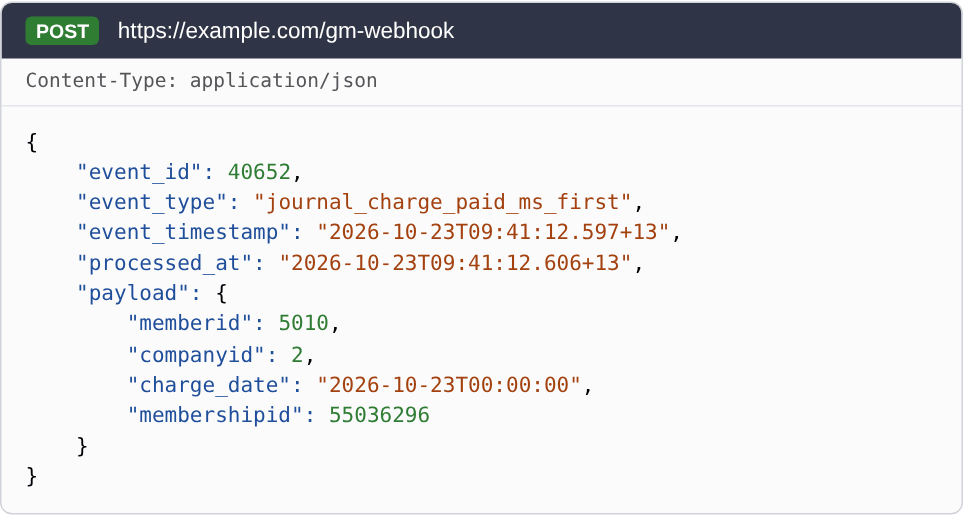
Journal Charge Paid Membership (First) (journal_charge_paid_ms_first)
Sent when the first regular charge of a membership is fully paid. Use it to find out that a new member has made their first payment.
| Field | Description |
|---|---|
| memberid | The member. |
| membershipid | The membership the charge is for. |
| charge_date | The date of the charge. |
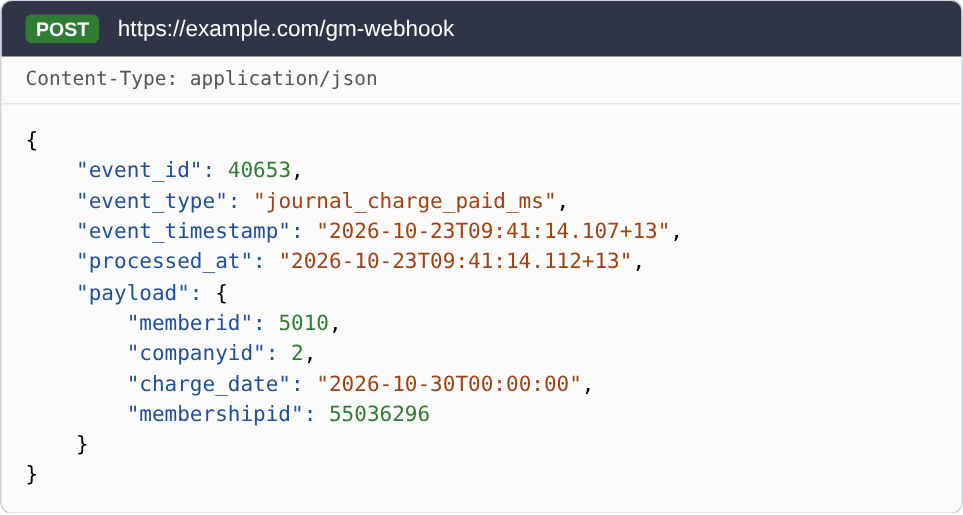
Journal Charge Paid Membership (journal_charge_paid_ms)
Sent when any later regular charge of a membership is fully paid. The first charge sends Journal Charge Paid Membership (First) instead, if you subscribe to it. If you do not subscribe to the first-charge event, the first charge sends this event.
| Field | Description |
|---|---|
| memberid | The member. |
| membershipid | The membership the charge is for. |
| charge_date | The date of the charge. |
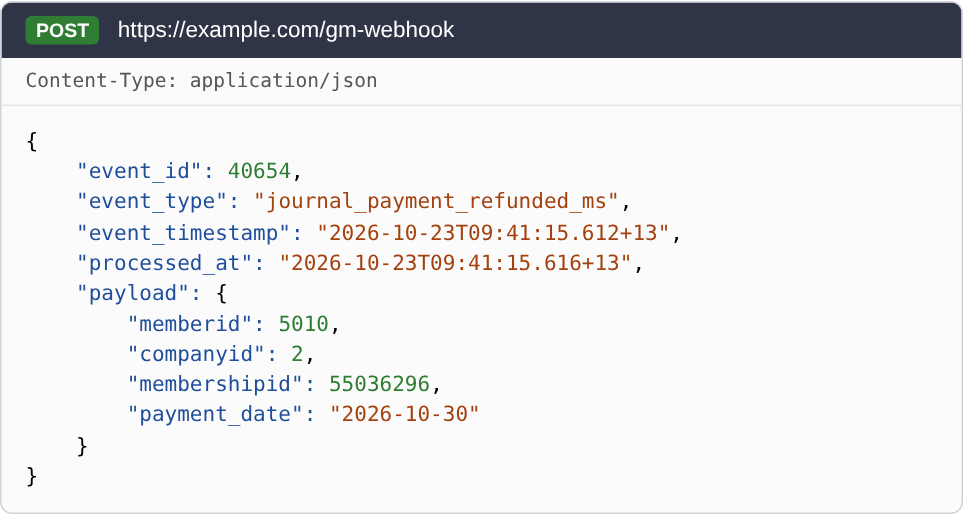
Journal Payment Refunded Membership (journal_payment_refunded_ms)
Sent when a billing provider reports that a payment for a membership charge was refunded.
| Field | Description |
|---|---|
| memberid | The member. |
| membershipid | The membership the payment was for. |
| payment_date | The date of the billing run that took the payment. |
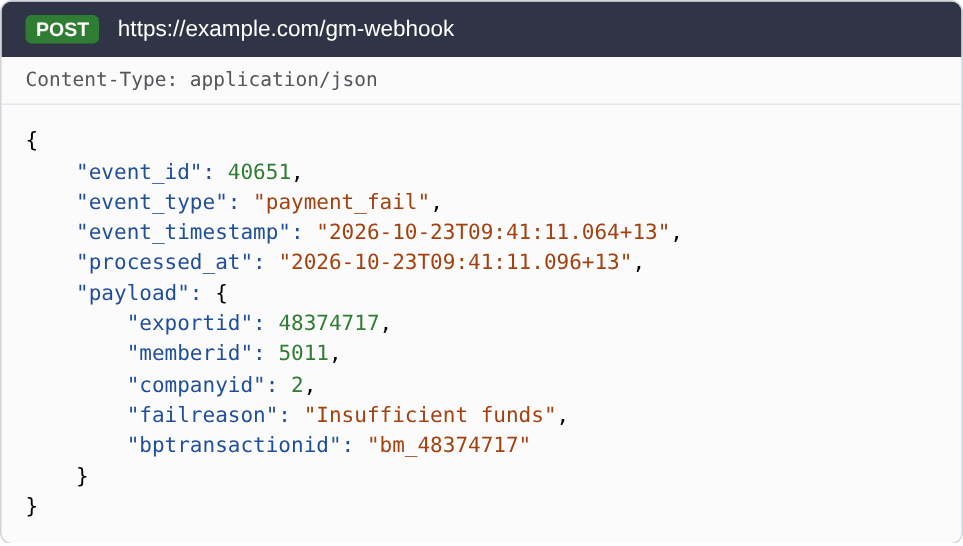
Payment Fail (payment_fail)
Sent when a payment from a billing run fails.
| Field | Description |
|---|---|
| memberid | The member. |
| exportid | The ID of the billing record that failed. |
| failreason | The reason from the billing provider. |
| bptransactionid | The billing provider’s ID for the payment. |
Test Webhook (test_webhook)
Sent only when you use Test Send with the Test Webhook event. It goes to every URL you have set up, and has no data other than test_webhook.
Failed deliveries and retries
Your system should respond with a success (2XX) status code within 10 seconds. A webhook is treated as failed if GymMaster can’t connect to your server, receives a 4XX or 5XX response, or doesn’t get a response within 10 seconds.
Failed webhooks are retried up to 8 times, with the time between attempts increasing from seconds for the first retry to 4 hours for the last. Because a retried webhook keeps the same event_id, use it to ignore any webhook you have already processed.
Getting more data
By default the payload is quite minimal. For example, a new membership webhook includes the ID of the membership, the ID of the member, and the ID of the club they belong to. This may be enough for what you’re trying to do, such as confirming that a prospect in your sales funnel has converted by buying a membership. If you need more information, there are a couple of ways to get it.
Follow-up API request
Once you receive a webhook with a member ID, your system can make an API request to get more information, such as a list of the member’s current memberships. You can also use the API to take action, such as booking a new member into an introductory class when they sign up.
See the GymMaster API documentation for what’s available.
Expanded payload
If you know in advance what information you need, contact GymMaster support and we can include it in the webhook payload itself. For example, for a new membership you might want to know which discount code was used to sign up, or whether the member has been a member before. For a failed payment, you might want the amount of the payment, and a link with a login token that you can send to the member, which signs them in and takes them straight to updating their payment details and trying again.
Use other platforms in the running of your business? Click here to learn more about other GymMaster integrations
Common Questions this Covers
- What are webhooks
- What is the difference between an API and a webhook
- How to set up webhooks in GymMaster
- What webhook events does GymMaster support
- Can GymMaster send more data in a webhook
- Can GymMaster connect to my own app or CRM

 2026 © Treshna Enterprises Ltd.