
Using the Workouts Feature
In GymMaster a workout is made up of a series of exercises;
| Definition | Example | |
|---|---|---|
| Exercise | Movement | Push Up, Squat |
| Workout | Series of Exercises | 45min Leg Routine |
You can create a Workout from;
- A Member’s Profile
- The Workout Library
Create Workout from Workout Library
- Go to *Settings > Workout Configuration >Manage Libraries
- Add New Workout to Library
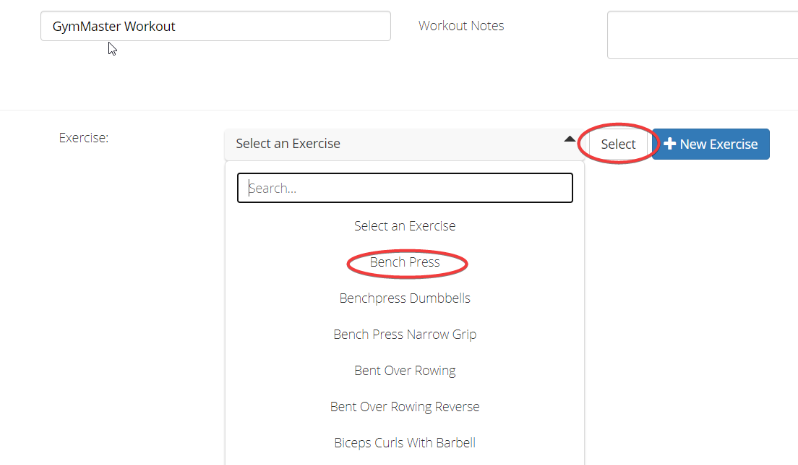
Now you will need to name your workout and add some exercises to it.
After you choose an exercise from the drop-down, click Select and it will appear in the workout.
Now you can add sets of the exercise. Click + Add Set to add sets of the exercise.
Add as many exercises and sets as you would like.
When you are done, remember to save!
Assign Workout to Member
Once you are happy with the workout, you can assign it to a member. It is a good idea to make a test member and assign the workout to them so you can login to the app as if you were a member and make sure everything is set up as you had planned.
- Go to the *Member Profile > More > Workouts
- Add Workout
- Load Workout From Library
- Copy
- Save
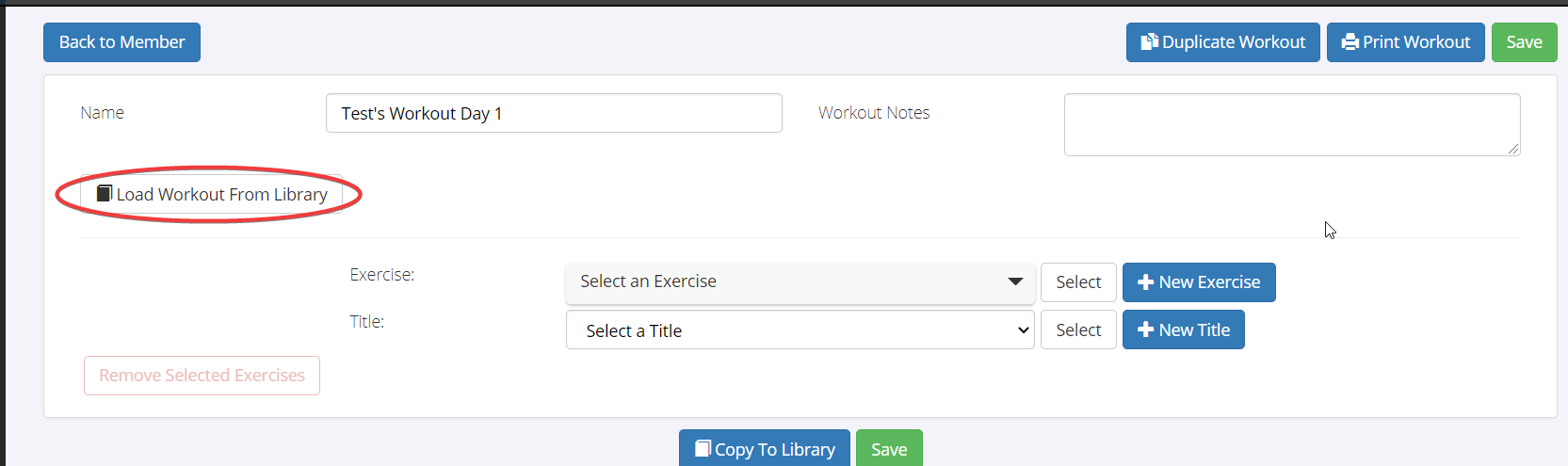
If you want your members to be able to see their workouts in the Member Portal and Member App, make sure ‘Enable Workouts’ is checked in the Member Portal Settings* **(Settings > Member Portal).*
Workouts in Member Portal / App
To see what your workouts look like in the Member Portal go to the bottom of the Member Profile and select Login as Member > Training > Workouts > Select Workout.
Results are populated once the member does the workout and clicks Submit Results. You can see the results in the app, as well as on the member profile so the trainer can track the member’s progress. If you choose to create a workout directly on the member, and later you want to give it to another member, you can save the member’s workout to the general library by selecting Copy To Library.
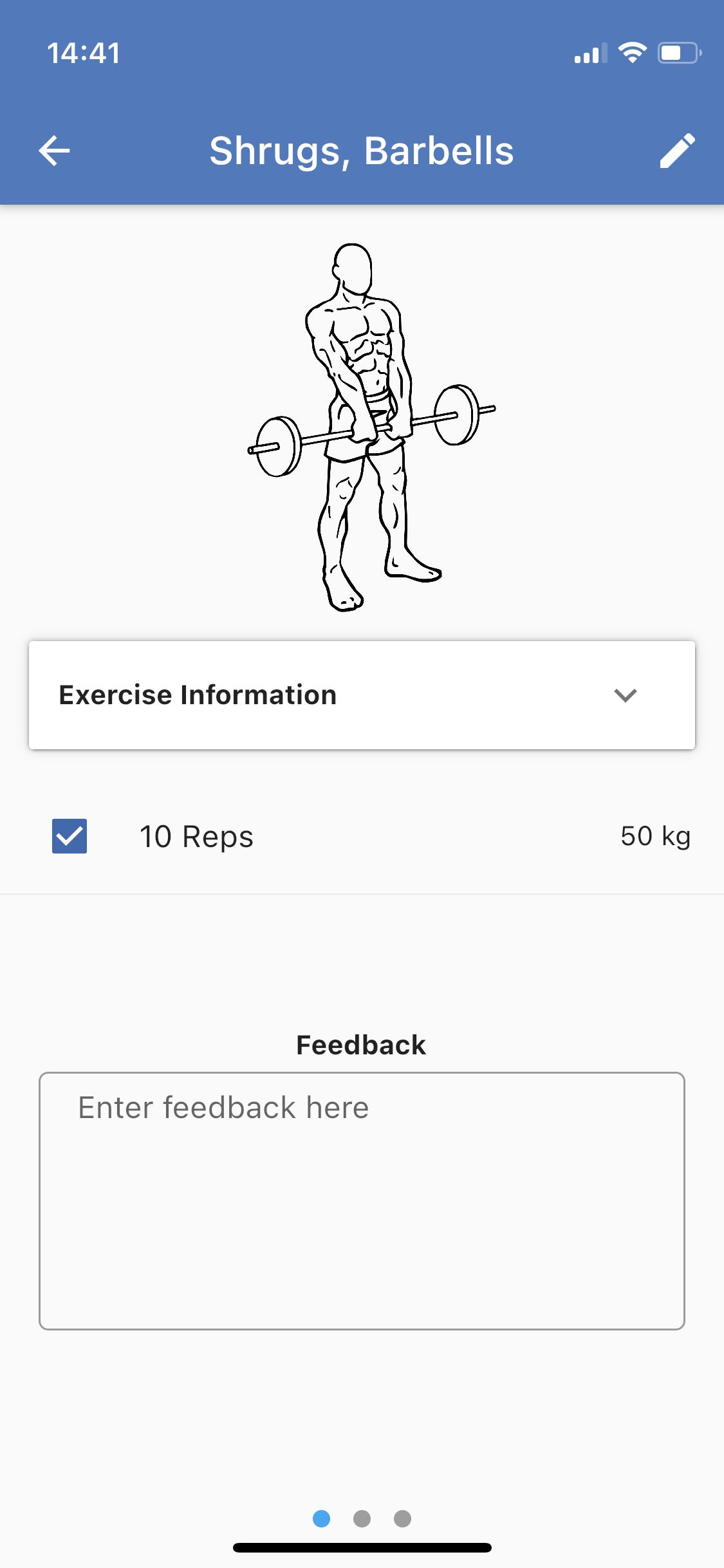
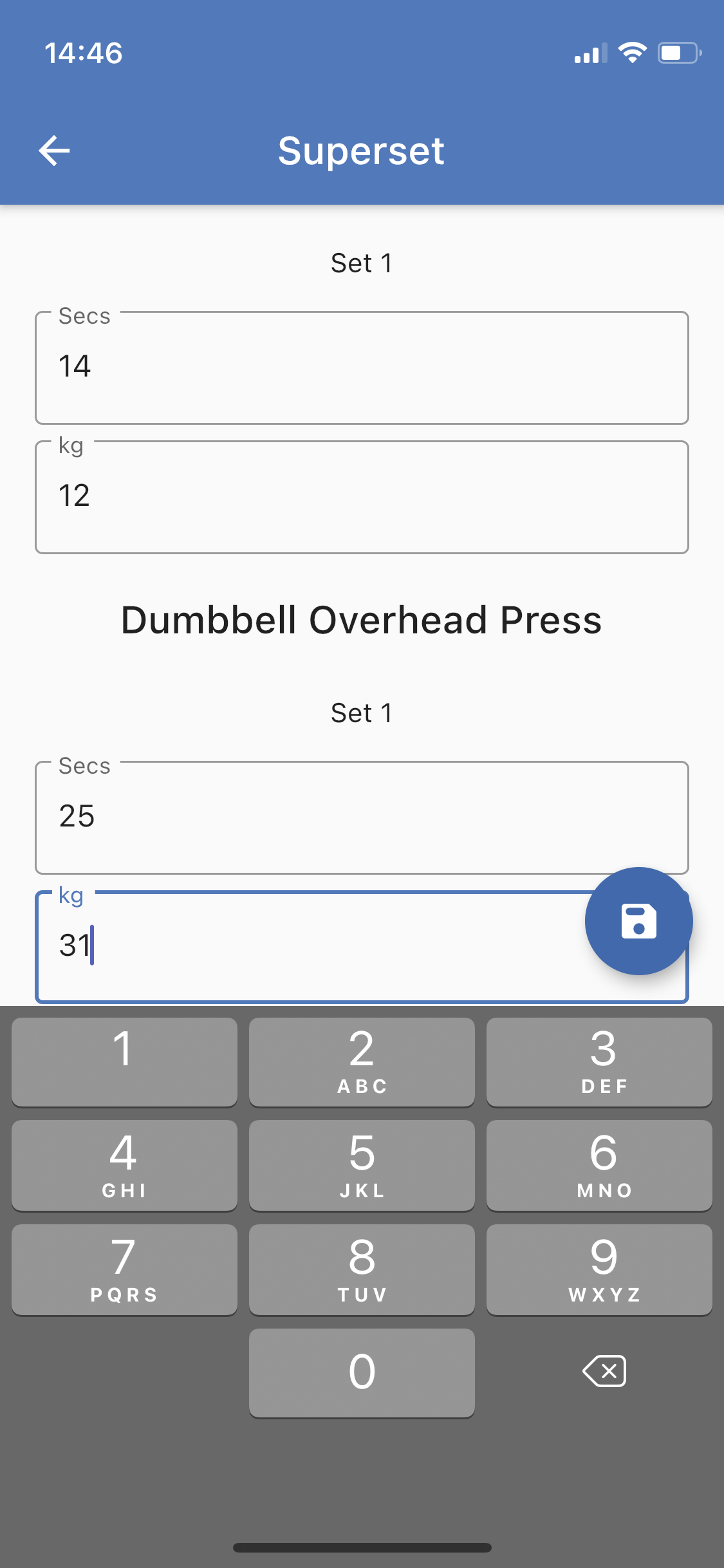
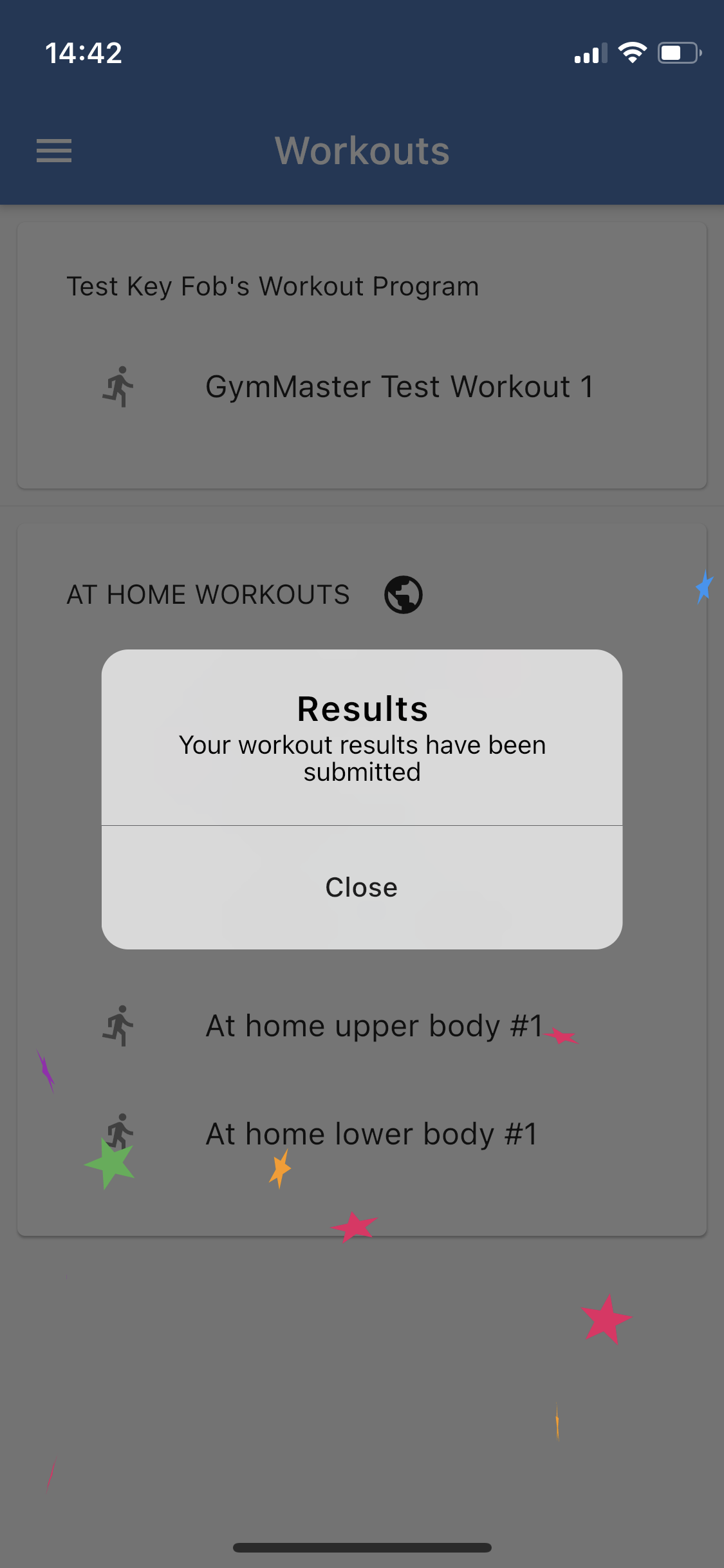
The most common way for members to use the workouts feature is in the app.
If you have a membership type with a particular theme, you can set a certain workout to be offered to everyone with that membership using a Program. A Program is a series of Workouts. For example, if you had a weight-loss Bootcamp membership, you could assign everyone with that membership a weight loss workout, or a series of weight-loss workouts.
You can also assign certain workouts to everyone in your database, no matter what membership they have by toggling the setting from ‘membership’ to ‘global’. Navigate to Settings > Workout Configuration > Manage Libraries > Program Library > + New Workout Program
Workouts are more refined from GM version 900+, but you can still create workouts, assign them to members and make them available in the member app on lower version.
Common Questions this Covers
- What is the workouts feature in GymMaster and how does it work
- How do I create a workout plan or exercise routine in GymMaster
- Where do I build and manage workout libraries in GymMaster
- How do I assign a workout to a member in the GymMaster app
- Can members track workout results in the GymMaster Member App
- How do I make workouts visible to members in the Member Portal or app
- What’s the difference between a workout and a program in GymMaster
- How do I give the same workout to multiple members automatically
- Can I copy a member’s workout and reuse it for other members
- Where do members submit and view workout results in the app

 2026 © Treshna Enterprises Ltd.