
Using Member Credit to Make Payment
1 min read
Updated
6 days ago
There are a few reasons a member might have credit on their account :
- They made a prepayment
- They were left in credit after a hold
- Other adjustments to their billing
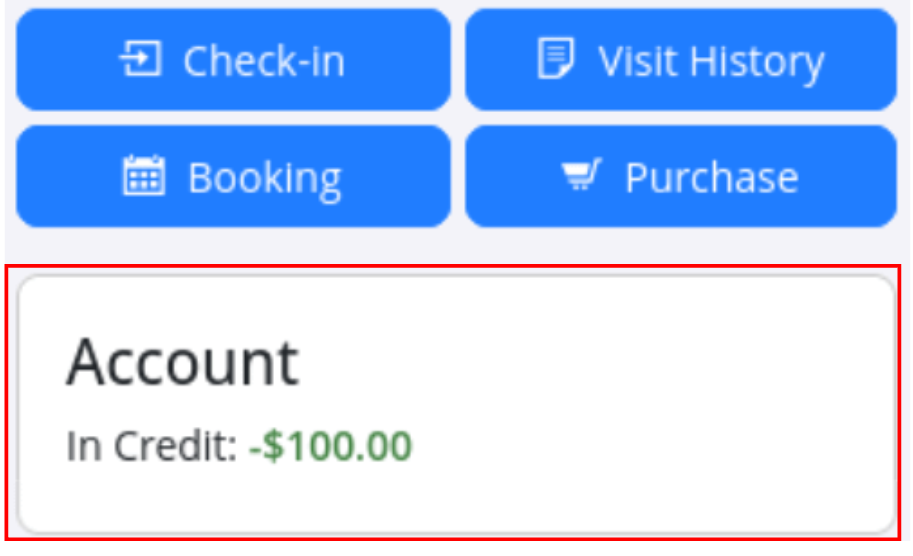
You can see if a member has credit available, this will display under their profile picture on their Member Profile;
Use Member Credit
- Navigate to the Member’s Profile
- Go to the Accounts and Billing tab
- Select + Add Payment
- Add the charge or charges (you can also partially add charges using the scissors icon)
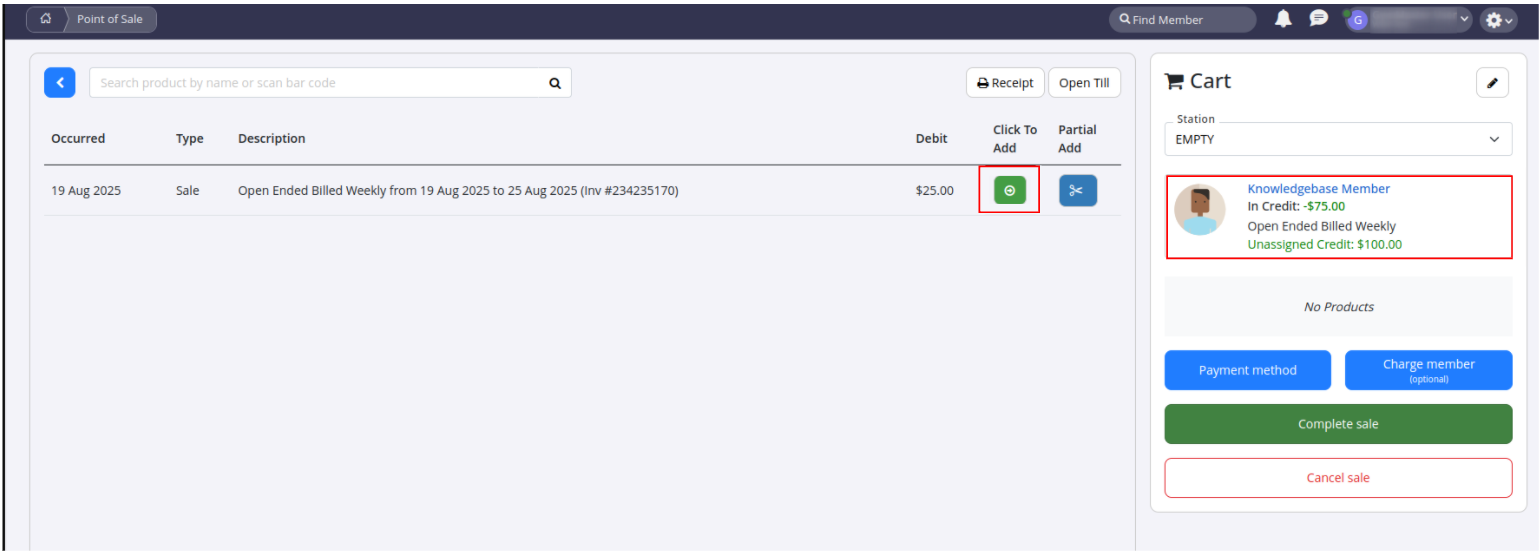
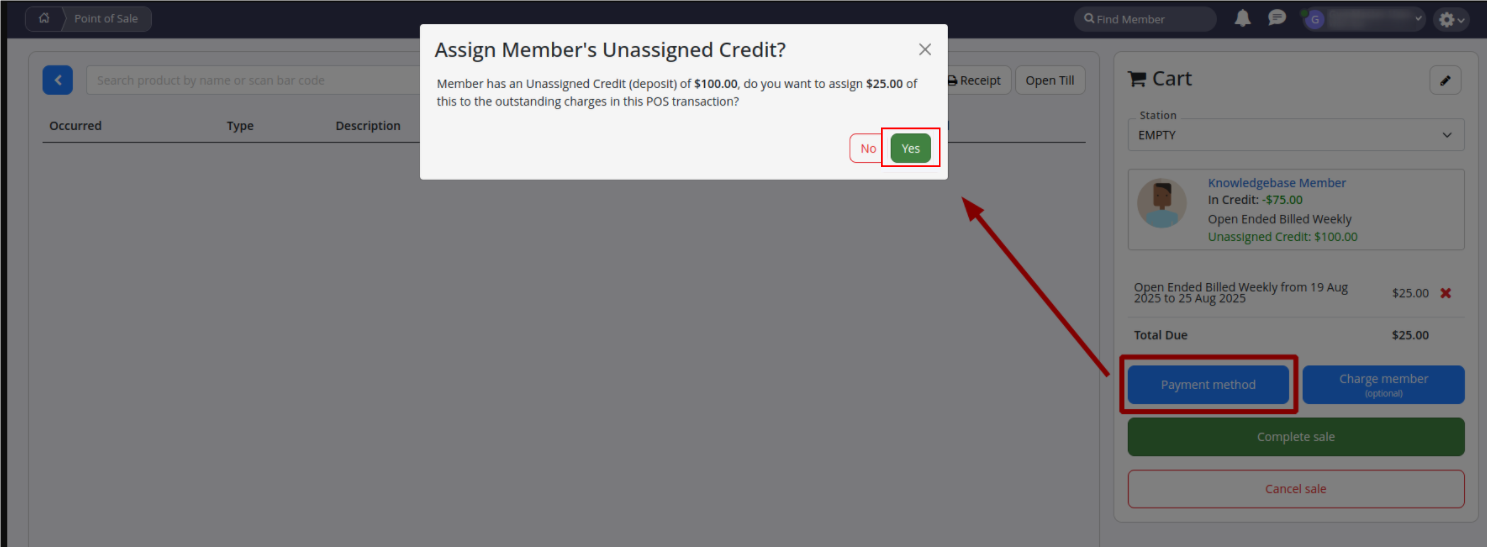
- If the member has credit, you’ll see a message confirming that credit is available to apply
- Select Yes
- If the credit fully covers the charge(s), the total due will show $0.00, and you can complete the sale
Common Questions this Covers
- How to apply credit to a payment
- How to use unassigned payments
- Can member preload their account
Get started with a free, no-obligation chat, and see how we can help you grow

Awards and recognition
- Deloitte Master of Growth Index 2025
- Deloitte Master of Growth Index 2024
- Software Advice FrontRunners 2023
- GetApp Category Leaders 2023
- Capterra Best Value 2022
- GetApp Best Functionality & Features 2022
- Software Advice Most Recommended 2022
- SoftwareSuggest User Most Likely to Recommend Summer 2022
- Software Advice Best Customer Support 2021
- Deloitte Technology Fast 500 Asia Pacific 2018
 2026 © Treshna Enterprises Ltd.
