
Understanding Account History
Your members Account History is a complete record of all charges and payments, past and future.
In this article;
Reading Account History
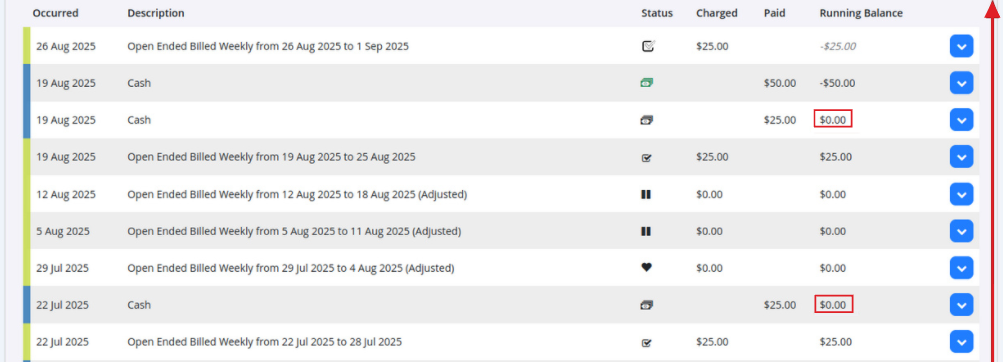
When reviewing a member’s Account History, you’re essentially reading from the bottom up.
A good place to start is the last time the running balance was at $0.00. This indicates that all charges and payments were balanced at that point, with nothing owing. From there, you can follow the flow of payments and charges to understand the member’s current balance.
Filter Options
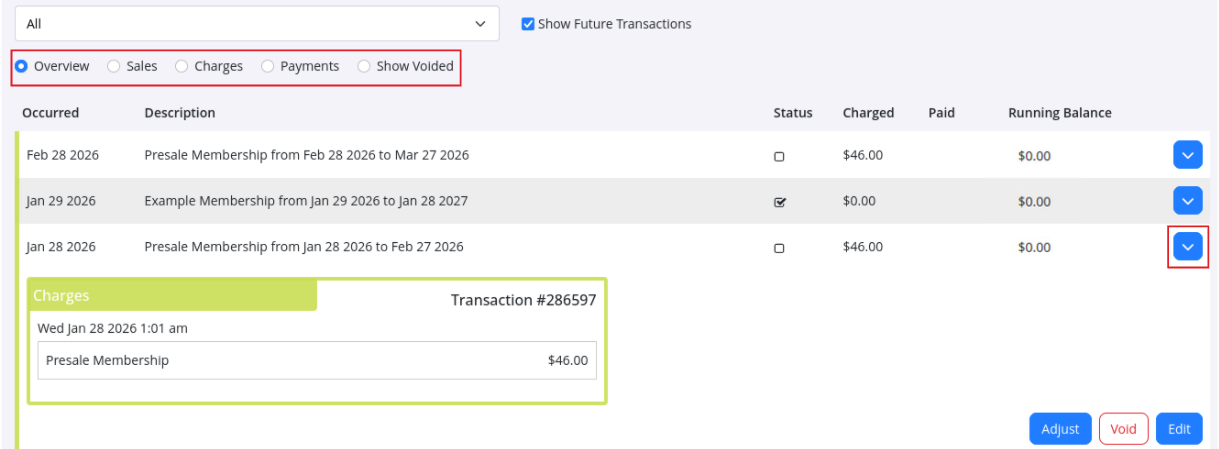
Filter display using the drop down (member accounts) and following options;
- Overview: All charges and payments in double-entry accounts view
- Sales: Charges and payments displayed in cash based accounting view
- Charges: Lists all charges, with invoice field. Charges can be added into the same invoice here, by adding related invoice number into applicable charge row
- Payments: Displays all payments made
- Show Voided: Shows all payments or charges that have been voided directly by staff, or indirectly by system when changes occur
- Show Future Transactions: Select to show all upcoming all future billing
Selecting any row will open more detailed information about that transaction, including related charges and payment history.
Hovering over any payment icon will show you what each of these mean.
What the Icons Mean
Each entry in the account history will display an icon to help you quickly identify what type of transaction it is.
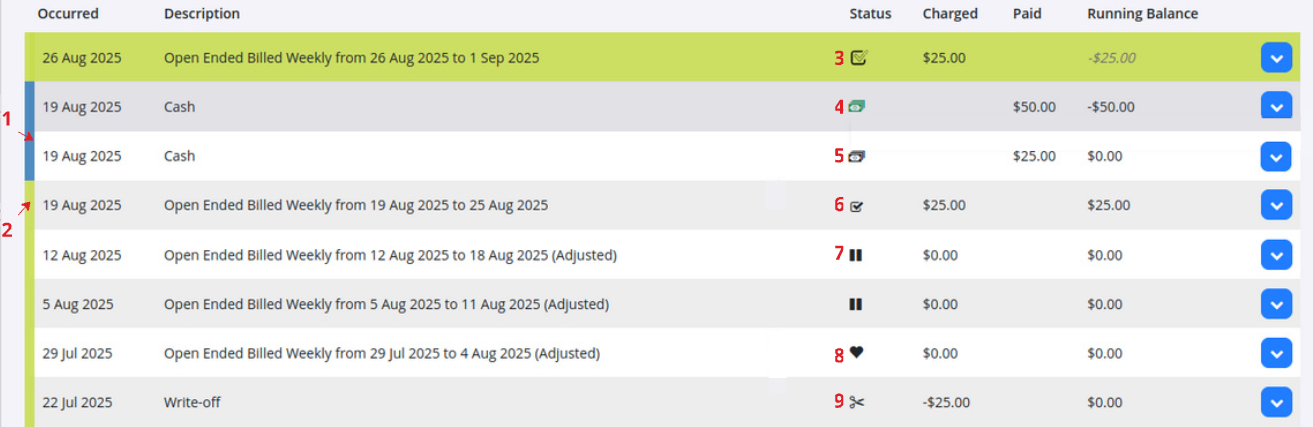
- Payment – Blue band on the left
- Charge – Green band on the left
- Partially Paid – Indicates a charge that has only been partially covered by payments
- Deposit – A prepayment, held for future charges
- Payment Received – Confirms a payment has been successfully applied
- Charge Paid – Indicates a charge that has been fully settled
- Hold – A pause on charges, due to a membership hold
- Gifted Time – Extra time given on a membership without cost
- Adjustment – Manual change made to correct or update the account balance
Example of Balancing
Ideally, payments and charges will balance each other out, meaning the member’s balance returns to $0.00, like this:
- Charge: $50.00
- Payment: $50.00
- Running Balance: $0.00
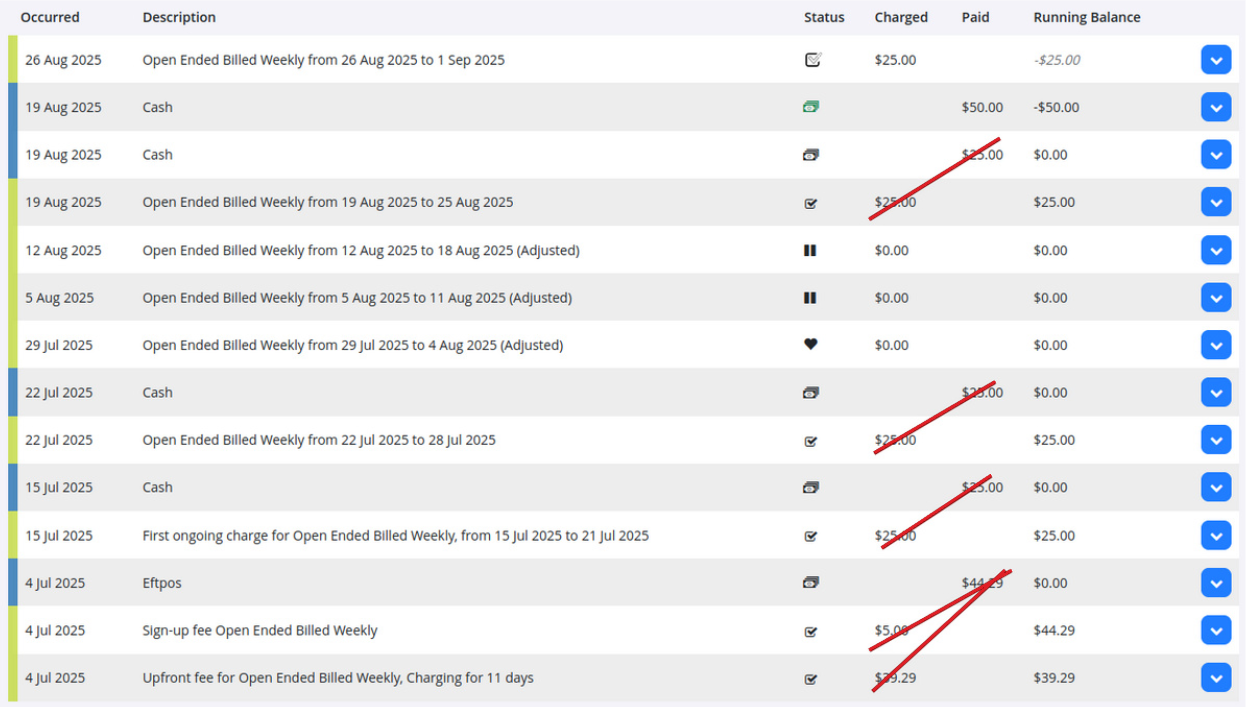
If payments and charges don’t line up, the member may be in arrears, and you’ll need to bring their payments up to date.
This can be caused by situations, such as a failed payment

Common Questions this Covers
- How to read member account history
- What do the accounting icons mean
- How to balance member account

 2026 © Treshna Enterprises Ltd.
