
Simplify Communication with Member App Chat Messaging
GymMaster has introduced a message chat feature, allowing two-way communication between staff and members. The Real-Time Chat feature allows for real-time communication, making it easier to provide direct support, motivation, and updates between staff and members.
Staff can now easily initiate one-on-one and group communication. If enabled in settings, members will also be able to initiate chats to their assigned trainer, sales rep, or other staff.
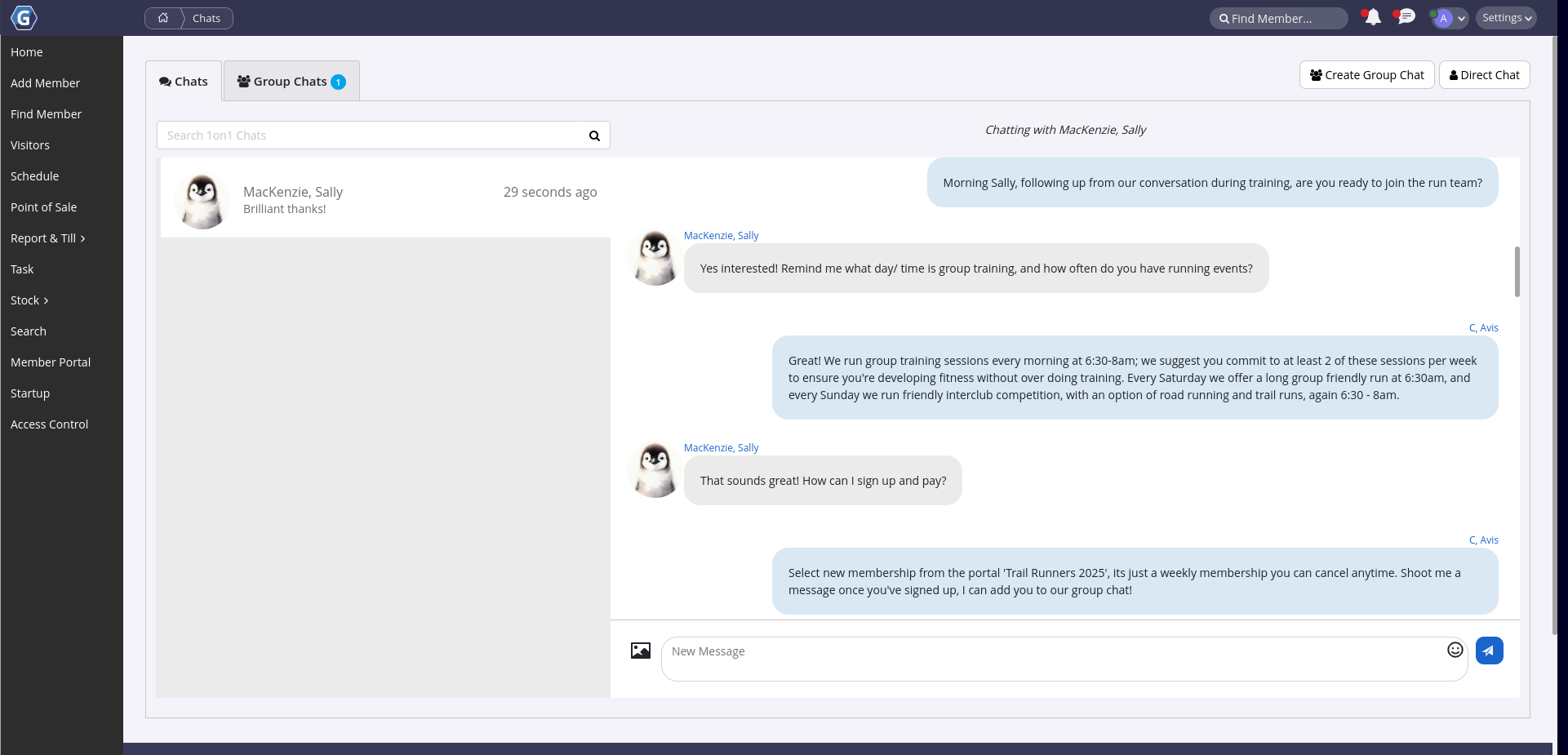
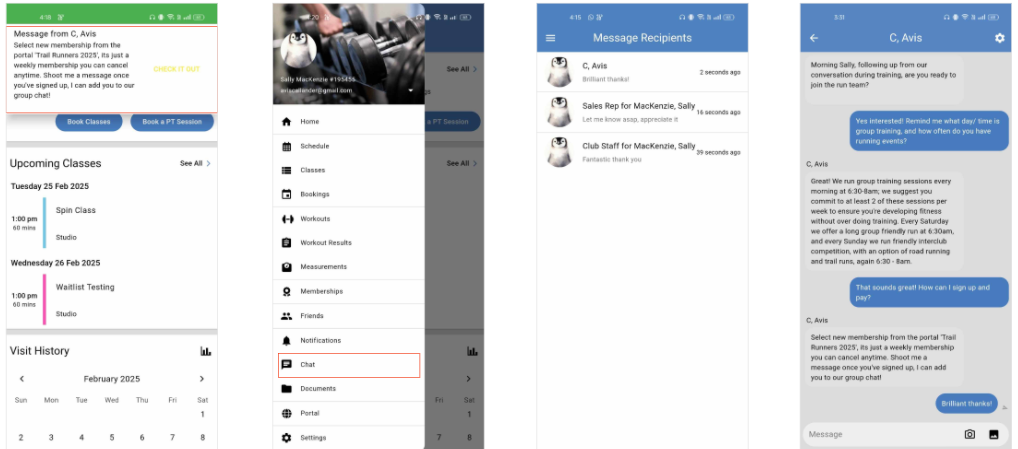
Members will receive chat messages as app notifications and be able to reply directly via the member portal app, while staff will see message notifications on the top right of their screen, when logged into GymMaster.
Configure Real-Time Chat
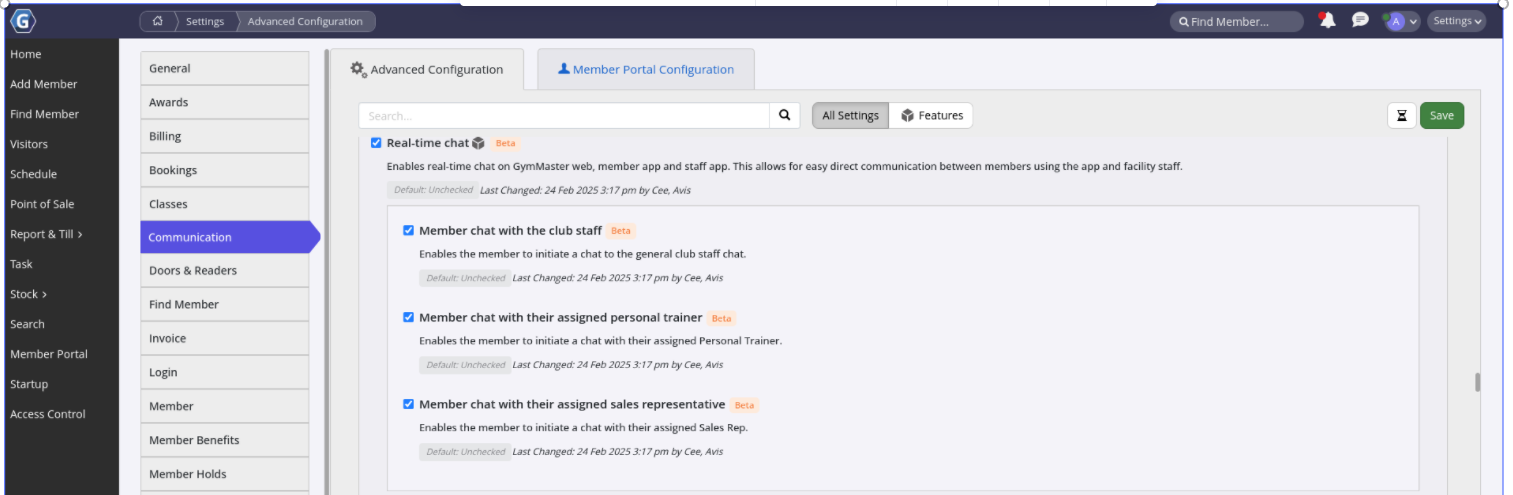
Chat is enabled via your Advanced Configuration Settings, and also requires particular staff to be assigned to chat / members in order for messages to flow between the correct people.
Follow these steps;
Enable Chat in your Advanced Configuration > Communication settings;
- Real-time Chat - Required. Enables staff initiated one-on-one and group chats between staff-staff and staff-members
- Member chat with club staff
- Optional; allow members to initiate a chat with club staff
- Only assigned staff can receive and respond to messages
- User Administration > Options > General > Include in General Staff Group Chats with Members
- Assign which staff are to receive Club Staff communication. Any number of Staff can be assigned
- Member chat with assigned Personal Trainer
- Optional; allows members to initiate a chat with their assigned Trainer
- Member Details > Additional Details > Trainer
- Assign trainer to members
- Optional; allows members to initiate a chat with their assigned Trainer
- Member chat with assigned Sales Representative
- Optional; allows members to initiate a chat with their assigned Sales Rep
- Member Details > Marketing > Sales Rep
- Assign Sales Rep to members
- Optional; allows members to initiate a chat with their assigned Sales Rep
- Member chat with club staff
Note: Member Portal App
Members will receive all chats within their Member Portal App.
Therefore, ensure you;
- Enable and configure Member Portal App for Members
- Inform members to ‘Allow Notifications from GymMaster Member Portal App’ in general settings on their device
Common Questions this Covers
- How do I send chat messages to members through GymMaster
- Can members message staff directly from the GymMaster Member App
- How do I enable two-way chat communication between staff and members
- Can members chat with their assigned personal trainer or sales representative in GymMaster
- How do I set up real-time messaging and chat notifications in GymMaster

 2026 © Treshna Enterprises Ltd.
