
Setting up Zapier with GymMaster
Zapier is a vast web-based integration tool that makes many of today’s most used apps and software tools work together automatically, linking triggers and actions to perform tasks in the background. Search through their platforms; many of the biggest software platforms today are found on Zapier, ready to be integrated with GymMaster.
With GymMaster now connected to Zapier, you can do things like automatically add new member details to a spreadsheet, send follow-up emails, or sync bookings with your calendar, without lifting a finger. It’s an easy way to save time, reduce manual work, and provide a smoother, more seamless experience for your members.
Setup Zapier
Setup Trigger
- Start by creating a Zapier account and logging in. This is where you’ll build the workflow that connects GymMaster to your other apps and automates your tasks
- Open to the Zaps page
{{mrimpossible:zapier1.png?}}
- Select Create then New Zap
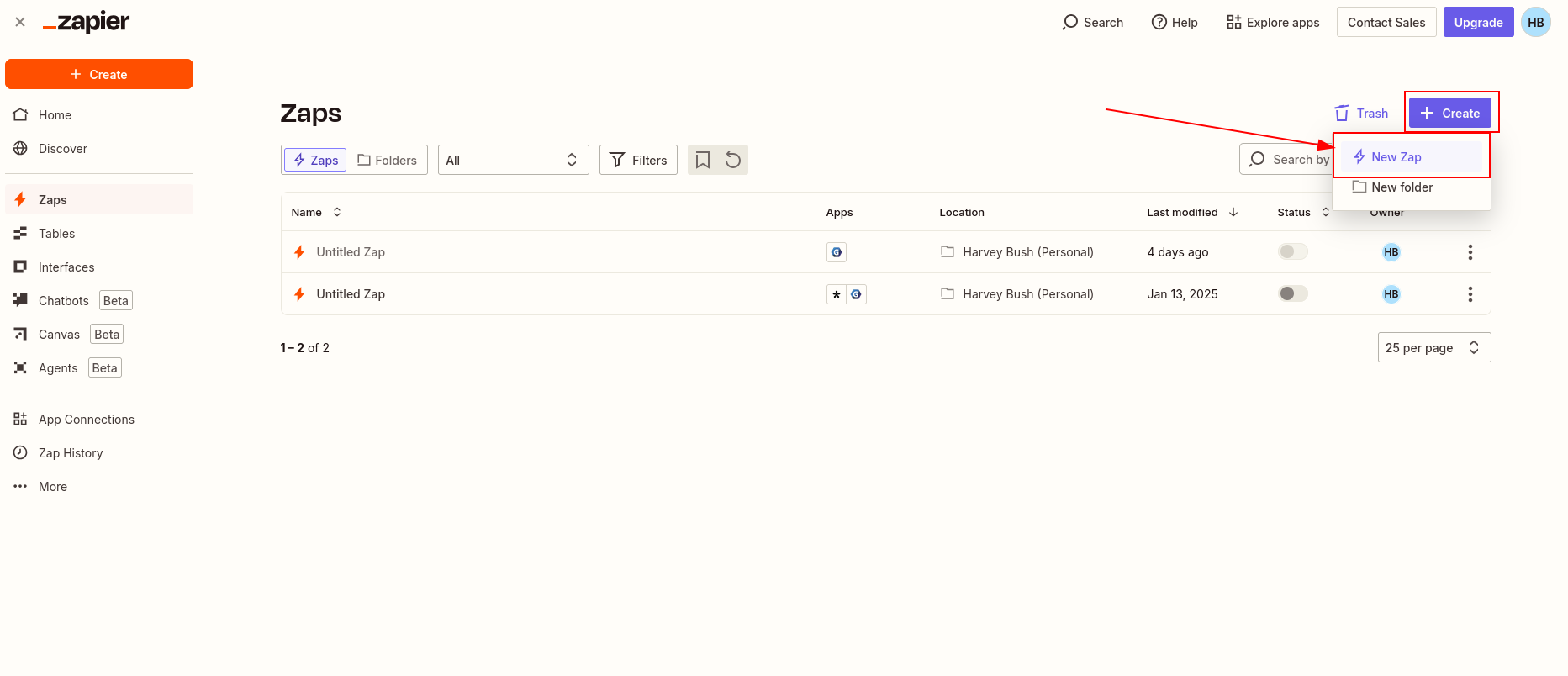
- Search for GymMaster in the Trigger Apps, and select
- Select New Booking as trigger
{{mrimpossible:zapier3.png?}}
- Connect Account
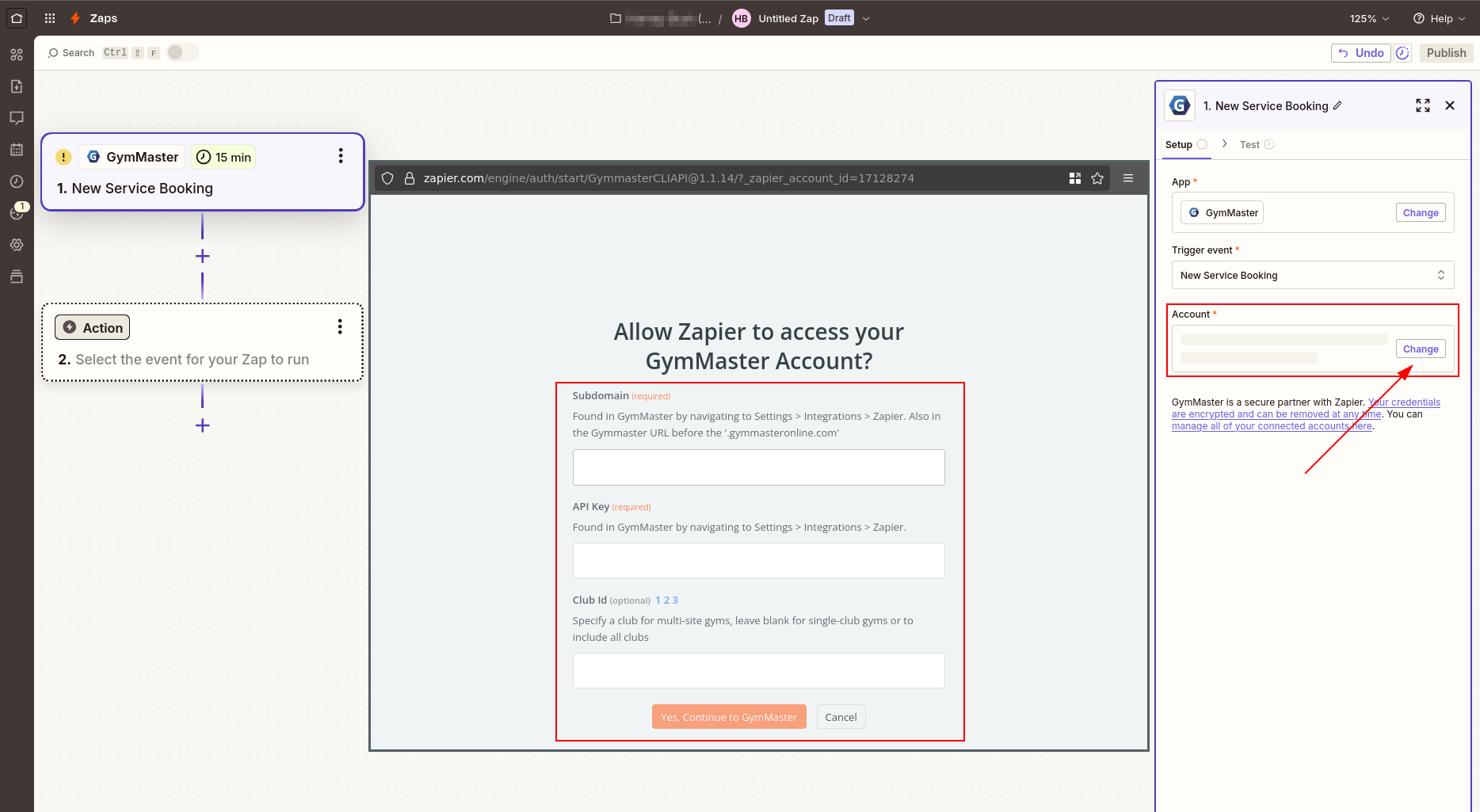
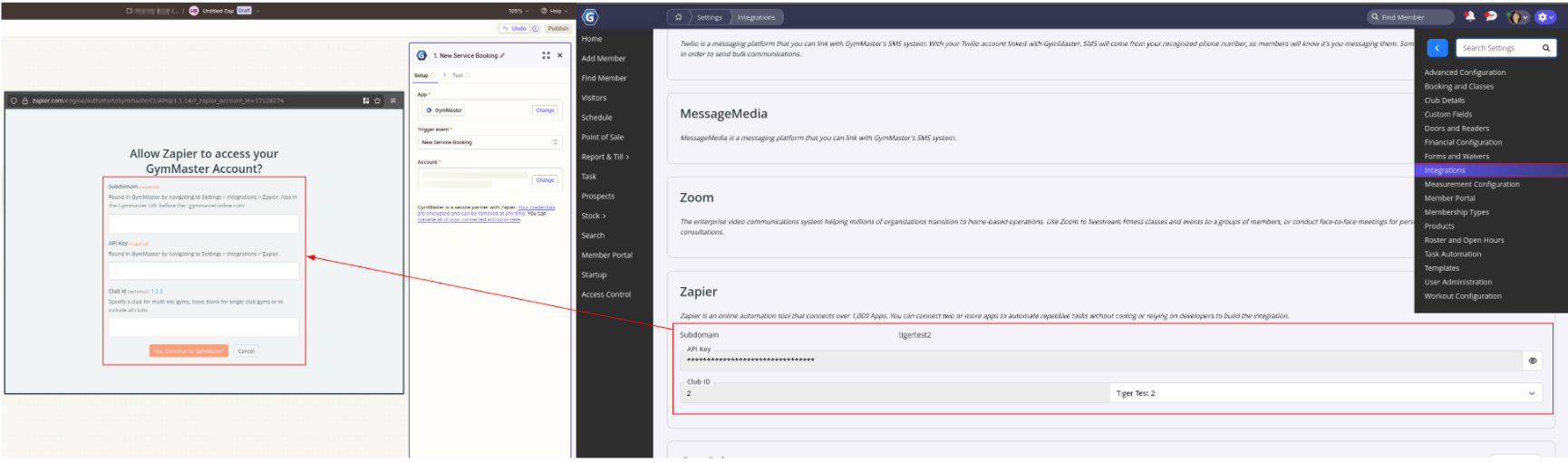
- Open GymMaster, go to Settings > Integrations > Zapier
- Copy the Club Name from GymMaster into the Subdomain section in Zapier
- Copy the API Key across to Zapier’s API field
- Select Yes Continue
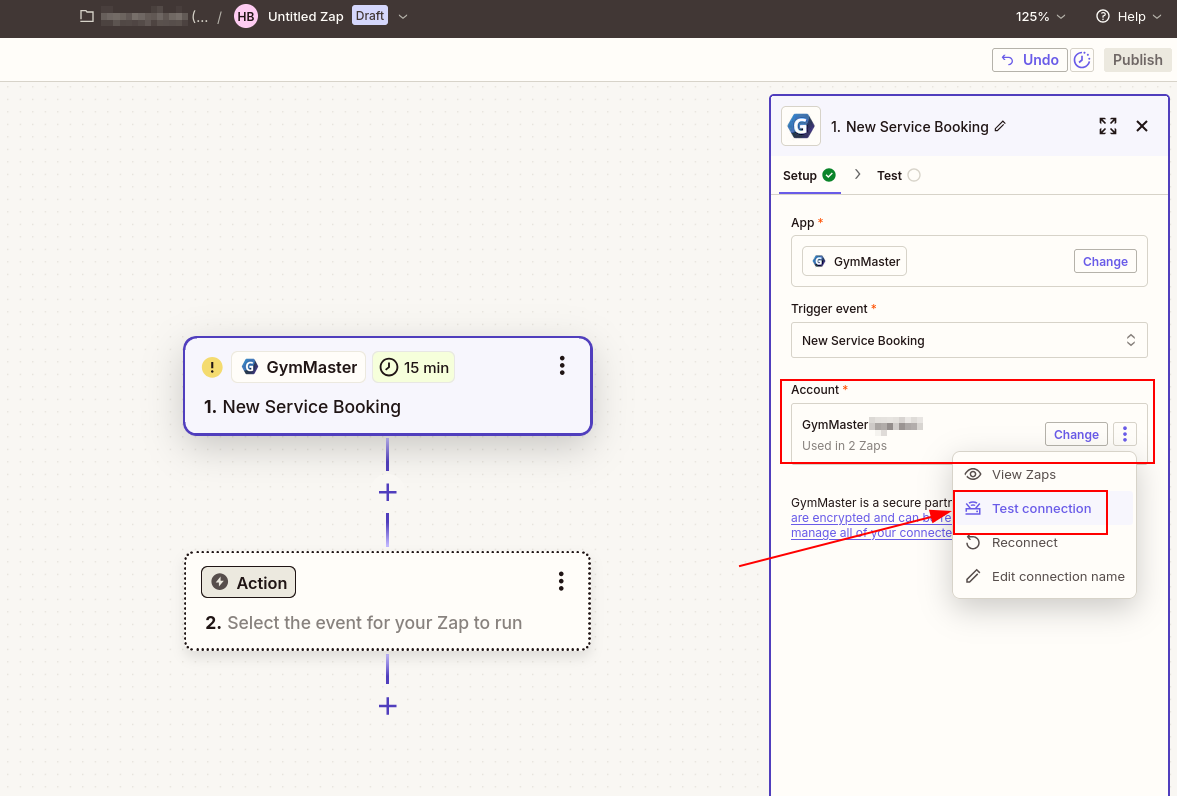
- Test the account connection has succeeded
- Save + Continue
- Pick a sample to test your zap with and click continue (any of these work it’s not important which you choose)
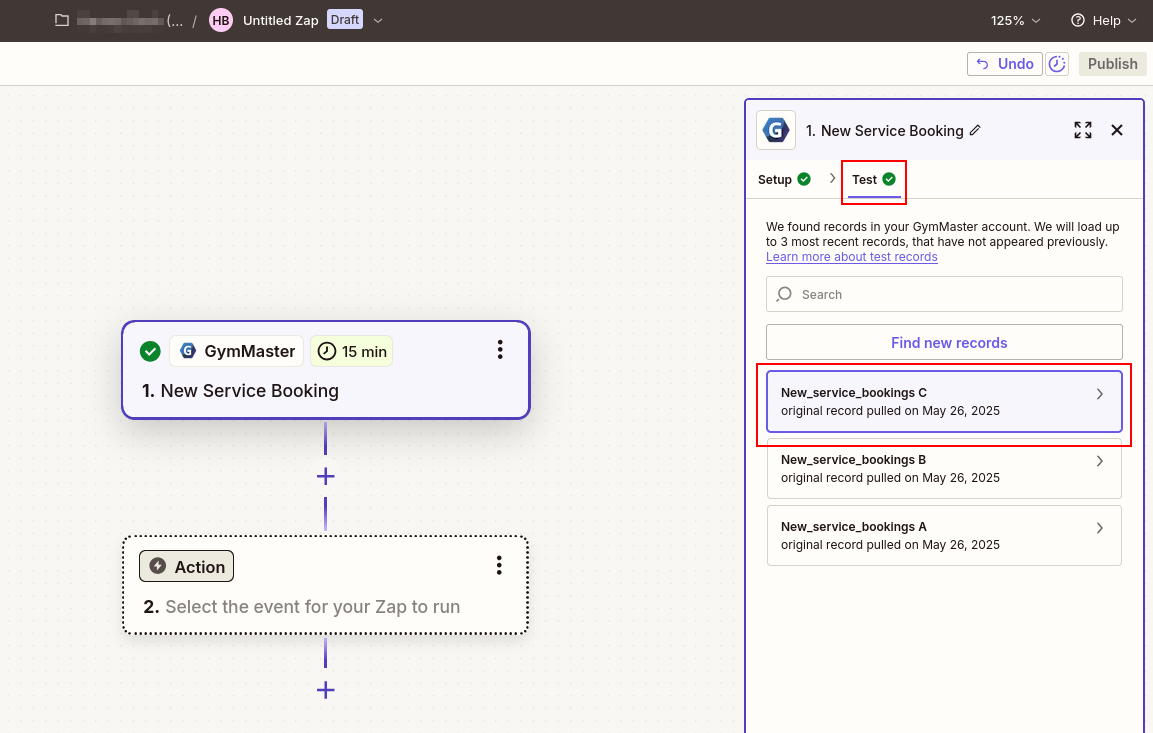
Setup Action
Decide what you want GymMaster to trigger. In this example, we’ll create a task in Todoist.;
- Select Todoist as the app, connect your account, and choose Create Task as the action
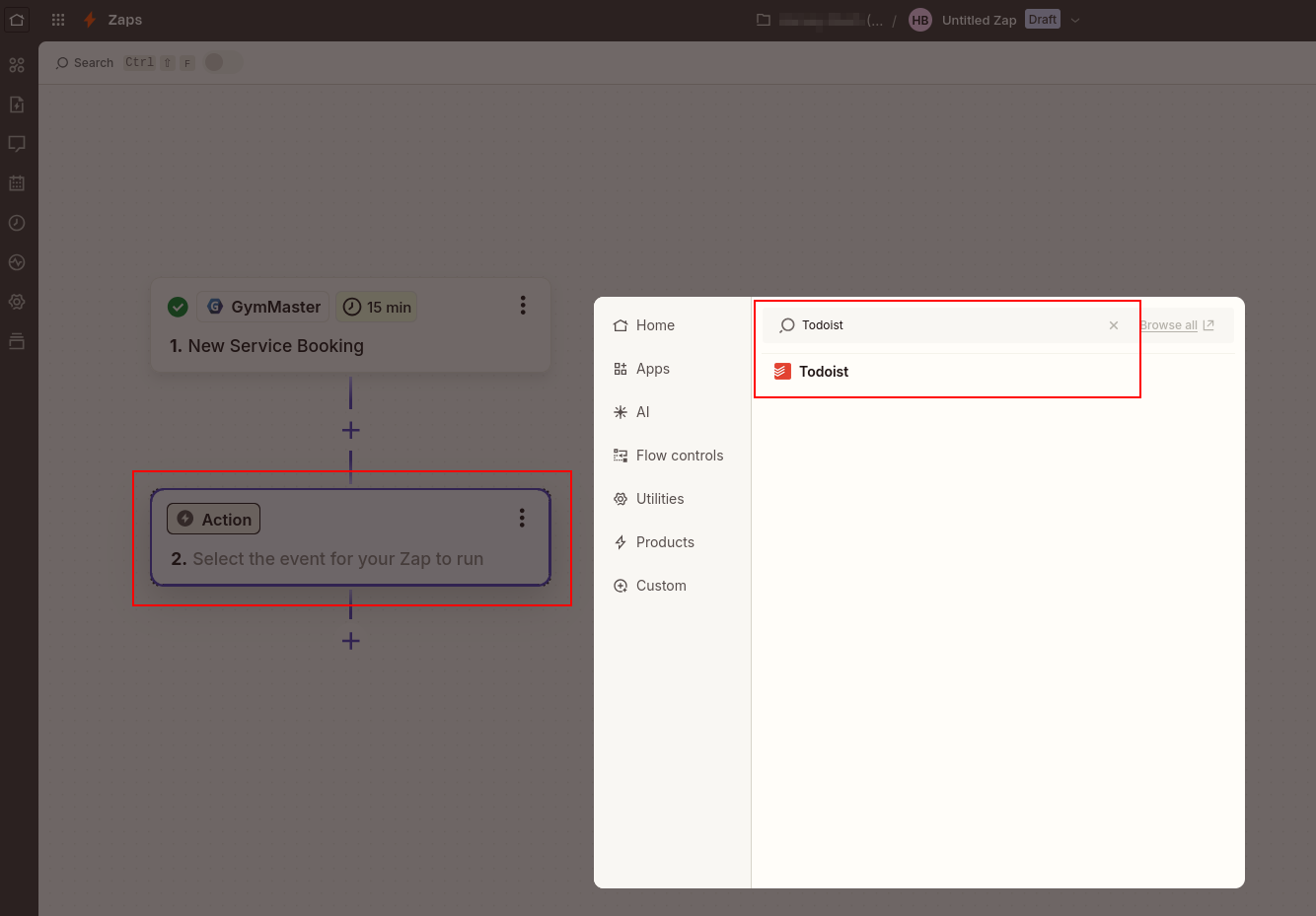
- Pick the project, give the task a title, and insert any dynamic data you need
- Optionally, assign it to staff, set a due date, priority, or labels
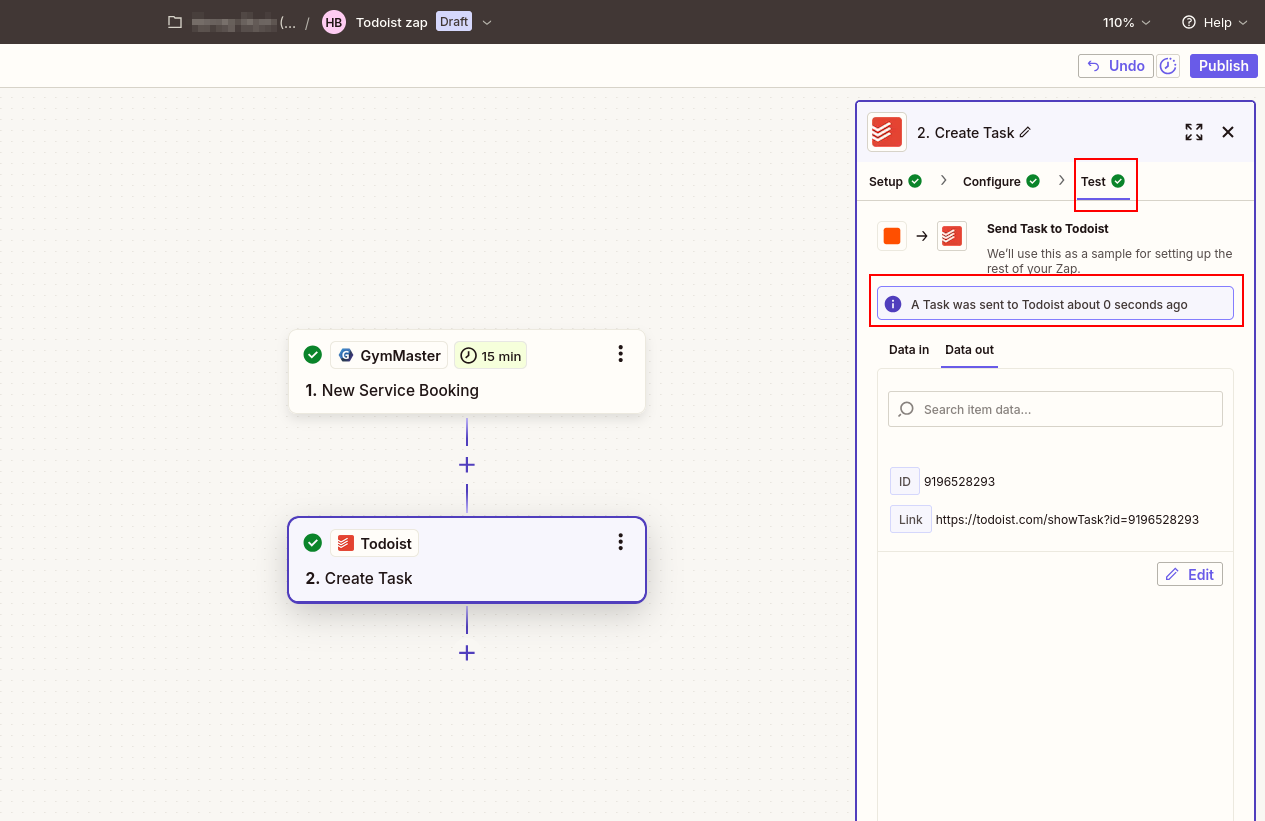
- Once everything looks good, continue and send a test to make sure it works
- Publish
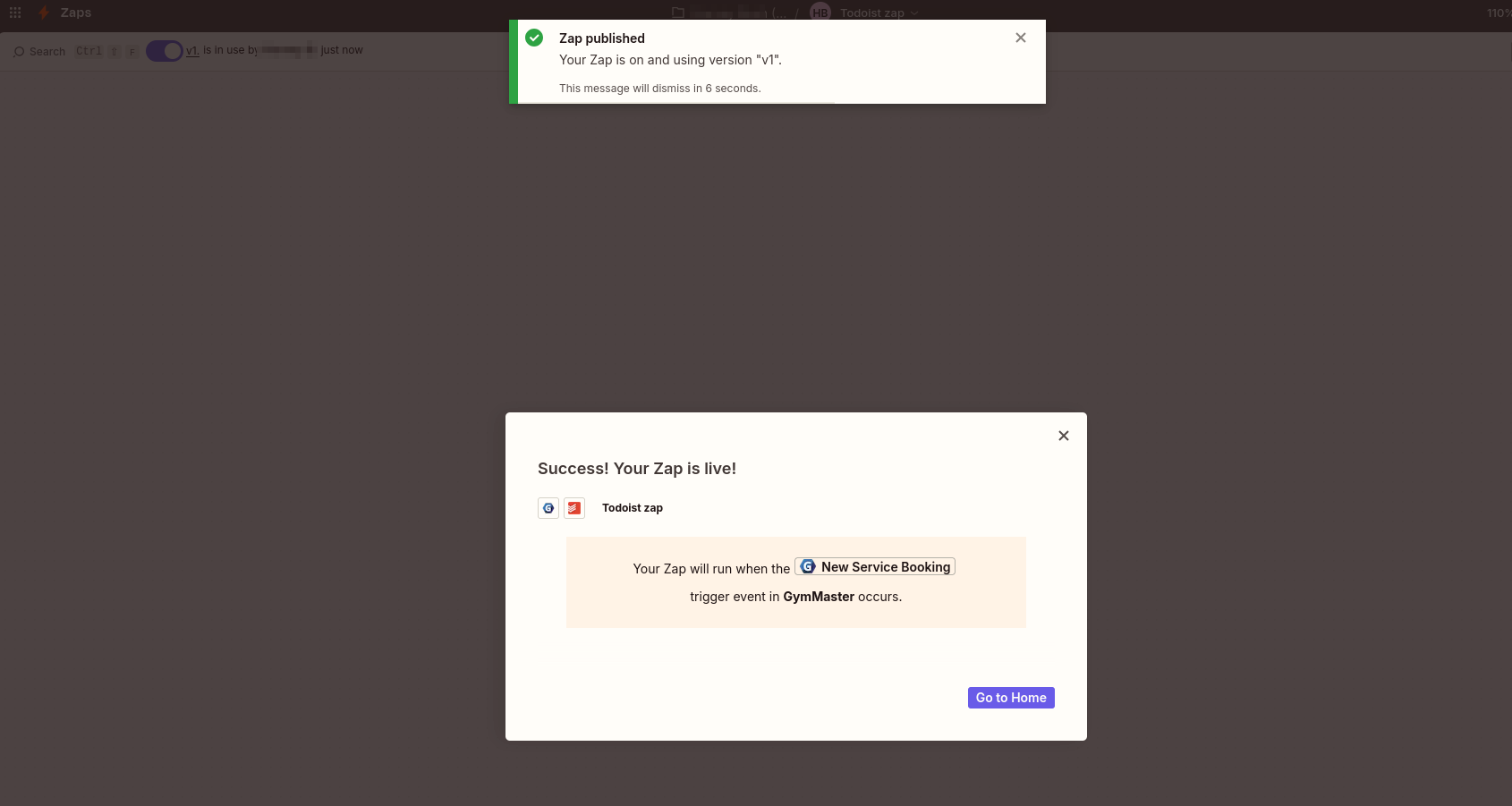
Turn on Zap!
And rename your Zap to something you will remember
Use other platforms in the running of your business? Click here to learn more about other GymMaster integrations
Common Questions this Covers
- How to integrate Zapier with GymMaster
- What are steps to integrate Zapier
- Can we use Zapier with GymMaster
- Can we link with AI platforms
- Can we link with other apps

 2026 © Treshna Enterprises Ltd.