
Selling Memberships Online
GymMaster allows you to sell memberships online through both the Member Portal and the GymMaster Member App, making sign-up quick and easy for your members. You can also promote your memberships through direct purchase links and QR Codes.
To allow online purchases, your club must have a billing provider configured under Settings >Financial Configuration > Billing Settings.
If your memberships include door access, we recommend automatically Assigning Bluetooth Access Tokens through the Membership Type Category settings.
Before you begin - ensure you have fully configured Member Portal to allow online membership sales and sign-up.
Public Online Sign-up
To make a membership publically available online, ensure global Member Portal settings allow online purchase of Memebrships. Then;
- Go to Settings > Membership Types
- Edit the Membership Type you want to sell online
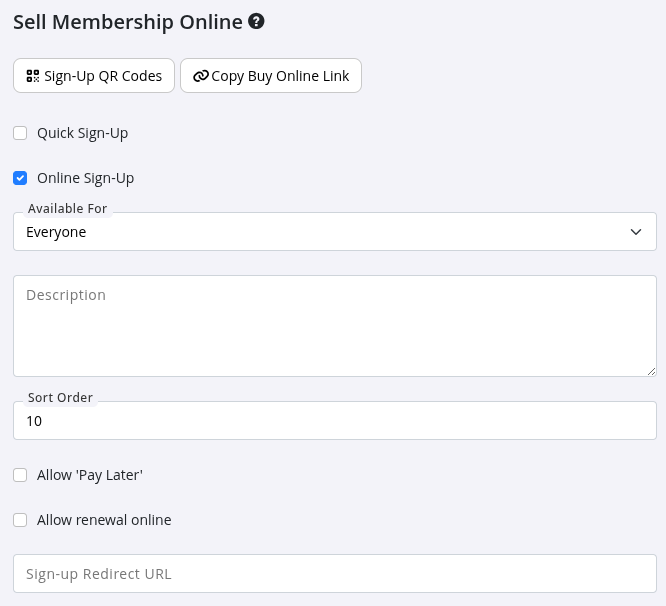
- Scroll to the bottom of the page and enable Online Sign-Up
Configure options;
- Who can purchase the membership
- The online membership description
- Sign-up behaviour and settings
- Payment and renewal options
When Online Sign-Up is not selected, membership will be hidden from public sign-up.
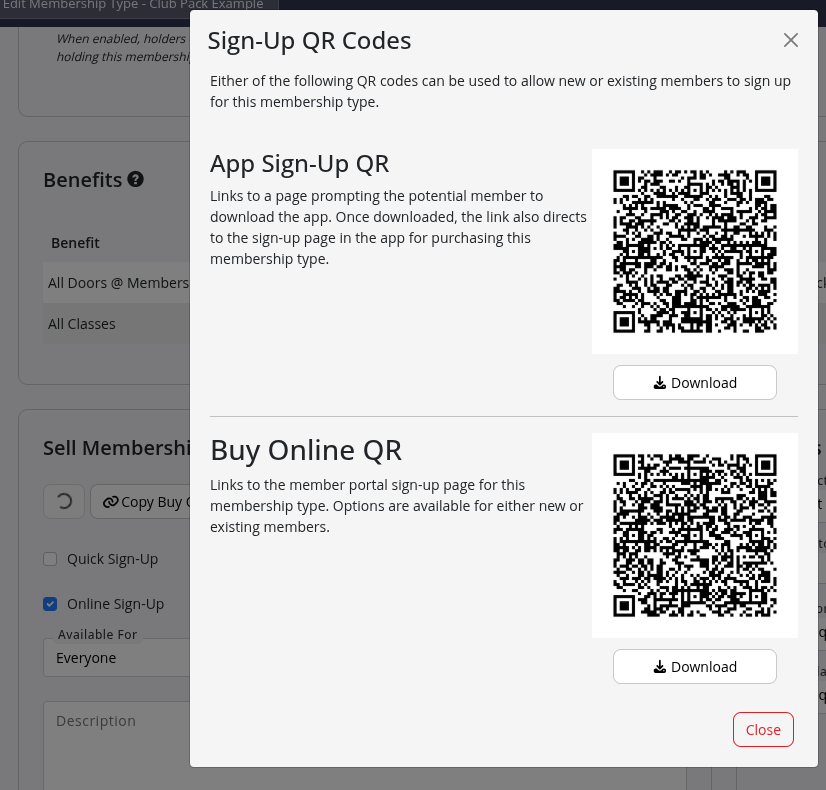
Sign-Up QR Codes
Each membership type includes downloadable QR codes to make sign-up even easier.
- App Sign-Up QR - This QR code is scanned through the GymMaster Member App
- Buy Online QR - This QR code can be scanned using a phone camera
QR Codes will take customers to your online purchase page for selected membership.
Buy Online Link
Use Copy Buy Online Link to generate a direct URL to the membership purchase page.
This link can be pasted and:
- Added to your website
- Shared by email or SMS
- Posted on social media
- Used in marketing campaigns
Link will take customers to your online purchase page for selected membership.
More details on creating memberships see Creating your Memberships
Common Questions this Covers
- How do I sell memberships online through GymMaster
- Where do I enable online sign-up for a membership type
- Why can’t members purchase memberships online
- How do I create or print QR codes for online membership sales
- Can I share a direct link to purchase a membership online

 2026 © Treshna Enterprises Ltd.
