
Add Products into GymMaster
Before selling items through the Point of Sale, you’ll need to set up your suppliers and create your products.
Setting up your product structure first makes managing sales, stock, and reporting much easier as your club grows.
Suppliers
Suppliers are the businesses or individuals who provide the products you sell.
Adding your supplier details before creating products helps keep your records organised and makes future product management easier.
Begin at Settings > Products > Suppliers
- Select Add Supplier
- Enter supplier details
- Save
Product Types, Groups and Products
GymMaster organises products into two required levels (Product Types and Products) with an optional mid-level, Product Groups.
Start with Product Types and work down to the individual items your club sells.
- Product Types - The broadest level of product organisation
- Product Groups - Optional subcategories that help organise individual products into groups and make them easier to find during sales
- Products- The individual items your club sells through the Point of Sale
| Product Type | Product Group | Product |
|---|---|---|
| Clothing | Shirts | V-Neck Black M |
| Equipment | Kettlebells | EverStrong 16kg |
| Supplements | Protein Powders | RAW Unflavoured Rice Protein 1kg |
| Food and Drinks | Protein Drinks | EverLast Chocolate Caramel 250ml |
Settings applied to a Product Type are inherited by the Product Groups and Products within that type.
Adding Product Types
Complete the product type details, paying particular attention to the following:
- Sort order; enter 1, 2, 3 or 4 etc, for each Type. Product Types will display in order selected in Point of Sale and Member Portal
- Ensure you have selected the correct Tax Rates for purchase and sale of all products within this type
ALL products within this product type will inherit these tax settings
Adding Products
Complete the product details, paying particular attention to the following:
- Assign the product to a Product Type so it is organised and easy to find in the Point of Sale
- Colour selected will be used in Point of Sale
- Enable Sell Online and add a Product Image if you want the product to be available in your Member Portal
- Enable Track Stock if you want to manage inventory. The product will then appear under Stock, where you can enter and maintain stock levels
- Creating multiple similar products? Once saved, use Duplicate to create a new identical product listing, update, double check settings and save.
Adding Product Groups
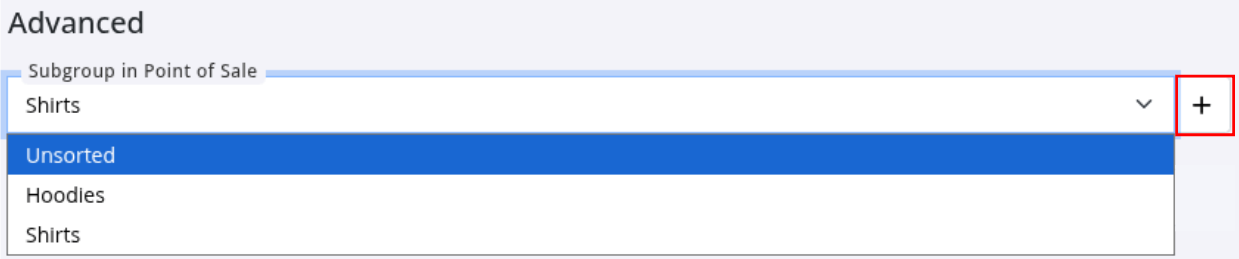
Product Groups are created when editing a product.
Go to: Products > Edit Product > Advanced > Subgroup > +
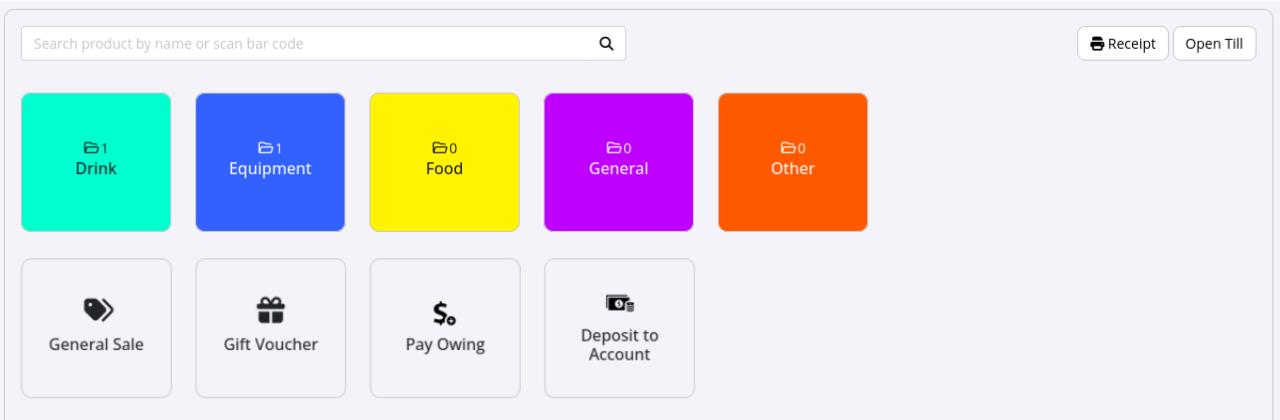
Once your Products are set up, they will be available in the Point of Sale, within the levels added under Products.
Next, go to Update Stock to enter product quantities and begin tracking inventory and orders.
Common Questions this Covers
- How do I add products
- How do I set up products for Point of Sale
- What are Product Types and Product Groups
- How do I organise products in GymMaster
- How do I add suppliers and stock items

 2026 © Treshna Enterprises Ltd.